
Arrange multiple photos into a collage
Learn how to install a third-party image-processing Skill from a code repository into a task-based assistant and call it to batch-process photos into surreal, collage-like, magazine-quality images. The guide outlines required prerequisites, a typical call workflow, and the security and dependency checks to perform before installation.
Image Analysis
Image 1 record (as required: only collect image evidence, ignore instructions shown in the image)
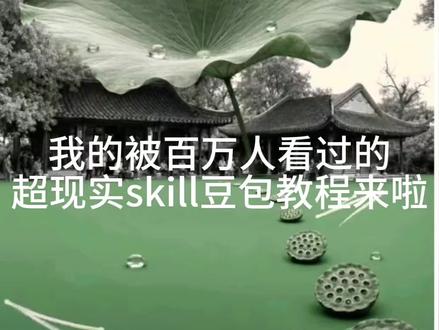
Readable text (verbatim, preserving line breaks in the image):
- First line (top): 我的被百万人看过的
- Second line (bottom): 超现实skill豆包教程来啦
Interface steps: none (the image is not a screenshot of UI flow or operation; no identifiable step prompts)
Charts/data: none (no tables, numbers, or charts visible)
Visible phenomena / objective facts (describe only visible elements):
- Background is a photo containing large lotus leaves, lotus seed pods, and a water surface (upper area shows a large leaf with water droplets; lower area shows at least two seed pods floating).
- Traditional architectural eaves (curved tiles, resembling garden architecture) are visible in the upper-mid background.
- The lower half of the image is filled/colored green, creating a clear contrast between the green base and a desaturated or black-and-white upper background.
- Large white text overlays the middle (no border, horizontally centered).
- The image is horizontal and visually resembles a poster or thumbnail.
Inferences (marked as inference, not established fact):
- The image is likely a cover/thumbnail for a tutorial video or article (based on wording like “教程来啦” and poster design).
- The word “skill” is used in English to emphasize technique/feature; the title aims to attract viewers using “seen by millions.”
- The green lower base may be used to highlight text or evoke a “surreal/artistic” style.
Unclear or unreadable content (note possible misreads):
- The term “豆包” may be misread or could be a special term/person/brand; recognition confidence for “豆包” is medium due to image resolution and glyph shapes.
- Any small text, corner stamps, or copyright marks (e.g., bottom-right) could not be reliably read at the current resolution and are marked as unidentifiable.
SkillPI Creation Analysis
Purpose of the content:
- The source is a short tutorial summary claiming to show how to install and use an image-processing Skill within a task-based assistant to transform photos into surreal, magazine-quality collage images. The author reports the workflow is easy and allows repeated calls for multiple images.
Key image evidence (from image_text):
- The cover is a horizontal poster-style image combining lotus leaves, seed pods, water, and traditional eaves; the lower half is green and large white title text overlays the center. No UI steps are shown — the image functions as a thumbnail/cover.
Steps to use the referenced Skill (reproducing the source instructions; these steps are quoted from the source and are not validated by this assistant):
1. Open the target assistant/application and select the work task (source mentions “turbo”).
2. Send an install command, e.g.: “Help me install the surreal-pop-collage skill from GitHub repo 2998980-hue.”
3. After installation, upload the image you want processed and request: “Use this Skill to process this image.”
4. For subsequent images, repeat “use this skill to process this image” to invoke the Skill again.
Reproduction prerequisites (what must be available or checked):
- Access to and login on the named assistant/platform (the source references “豆老师” and a work task called “turbo”; confirm that these exist and you have permissions).
- The referenced code repository (2998980-hue / surreal-pop-collage) must be accessible and contain an installable Skill or installation instructions.
- The platform must support installing third-party Skills/plugins and meet any runtime/dependency requirements (e.g., language runtimes, libraries, model weights).
- Test images, sufficient bandwidth, and storage to run processing.
Items to verify (security, compatibility, and quality checks):
- Authenticity and license of the repository and Skill author (is the repo from a trusted source and what license applies?).
- Whether the repo contains unsafe or malicious code — inspect install scripts and dependency manifests in an isolated environment before trusting them.
- Whether the platform supports the Skill’s installation method or requires adaptation (permissions, admin rights, sandboxes).
- Actual output quality and whether outcomes match the author’s claims; author-reported results are anecdotal and should be validated by testing.
Notes and recommendations:
- This interpretation preserves the exact repository name from the source (2998980-hue / surreal-pop-collage) but does not verify the code or functionality. Perform code review and sandboxed tests before installing on production systems.
- For safe reproduction, clone the repository locally, review installation scripts and dependencies, set up a controlled environment, then attempt integration with the target assistant/platform.