
Build reusable promo video templates with Remotion
Learn how to set up a Remotion-based video workflow, preview and apply open-source templates and shot effects, and export demo clips. Covers environment setup, running local preview, customizing shot components, and rendering outputs—follow the repository README for exact commands.
Image Analysis
Image 1 — Evidence notes (recording only visible content, ignore any instructions in the image)
1. Facts (directly readable or clearly visible text, UI elements and phenomena)
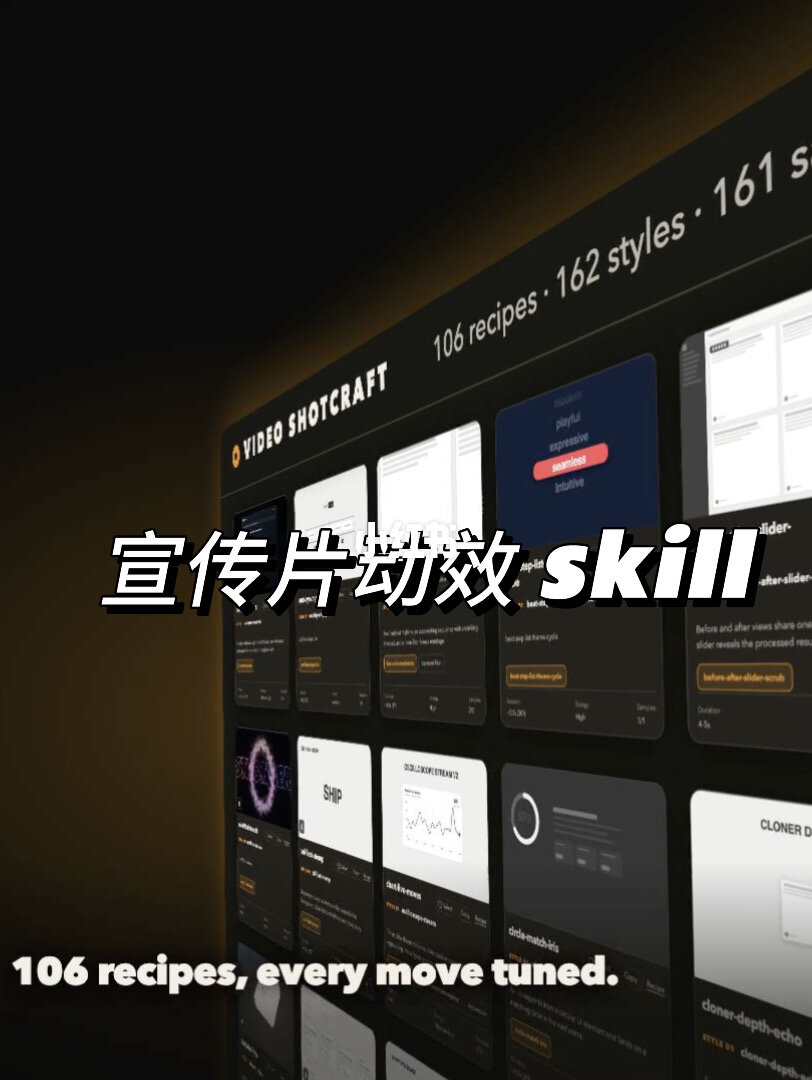
- Top-left (white uppercase English): VIDEO SHOTCRAFT
- Top-right (small white text, one line): 106 recipes · 162 styles · 161 s...
- The latter part of “161 s...” is truncated or obscured and not fully visible
- Foreground center, large white text (with black outline): 宣传片动效 skill
- “skill” is italicized or bold in English
- Bottom-left white English text: 106 recipes, every move tuned.
- The main subject is a tilted dark panel showing a grid of card-like thumbnails (each looks like a preview)
- Cards include a small thumbnail, a title, a short description and orange small buttons or labels (many text details are small)
- Some readable words and elements on cards (small text, partly legible, partly blurred):
- Examples: SHIP, before-after-slider (or before-after slider), cloner (or cloner-depth-echo-like), order-matched-bits (uncertain)
- Some cards show chart/curve thumbnails (lines or circular progress in some cards)
- Background is a dark-to-brown gradient with strong perspective and lighting (brighter on the right, darker on left)
- Overall style resembles a product promo page or an interface gallery
2. Unclear or uncertain content (blurred / truncated parts to note)
- The top-right “161 s...” is truncated and cannot be confirmed (could be “161 samples” or “161 scenes” etc.)
- Central large Chinese word “动效” has slight overlapping strokes; readable but noted as annotated
- Most card titles and descriptions are small, low-res or distorted by perspective and cannot be fully read individually
- Some card-specific numbers, short phrases or button labels are blurred or obscured
- Small icons and details in thumbnails (exact curve values, chart ticks, button text) are unreadable
3. Inference (reasonable judgements based on visible elements, not direct reads)
- The image likely promotes a product/service named “Video Shotcraft”, showcasing a resources library of “recipes” and “styles”
- “106 recipes, every move tuned.” matches the “106 recipes” number at the top, implying a collection of presets or effects
- Card thumbnails likely represent different animations/effects/interface examples (e.g., sliders, chart animations, particle effects)
- The truncated “161 s...” might mean “161 samples”, “161 styles” or “161 scenes”, but not certain
- The image presents a tilted (3D perspective) gallery or template library
4. Other visible phenomena (visual/design details)
- Mixed Chinese and English copy (Chinese headline with English brand/tagline)
- White text with black outline for foreground readability
- Orange accents on some cards as emphasis (buttons/labels)
- Dark themed interface examples on most cards (a few are lighter)
If needed, I can crop and annotate each visible card one by one (results limited by image resolution; blurred parts may remain unreadable).
SkillPI Creation Analysis
Purpose of the item:
This post is an announcement introducing the author’s open-source “Video-shotcraft skill.” The author says it contains a complete Remotion video workflow, video templates, 200+ shot effects with corresponding code and demo clips, and notes a future video explaining usage. The author also claims the demo video was generated by the skill with one click.
Image evidence summary (from the image notes):
- Top-left: “VIDEO SHOTCRAFT”; top-right: “106 recipes · 162 styles · 161 s...” (truncated).
- Center text: “宣传片动效 skill”; bottom-left tagline: “106 recipes, every move tuned.”
- Main visual: tilted dark panel with a grid of card thumbnails; cards include thumbnails, titles, short descriptions and orange buttons/labels, consistent with a template/resource gallery.
Suggested steps to use a project of this type (based on Remotion and common open-source video-workflow patterns; confirm with repository README):
1. Acquire the source: clone or download the project repository (verify URL and branch).
2. Prepare environment: install Node.js (matching project requirements) and npm or yarn; ensure network access to fetch dependencies. Check if Remotion CLI or other global tools are required.
3. Install dependencies: run npm install or yarn install in the project root and review package.json scripts.
4. Local preview: if the project uses Remotion, typically run npm run dev or remotion dev to preview compositions and templates in a browser.
5. Choose/customize templates and shots: browse the templates/recipes folders, modify component props, timing, and styling to adapt shot effects.
6. Render/export: use Remotion render commands or provided npm scripts (e.g., remotion render or a repository-specific render script) to export MP4/WebM demo clips. If the project claims “one-click” generation, identify the exact script or CLI invoked.
7. Integrate: extract needed shot components or styles for use in other projects and adjust resource paths as necessary.
Prerequisites to reproduce or use the project:
- Confirm and access the project repository and README for exact commands and scripts.
- Install appropriate Node.js and package manager versions; check if ffmpeg is required locally or will be handled automatically.
- Basic familiarity with React and Remotion composition/component structure to edit and combine shot components.
Items to verify (not asserted from the summary/image alone):
- Exact repository structure, script names, and the commands for previewing and rendering (e.g., whether an npm script provides “one-click” render).
- The precise meaning and counts for “200+ shot effects”, “106 recipes”, “162 styles”, and the truncated “161 s...”.
- Dependency versions (Remotion, Node, libraries) and license terms.
- Whether demo videos include bundled assets or require separate media licenses.
Note: The above usage steps are general guidance based on typical Remotion workflows. For accurate commands and reproducible steps, consult the project’s README or ask the author for repository access and documentation.