
Build technical slides with Slidev
Write a technical talk in Markdown, add highlighted code and diagrams, and check how the slides render and export.
Image Analysis
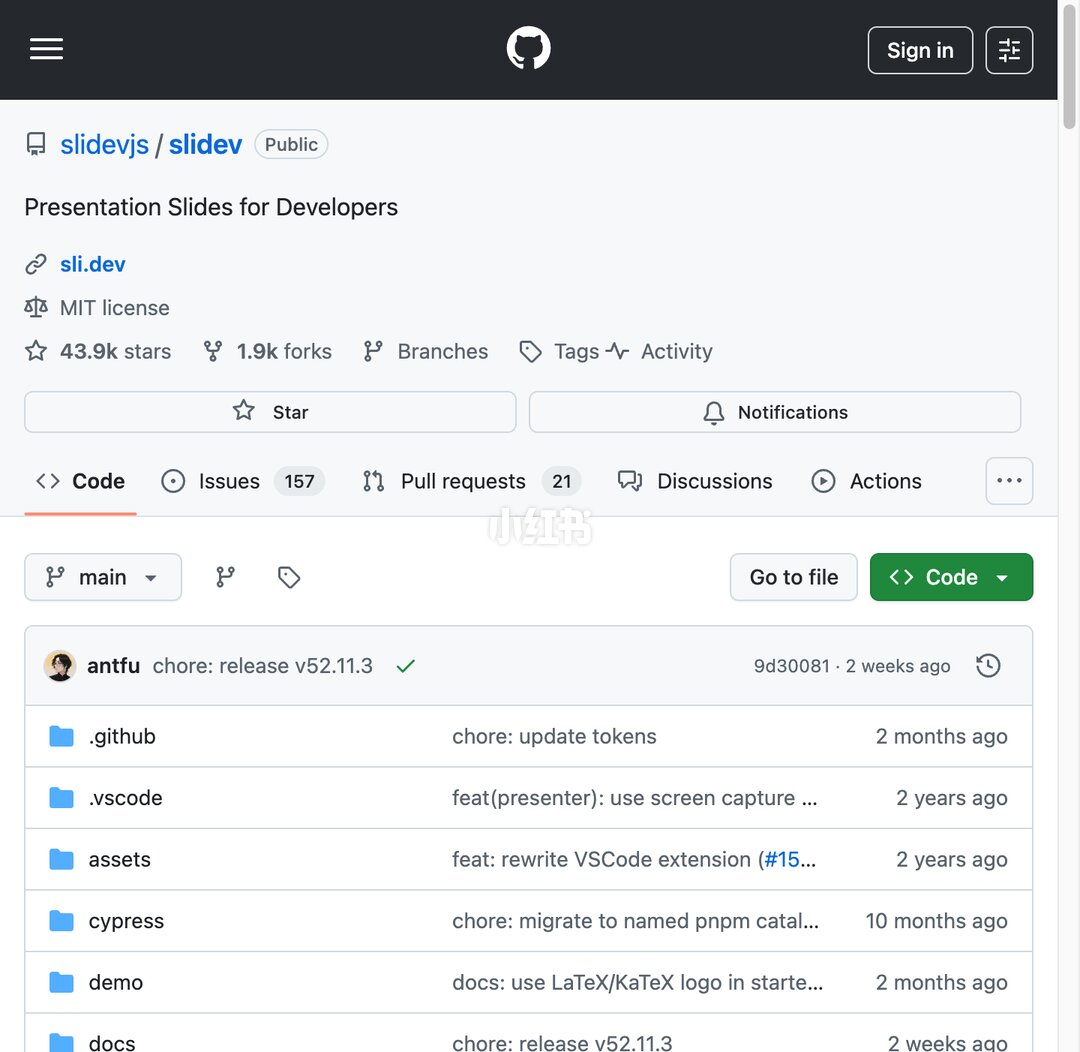
Image evidence (slide 1) — readable facts and visible UI elements
Readable facts and visible UI elements:
- Top navigation area:
- GitHub logo (icon).
- Top-right button: "Sign in" visible.
- A vertical scrollbar is visible on the right side of the page.
- A hamburger menu icon (three horizontal lines) in the top-left.
- Repository identification and description:
- The top shows a repository identifier link in blue: "slidev[s?] / slidev" (the first token is somewhat unclear; see unreadable section).
- A label: "Public".
- Repository description: "Presentation Slides for Developers".
- Link-style text: "sli.dev".
- License: "MIT license".
- Repository statistics (icons and numbers visible):
- "43.9k stars".
- "1.9k forks".
- Visible tabs/icons for Branches, Tags, Activity.
- Action buttons / labels:
- Star button (Star).
- Notifications (bell icon and text).
- Main navigation tabs:
- Code (selected/highlighted).
- Issues 157 (with badge).
- Pull requests 21.
- Discussions.
- Actions.
- An overflow menu button (…).
- Branch & file operations:
- Branch dropdown/display: "main".
- "Go to file" button visible on the right.
- Green "Code" button with a dropdown arrow.
- Repository commit info (top of file list):
- Avatar + username/committer: "antfu".
- Commit message readable: "chore: release v52.11.3" (with a green check mark to the right).
- Commit hash/time info: "9d30081 · 2 weeks ago".
- File/directory list (rows with folder icons):
- .github — right column summary/time: "chore: update tokens — 2 months ago".
- .vscode — summary (partially truncated): "feat(presenter): use screen capture … — 2 years ago".
- assets — summary (partially truncated): "feat: rewrite VSCode extension (#15… — 2 years ago".
- cypress — summary (partially truncated): "chore: migrate to named pnpm catal… — 10 months ago".
- demo — summary (partially truncated): "docs: use LaTeX/KaTeX logo in starte… — 2 months ago".
- docs — summary: "chore: release v52.11.3 — 2 weeks ago".
- Visible watermark/overlay:
- Semi-transparent white text watermark near the lower center: "小红书" (Xiaohongshu), overlaying the UI.
- Other visible UI observations:
- The page layout matches a typical GitHub repository file view (left/middle file list, top repo info and action buttons).
- Many commit message summaries on the right are truncated with ellipses.
- Several icons are visible (folder icons, branch/tag icons, star icons) but are graphical and not transcribed verbatim.
Unreadable or truncated content (explicitly noted):
- The first token between repository owner/organization and repo name is not fully clear: image shows "slidev[s?] / slidev" (the first token/character is partially obscured or slightly blurred; exact spelling cannot be 100% confirmed).
- Several commit summary texts are truncated; examples:
- .vscode row commit summary ends with "use screen capture …" (ellipsis hides the remainder).
- assets row commit summary "feat: rewrite VSCode extension (#15…" (truncated remainder).
- cypress row summary "chore: migrate to named pnpm catal…" (truncated).
- demo row summary "docs: use LaTeX/KaTeX logo in starte…" (truncated).
- Small numbers/text near the top-right icons (e.g., counts next to Branches, Tags) are not fully visible or partially cropped and cannot be read precisely.
Inferred (based on visible UI but not directly readable; marked as inference):
- The page is very likely the "Code" view of a public GitHub repository (inferred from the typical GitHub layout and visible elements).
- The repository name is likely "slidev" (inferred from multiple occurrences of the text "slidev").
- The watermark "小红书" likely indicates the screenshot was shared on Xiaohongshu (inference).
- The username "antfu" is likely the recent committer's GitHub handle (inference based on avatar and nearby commit message).
SkillPI Creation Analysis
Purpose of the work:
- The source describes Slidev, a tool that generates presentation slides from Markdown. It's aimed at technical presenters who need to show code, formulas, or diagrams and want to reduce time spent on manual slide layout. The summary states Slidev supports code highlighting, live preview, presenter mode, LaTeX, Mermaid diagrams, embedding Vue components, and exporting to PDF/PNG/PPTX.
Image evidence (what the screenshot shows and confirms):
- The screenshot is of a GitHub repository file view that references "slidev" and has the description "Presentation Slides for Developers" and an MIT license. Visible repository stats on the screenshot include "43.9k stars" and "1.9k forks". The file list and recent commits (.github, .vscode, assets, demo, docs, etc.) are visible, supporting that Slidev is a published, actively maintained project on GitHub. The image also has a "小红书" watermark indicating the screenshot may have been shared on Xiaohongshu.
Steps linking to relevant skills/tools (based on explicit statements in the source summary):
1) Create a project: use the command npm init slidev (the summary explicitly mentions this command).
2) Write slides: edit the project's Markdown files to author slides; the tool auto-generates slides from Markdown.
3) Live preview and HMR: because Slidev is based on Vue 3 and Vite (mentioned in the summary), editing content triggers fast reloads in the browser for quick iteration.
4) Include assets: insert code blocks for syntax-highlighted code, LaTeX for formulas, and Mermaid for diagrams; embed Vue components for interactivity within slides.
5) Preview in editor: install the mentioned VS Code extension to get live preview while editing (summary references a VS Code extension).
6) Export: export finished slides to PDF, PNG, or PPTX (these formats are explicitly mentioned in the summary).
Reproduction prerequisites (what to prepare before trying this):
- Node.js and npm installed (the summary uses npm init slidev, implying an npm environment is required).
- A compatible Node version for Vue 3 / Vite-based projects (the summary states Slidev is based on Vue3 and Vite; exact Node version is not given).
- Access to the Slidev project or its documentation (the screenshot points to a GitHub repo; use the repo or official docs for precise commands and options).
Items to verify (not fully specified in the provided summary or screenshot):
- Full install/start commands and workflow (e.g., whether npm install and npm run dev are required after npm init slidev; the summary only mentions npm init slidev).
- Exact VS Code extension package name and recommended settings for live preview.
- Details and limitations of embedding Vue components in exported formats (e.g., interactive components likely won’t be interactive in static exports—this needs confirmation).
- Export behavior and fidelity for PPTX (what features are preserved or lost when exporting to PPTX/PDF/PNG).
- System compatibility and exact Node/npm version requirements.
Notes: The above steps and prerequisites are drawn from the user-provided summary and the screenshot's readable elements. For exact reproduction and configuration, consult the official Slidev documentation or the referenced GitHub repository to confirm commands, extension names, version compatibility, and export limitations.