
Edit and organize travel photos with creative skills
Choose organization, cropping, color, or layout treatments by photo problem and compare them on a fixed set of originals.
Image Analysis
Image 1
Readable text
- No clear, identifiable continuous text string. There are small texts on signs and vehicle plates in the image, but at the current resolution/artistic processing they cannot be recognized as definite text (see “Unreadable content”).
Interface steps
- No interface or interaction steps to record (this is not an app/UI screenshot).
Chart data
- No charts or quantitative data displayed.
Visible phenomena (facts)
- Perspective and composition
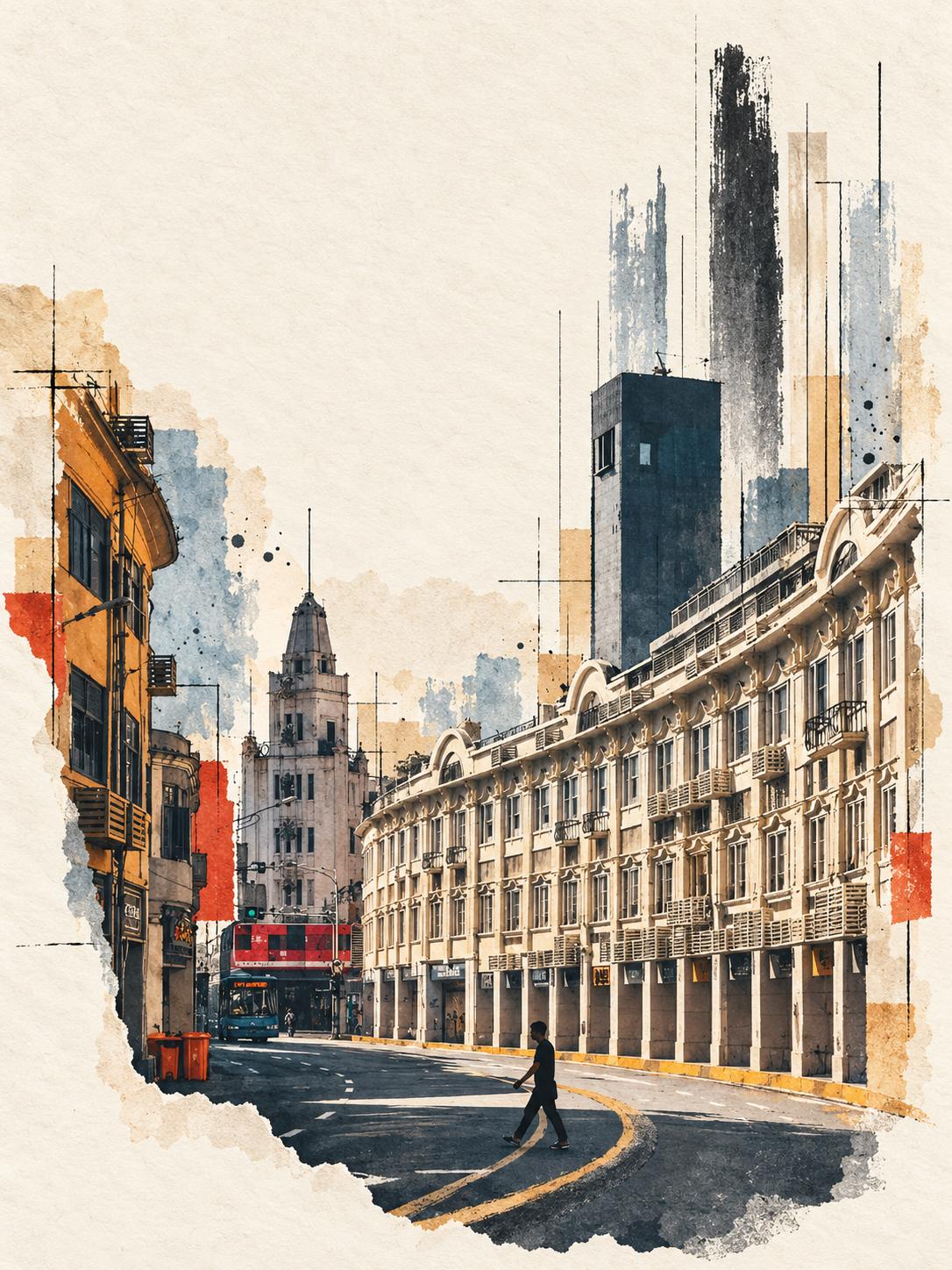
- The image is vertically oriented. Slightly right of center is a row of multi-storey building facades with arc-shaped elements extending along the street (shopfronts with continuous arcades).
- On the left side of the image there is a narrower multi-storey building with visible eaves and windows.
- In the distance, slightly left of center, there is an old-style tower with a spire (clock tower / spire-like structure). Further in the background there is a dark modern high-rise (a tall rectangular tower).
- The entire image shows clear artistic processing: paper texture, watercolor splatters, vertical/horizontal fine-line sketch overlays, and torn-paper edge effects.
- Traffic and pedestrians
- The road curves; there are double yellow lines on the pavement (curved markings).
- Near the mid-lower right of the image there is a pedestrian (a dark silhouette) crossing the road (gait visible).
- In the near-mid left area there is a parked bus/vehicle on the road; the vehicle’s upper half is red and the lower half is dark (the shape and window grid suggest a double-decker bus or public transport with upper windows).
- Two orange/red trash bins are visible at the roadside (near the lower-left corner of the image).
- Above the intersection or above the vehicle there is a traffic light (located above and slightly left of the vehicle), and the light shows green (green light dot visible).
- Building details
- Each floor of the arc-shaped facade has vertical windows and small balconies or railings; some windows have external units (air conditioners) visible beneath them.
- Shopfronts sit within the ground-level arcade; the ground-level stone columns/arcade form a continuous walkway visually.
- Color and artistic elements
- Overall tone is warm (beige paper texture background, light brown/ochre buildings, some blue-gray/black strokes).
- The image edges show torn paper effects; the background and skyline have watercolor-like splatters and vertical brush strokes, with local red squares/patches as compositional elements.
Unreadable content
- Text on the front/top of the vehicle (bus) or route numbers cannot be read (cannot determine bus route name or number).
- Shop signage on the ground floor cannot be read (resolution and stylization cause blur/occlusion).
- Possible road signs, small labels, and text inside shop windows cannot be read as specific characters or words.
Inferences (marked as inferences, not established facts)
- The image may be a photograph that has been artistically processed by digital painting/watercolor and sketch overlays (based on paper texture, splatters, and hand-drawn line effects).
- The vehicle shape and double-window grid could indicate a double-decker bus or a public transport vehicle with upper windows, but this is a visual inference.
- Shadows of the pedestrian and the direction of road shadows and lighting intensity may suggest shooting in daylight (e.g., morning or afternoon), but exact time cannot be determined.
- The combination of arc-shaped facades, balcony railings, and red double-decker-like bus might hint at a city with historic street-front architecture that still uses double-decker buses, but the city identity cannot be determined and remains speculative.
SkillPI Creation Analysis
Intended use:
- The provided summary lists 15 open-source skills/repositories aimed at converting or stylizing travel photos into artistic outputs (sticker cards, zines, minimal illustrations, sketches, stamps, collages, abstractions, etc.). The intent is to offer a collection of repo names that users can try to process travel photos into varied artistic styles.
Image evidence (based on Image 1 description):
- The example image is vertically composed, depicting an arc-front building row, a spire-like tower in the distance, a likely double-decker bus, and a pedestrian crossing the street.
- The image shows clear post-processing: paper texture, watercolor splashes, sketch line overlays, and torn paper edges. This visual evidence aligns with the idea of transforming photos into stylized/artistic outputs.
Associated skills — usage steps (generic; see each repository’s README for specifics):
1) Obtain the repository: clone or download the repo (exact repo names are listed below).
2) Read documentation: check the repo README for dependencies, example inputs/outputs, parameters, and run commands. Implementations vary between repos.
3) Set up environment: install required runtimes (common needs: Python, PyTorch/TensorFlow, image-processing libraries). Download any required model weights if not included. If using GPU, ensure CUDA and drivers are properly installed.
4) Prepare source images: select and crop travel photos according to repository requirements (e.g., target resolutions like 512x512, 1024x1024, or long-edge constraints).
5) Run demos: use provided demo scripts or APIs to process single or batches of images; adjust parameters or prompts where supported to refine style.
6) Post-process and export: apply color correction, sharpening, or layout composition, then export final images in desired formats (JPEG/PNG) or put them into templates (zine pages, sticker sheets, postcards).
Reproduction prerequisites (common expectations):
- Full access to the repository and example files; confirm whether additional model weights or external assets are required.
- Runtime environment (OS), Python version, deep-learning framework (PyTorch/TensorFlow) and GPU support if needed.
- Basic image pre-processing capability (batch conversion, resizing, cropping).
Items to verify before attempting:
- Repository license and usage restrictions (commercial use, attribution requirements, model/data restrictions).
- Whether external model weights or large assets must be downloaded separately (often described in README).
- Exact run commands, dependency versions, and CPU-only support vs. GPU recommendation.
- Data privacy and security considerations (avoid uploading sensitive images to unknown third-party services).
Original repository list and preserved sources (as provided):
1️⃣ Zeejay0/gathered-scenes-zine-skill
2️⃣ luji12/daily-photo-playground
3️⃣ Nealsun1993/neil-quentin
4️⃣ sbj61188-lab/compose-photo-memory-archive
5️⃣ Buantum/flash4start_light
6️⃣ joeyhu1108-maker/selective-ink-sketch
7️⃣ carolinaaafy/travel-memory-sticker-card
8️⃣ iamkong/photo-to-minimal-illustration
9️⃣ liigoQi/photo-to-travel-sketch
1️⃣0️⃣ Dlcccc71913/skill-make-photo-stamp-archive
1️⃣1️⃣ joeyhu1108-maker/ZONE-Material-art
1️⃣2️⃣ Evianis/travel-photo-abstraction
1️⃣3️⃣ wen3140/sunwoven-reverie
1️⃣4️⃣ N1kO724/scene-to-art-lab
1️⃣5️⃣ 2998980-hue/surreal-pop-collage
Source link (preserved): https://www.douyin.com/video/7692348078396919055
Note: This interpretation provides general, fact-based usage guidance and verification items derived from the provided summary and image description. Specific implementation details, commands, and model availability must be checked in each repository’s documentation before attempting reproduction.