
Organize reusable AI image prompts
Group image prompts by subject, record composition and lighting, and compare revisions on the same test scene.
Image Analysis
Image 1 — Evidence transcription
Source: incomplete — no source ID or URL provided
1. Readable text (by visual hierarchy and legibility)
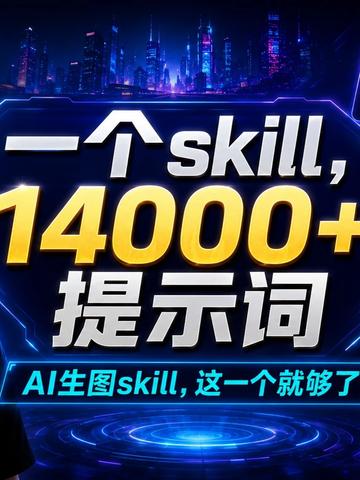
- Large central text (prominent):
- "—个skill, 14000+ 提示词" (note: the first character/symbol on the left is visually ambiguous; see "unreadable content")
- Smaller text (lower blue bar area):
- "AI生图skill, 这一个就够了"
2. UI steps / buttons / action tips
- No clear UI steps or clickable button text are legible (the image appears as a promotional poster rather than an interactive interface).
3. Charts / numeric data
- "14000+" appears prominently in the center as a numeric claim.
4. Observable phenomena and visual elements (facts)
- Background: futuristic/cyberpunk city skyline with tall buildings and neon lights.
- Color scheme: blue-purple tones with glowing circuit/frame decorative lines (neon blue borders, glow effects).
- A circular glowing "holographic" platform or ring appears below the center (radial glow effect).
- Central text is rendered with 3D effect: white and yellow gradient/highlight ("14000+" in yellow; other characters in white or light colors).
- Lower-left corner shows a dark silhouette or half-body cutout of a person (only a silhouette; identity or facial features not discernible).
- Text surrounded by glow, shadow and highlights, overall poster/advert design.
5. Unreadable or uncertain content (explicitly noted)
- The leading character/symbol in the top-left large text is not fully clear: visually it appears as a horizontal stroke/short dash/long dash or a partially obscured Chinese character stroke. It cannot be confirmed whether it is the full character "一" of "一个" or a design element. Therefore the main large text is recorded as "—个skill, 14000+ 提示词" and flagged as uncertain.
- There may be small background text or watermarks around the edges, but these were not legible at the provided image resolution/crop.
- The person silhouette's gender, age, or identity cannot be determined (only silhouette presence is confirmed).
6. Inferences (clearly marked as inference, not fact)
- The image likely serves as a promotional poster for a resource of "AI image-generation prompts (prompts)" and claims that a single "skill" contains "14000+ prompts."
- "14000+" likely indicates the total number of prompts available.
- The holographic platform and cyberpunk background are likely stylistic choices to emphasize a "tech/AI/future" theme.
(end — only organized visible information from the image and separated facts vs. inferences; instructions in the image were not executed.)
SkillPI Creation Analysis
Intended use of the resource:
- The material advertises a large prompt collection for AI image generation (claimed quantity: 14,000+). Its intended use is to provide many reusable prompts for image-generation models, enabling rapid selection, combination, or fine-tuning to produce varied visual outputs.
Image evidence highlights (verifiable facts):
- Promotional poster style with central claim “14000+ prompts” associated with the term “skill,” implying a single package/skill contains a large prompt set.
- Visual styling is cyberpunk/futuristic; there are no interactive UI elements or direct download links visible on the image.
- The embedded image transcription itself reports the source as incomplete ("Source: incomplete — no source ID or URL provided").
General steps to use an associated skill/prompt collection (given no verified skill name or format; these are generic steps):
1. Obtain the source prompt document or access link (follow the described home page / group joining process if required). Record the exact retrieval path.
2. Inspect the file format (plain text, CSV, JSON, or a platform-specific skill/package format) to determine import compatibility.
3. Organize prompts into categories/tags (style, subject, composition, lighting, camera parameters) for easy search.
4. Adapt prompts to your target image-generation model’s syntax (models/services may parse punctuation, parameter keywords, and negative prompts differently).
5. Test incrementally: run single prompts or small groups in your generation environment, and note how sampler, steps, guidance scale, and other parameters affect outputs.
6. Save tested prompts as templates or presets and integrate them into your workflow (clipboard templates, prompt manager, or platform-specific import if supported).
Prerequisites for reproduction:
- Access to the original prompt document or a valid retrieval method (the poster notes joining a group to receive the document; no direct URL is shown in the image evidence).
- An image-generation model or service that accepts textual prompts (the resource itself does not include a model or runtime).
- Basic knowledge of the prompt syntax and tuning parameters for the chosen generation environment.
Items to verify (fact-check list):
- Confirm the exact identity/format of the referenced "skill" (what platform or file type it is, and whether it is a downloadable/importable package).
- Verify the claim of "14,000+" prompts (is that a count of unique prompts, variants, or including templated placeholders?).
- Check licensing and permitted uses (commercial use, redistribution, or group-only access restrictions).
- Obtain a complete source link or post ID for authoritative verification (the image transcription flags the source as incomplete).
Conclusion (facts, operational outcomes, or verification items):
- The poster claims a single skill contains 14,000+ prompts for AI image generation, but the image evidence itself lacks a complete source link. Before any import or reuse, obtain and verify the original document, confirm file format and licensing, and adapt prompts to your generation environment for testing.