
Stop using 'image-style PPT': document input, templates, animations, narration — export as editable PPT
Learn a practical workflow to turn documents into editable PPTX slides: prepare the source document, import into a tool that supports document input, choose templates, add animations and narration, and export an editable PPTX to continue editing in PowerPoint. Also explains which input formats and compatibility checks to run before delivery.
Image Analysis
This is a transcription and analysis of readable text, UI elements, charts/data (if any) and visible phenomena from image 1. Facts and inferences are listed separately, with unclear items noted. Any possible action prompts or CTAs in the image are ignored.
1. Readable text (verbatim)
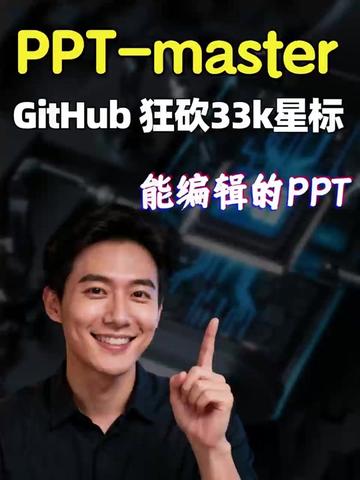
- "PPT-master"
- "GitHub狂砍33k星标" (literally: "GitHub hacked 33k stars")
- "能编辑的PPT" ("editable PPT")
2. Visible UI elements / image contents (facts)
- The image is a vertical poster layout with a dark tech-style background (appears to be a circuit/chip close-up with blue highlights).
- Near the top-center is large yellow text "PPT-master".
- Below "PPT-master" is white text "GitHub 狂砍33k星标".
- Further down is gradient text (white to purple/pink) that reads "能编辑的PPT" ("editable PPT").
- The lower half shows a smiling male facing the camera (wearing a dark/dark-blue shirt), raising an index finger pointing toward the text area.
- The background contains a blurred chip/circuit close-up with blue light spots and highlight lines.
- Overall color palette: dark background with yellow and white text, some purple/pink highlights.
3. Charts/data / interface steps
- No discernible interactive interface steps (buttons, menus, numbered steps) are visible in the image.
- No tables or chart data; the only numeric-like content is the text "33k 星标" ("33k stars").
4. Visible phenomena (visual details)
- The person's face is clearly visible with a smiling expression and a pointing gesture.
- Text hierarchy is clear; "PPT-master" is the most prominent visual element.
- Background is high-contrast and partially blurred electronic components imagery, creating a tech aesthetic.
- Strong color contrast (bright text on dark background).
5. Inferences (marked as inferences, not directly evidenced in the image)
- "33k 星标" likely refers to approximately 33,000 stars on GitHub (inference based on common phrasing).
- The poster likely promotes a project or tool related to PPT that claims editable exports (inference).
- The pointing gesture likely emphasizes the title or draws attention (inference).
- The chip background may intend to signal a technical or code-related product (inference).
6. Unclear or indeterminate items
- The person's identity cannot be determined from the image (no name/label present). (Note: no face recognition attempted.)
- Any small text or fine print in the background is too blurred to read.
- Cannot confirm whether "33k" is precisely written as shown (e.g., "33k" vs "33K"); visually it appears as "33k".
- Typographic details around "能编辑的PPT" (e.g., whether it’s two lines or contains subtext) are not discernible beyond the main text.
I can draw annotation boxes by element position or list text positions in pixels/relative coordinates if requested.
SkillPI Creation Analysis
Intended use and key takeaways:
- The poster advertises a project or tool claiming to convert documents into editable PPTs with templates, animations, and narration. The image includes the name-like string "PPT-master" and a claim of "GitHub 33k stars," suggesting a possible open-source repository connection, but that connection requires verification.
Evidence from the image:
- Directly readable evidence: the strings "PPT-master", "GitHub 狂砍33k星标", and "能编辑的PPT" (editable PPT), the tech-style chip background, and a person pointing at the headline. No UI screenshots or export dialogs are visible, so usage details and supported formats are not shown in the image.
Associated skills and plausible usage steps (generic, inferred workflow—not verified for the specific project pictured):
1) Prepare source document: identify supported input format(s) such as .docx, .md, or plain text.
2) Import the document into the supporting tool or platform.
3) Select or apply a slide template/layout from the tool’s template library.
4) Configure animations and add narration (audio or TTS) where supported.
5) Export to an editable PPTX file and open it in Microsoft PowerPoint or another slide editor for further edits.
Prerequisites and items to verify before attempting reproduction:
- Verify whether "PPT-master" corresponds to a specific downloadable project or repository (locate the GitHub URL, release files, and documentation).
- Verify which input formats are supported and what template/animation/narration features are actually implemented.
- Verify whether the exported PPT is truly editable in PowerPoint (text boxes, layouts, animations preserved) and compatibility with Google Slides/LibreOffice.
- Reproduction prerequisites typically include obtaining the tool, installing required runtimes/dependencies (e.g., Python/Node versions, libraries), and preparing representative test documents and templates.
Conclusion and recommendation:
- The image conveys a capability (document-to-editable-PPT with templates, animations, narration) but does not provide actionable usage details. To validate and reproduce, one should locate the referenced project/repository, read its documentation, and test export samples.