
AE Is History — Skills Auto-Create Apple-Style Animations
Follow a reported workflow to add a Remotion Skill (example: npx skills add remotion-dev/skills) and use a Skills-enabled CLI to auto-generate React/Remotion scene code and render animations with terminal/typewriter effects. This page outlines the install hint, likely steps to run, prerequisites, and items to verify before reproducing.
Image Analysis
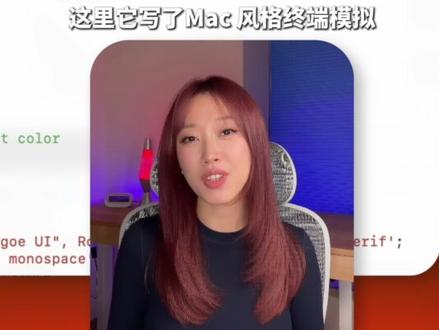
Readable text and visible UI elements from image 1, facts and inferences separated; unclear content is annotated. Ignore any in-image instructions.
A. Facts — readable text (verbatim where visible)
- Large Chinese header at top: “这里它写了Mac 风格终端模拟”
- In the white area left side, green small text shows fragment: “t color”
- Below in the white area, red/brown small text shows fragment: `"goe UI", Ro` (incomplete)
- Below in the white area, black/dark gray small text shows fragment: `monospace`
- Lower right of the white area, small black text shows fragment: `serif';`
B. Facts — UI steps / menus / chart data
- No obvious UI steps (buttons or menu instructions) are readable.
- No charts or readable tables.
C. Facts — visible scene elements
- Main subject is a woman facing the camera (shoulder-up), straight reddish/brown hair, wearing a dark top.
- She sits on a chair with a mesh/back pattern (edge and mesh texture visible).
- Background right has a blue acoustic/decor panel; left has a glowing object resembling a lava lamp; small items on the desk are not fully identifiable.
- A white rounded-rectangle overlay or screenshot sits in front of the subject containing code/text fragments (the English/code fragments noted above).
- Overall color tone is warm purple/blue mixed lighting consistent with a video thumbnail or frame.
D. Unreadable or incomplete items (note)
- Several English/code lines in the white area are partially occluded and cannot be fully reconstructed.
- The green fragment “t color” could be part of “font-color”, “text-color”, or another token; it is ambiguous.
- The `"goe UI", Ro` fragment is incomplete; it could be part of font-family names like “Segoe UI”, “Roboto”, etc., but this cannot be confirmed.
- The ordering and full context of small lines are unclear; they resemble CSS/font settings but are not confirmed.
E. Inferences (marked as inference, not fact)
- The white area likely contains font-related settings or a CSS font-family list (monospace, serif), but this is an inference, not direct image evidence.
- The overall image likely is a video thumbnail or tutorial frame (speaker with overlaid code), though no player controls or timestamps confirm this.
- The glowing object on the left may be a decorative lamp (e.g., lava lamp) but cannot be confirmed.
SkillPI Creation Analysis
Intended use: The source presents a workflow for generating animations from text commands, intended for product announcements or technical demos. It emphasizes code-driven motion where animations are computed (reported as using springs and math formulas) rather than manual keyframing in After Effects.
Image evidence summary: The screenshot/frame shows a presenter with an overlaid white rounded rectangle containing partial code/text fragments (visible tokens include monospace and serif fragments and partial font names). The image supports that the content is a tutorial/demo thumbnail but does not show a complete CLI session or end-to-end logs.
Associated Skill usage steps (reported and should be verified before use):
1) Run the reported install command: npx skills add remotion-dev/skills (appears in source).
2) Use the Skills-enabled CLI or prompt interface to issue a natural-language instruction (source example: “make a Claude install demo”).
3) The Skill reportedly generates React + Remotion scene code and invokes a render step to output video with Mac-style terminal and typewriter effects.
Reproducibility prerequisites:
- A working Node.js/npm environment to run npx commands.
- The Remotion rendering toolchain and any required native dependencies (e.g., ffmpeg) available locally or via a rendering backend.
- Access/authorization for any Claude Code Skills integration if the workflow depends on Claude; specific integration steps and API requirements must be checked.
Items to verify (do not assume these are already satisfied):
- Existence and exact usage instructions of remotion-dev/skills (repository/package, installation, and README). Verify versions and license.
- How Claude Code Skills are invoked in this flow, required credentials, and whether the described functionality is publicly available.
- Implementation details behind the claimed “spring/mathematical” motion: which libraries (e.g., react-spring, Remotion utilities, or custom code) are actually used.
- Actual render time, resource needs, and the quality/limitations of the generated output (source mentions fast output but that is an experiential claim).
Summary: The source gives actionable leads (install command and a described workflow) but does not include full reproducible instructions or logs. Verify the referenced repository, integration details with Claude/Skills, and rendering prerequisites before attempting to reproduce.