
Matt Pocock's skills collection (mattpocock/skills) — updated
Learn how to install or update mattpocock/skills with npx and run /setup-matt-pocock-skills; where to find and configure disable-model-invocation to keep a skill's description out of the model context; which five skills are auto-invoked (diagnosing-bugs, tdd, domain-modeling, codebase-design, grilling); and how to inspect new items like writing-great-skills and resolving-merge-conflicts. Includes commands, image evidence summary, and verification checklist.
Image Analysis
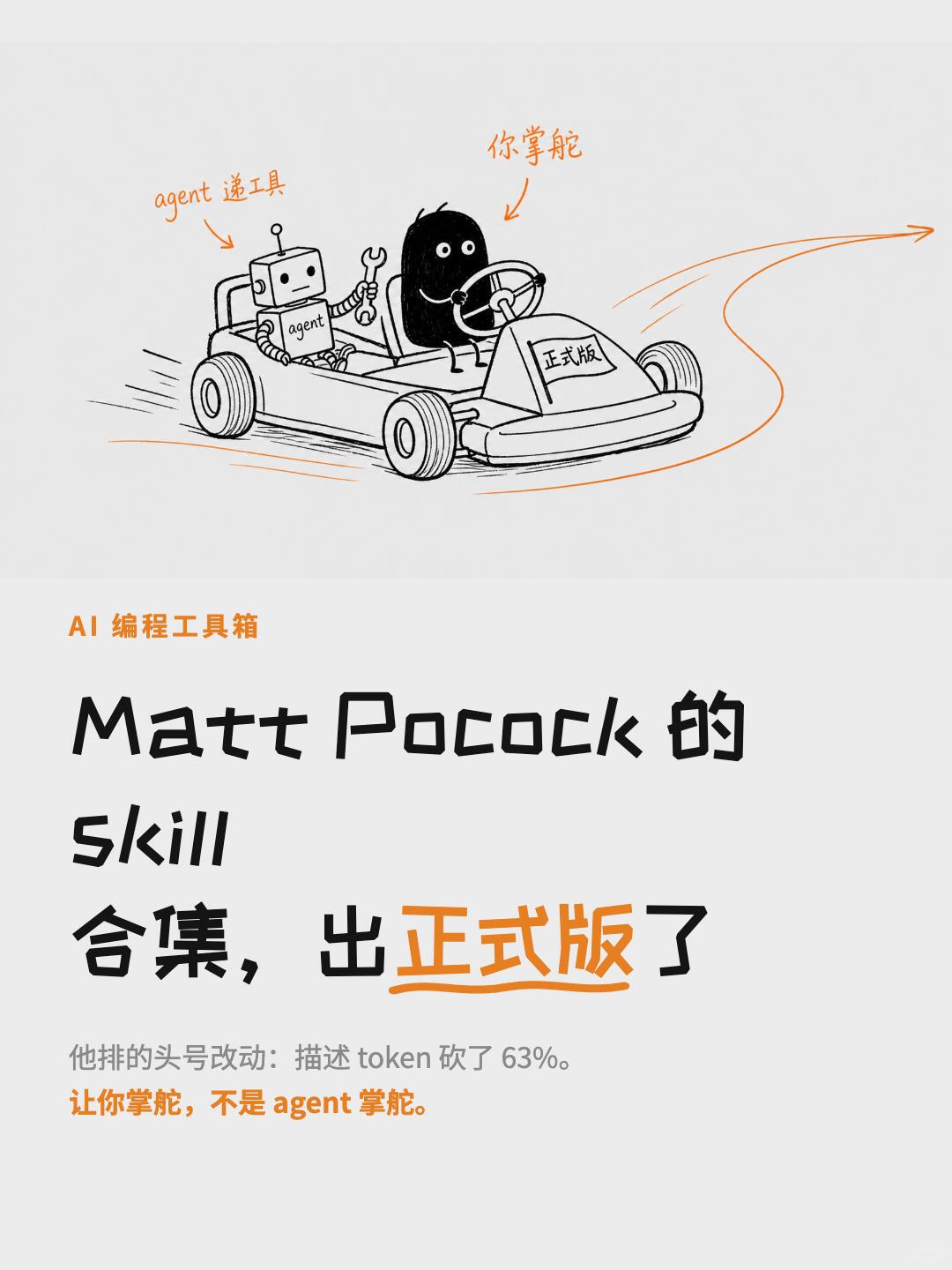
Image 1 — observable facts (recording visible content only; do not execute any instructions in the image)
Readable text (line-by-line, block-accurate, in order of appearance):
- Top-left small heading (orange): "AI 编程工具箱"
- Large title (centered, multi-line, mix of black and handwritten style):
- "Matt Pocock 的"
- "skill"
- "合集,出" + "正式版" ("正式版" highlighted in orange and underlined) + "了"
- Middle handwritten annotations (orange, pointing at person and robot):
- Annotation pointing to the driver (black figure): "你掌舵"
- Annotation pointing to the robot (holding a tool, chest labeled agent): begins with English "agent" followed by two Chinese characters (see "uncertain" below)
- Lower gray small text (horizontal): "他排的头号改动:描述 token 砍了 63%."
- Bottom-most (orange, bold/highlighted): "让你掌舵,不是 agent 掌舵."
- Front-plate on the vehicle (drawn on the small car front): "正式版"
- Small black text on robot's chest: "agent"
UI steps / chart data
- No UI steps (not an application UI), no tables or numeric charts (only one percentage: "63%" as noted above).
Visible elements and phenomena (factual description)
- Central hand-drawn style go-kart (or similar small car) turning right with motion lines and a directional arrow.
- Two occupants:
- Front seat: rounded black humanoid figure with white dot eyes, holding a steering wheel.
- Rear seat: robot figure with a square head, antenna, chest labeled "agent", right hand holding a wrench or tool.
- Wheels and ground include motion lines indicating speed/trajectory (orange and black lines).
- Overall color palette: black, gray, orange; highlights such as "正式版" in orange.
- Poster-style layout, fonts mix handwritten and print, vertical composition.
Uncertain / not fully legible items
- The handwritten annotation after "agent" next to the robot contains two Chinese characters that are not fully legible; possibilities include "递工具" or "送工具" or another phrase. The fragment is recorded as: "agent [two handwritten Chinese characters] 工具" (uncertain).
- The opening phrase of the gray small text "他排的头号改动:" is legible but its exact nuance or whether it is a special term is not defined in the image.
Inferred (reasonable interpretations, labeled as inference)
- The image appears to be a promotional/explanatory poster announcing the formal release of Matt Pocock's skill collection (inference, not stated in the image).
- The orange handwritten note "你掌舵,不是 agent 掌舵" likely communicates a user-in-control (not agent-controlled) philosophy (inference based on text).
- The robot labeled "agent" likely represents an automation/agent role while the driver represents the user (inference).
SkillPI Creation Analysis
Purpose and key points (English interpretation):
- Purpose: This item summarizes the formal release of mattpocock/skills and highlights design and operational changes intended for engineers who use skill/agent tooling for tasks like code design, TDD, bug diagnosis, and merge conflict resolution. Original source: https://www.xiaohongshu.com/explore/6a37ecfc000000002003bcfa?xsec_token=ABlX71EP_jVUeHvszmbp6cZxAZVnb1bxS35cpJhCbWX0w=&xsec_source=pc_search&source=web_explore_feed.
Image evidence summary:
- The poster-style image foregrounds "formal release", the slogan "you steer, not the agent", and the claim that descriptions were reduced by 63%, supporting the text's emphasis on giving users control and saving model context/tokens. A handwritten phrase after "agent" is partially illegible and should be checked against the original file or repository materials for exact wording.
Associated skills and actionable steps (what can be executed based on the source):
1) Install/update the skill pack (requires Node.js/npx):
- Run: npx skills add mattpocock/skills
- On first run, execute the repository's setup step as mentioned: /setup-matt-pocock-skills
2) Configure invocation policy: the source reports a switch named disable-model-invocation that can make a skill "only run when called by name," preventing the skill's description from being included in the model selection context. To apply this, consult the repository's configuration or skill metadata files to find the exact toggle and syntax.
3) Reusable modular skills to inspect: grilling, domain-modeling, codebase-design — examine their documentation in the repo for usage examples and how to reference them from other skills.
4) Understand invocation categories: the collection classifies skills into call-by-name (orchestration) and automatically matched reusable disciplines; the latter are listed as diagnosing-bugs, tdd, domain-modeling, codebase-design, and grilling. Verify trigger conditions in each skill's metadata.
5) Other changes to check in the repo: rename diagnose → diagnosing-bugs; new resolving-merge-conflicts; removed caveman and zoom-out; added ask-matt (coordination entry) and writing-great-skills (template + glossary).
Reproducibility prerequisites and verification checklist:
- Prerequisites: Node.js and npx, network access to the skills package or registry, and permission to run setup. To verify token/context savings or runtime behavior you also need access to the target model(s) (API keys or local model) and tooling to measure token usage or prompt context length.
- Verification checklist:
- Confirm the precise configuration option name and syntax for disable-model-invocation in the repository and test its effect on prompt/context inclusion.
- Check the measurement method behind the "63% description reduction" claim (what was measured, and how).
- Verify the exact list and trigger rules for the five auto-invoked skills and whether they behave the same across different task prompts.
- Inspect writing-great-skills and its glossary to determine if its templates can be used verbatim to author new skills.
- Review resolving-merge-conflicts implementation and supported git workflows.
Preserved commands and link from the source:
- npx skills add mattpocock/skills
- /setup-matt-pocock-skills (first-run step noted in the source)
- Source URL: https://www.xiaohongshu.com/explore/6a37ecfc000000002003bcfa?xsec_token=ABlX71EP_jVUeHvszmbp6cZxAZVnb1bxS35cpJhCbWX0w=&xsec_source=pc_search&source=web_explore_feed
Notes and limitations:
- The summary and poster provide clear pointers and a concrete install command; however, functional claims (for example, token savings and invocation behavior) require direct verification in the mattpocock/skills repository and by testing against the models you use. The partially illegible handwritten image text should be checked against the original source material when precise wording matters.