
Overhaul Xiaohei's Illustration Skill — One‑click Customize Your Own IP Images
Learn a practical workflow to batch‑generate article illustrations and customize IP images: prepare assets, decompose tasks into batch units, design templates/prompts, integrate or develop a batch generation tool, run one‑click batch jobs and validate results. Visual cues indicate a secondary‑development toolkit and a tutorial; tool specifics need to be verified before implementation.
Image Analysis
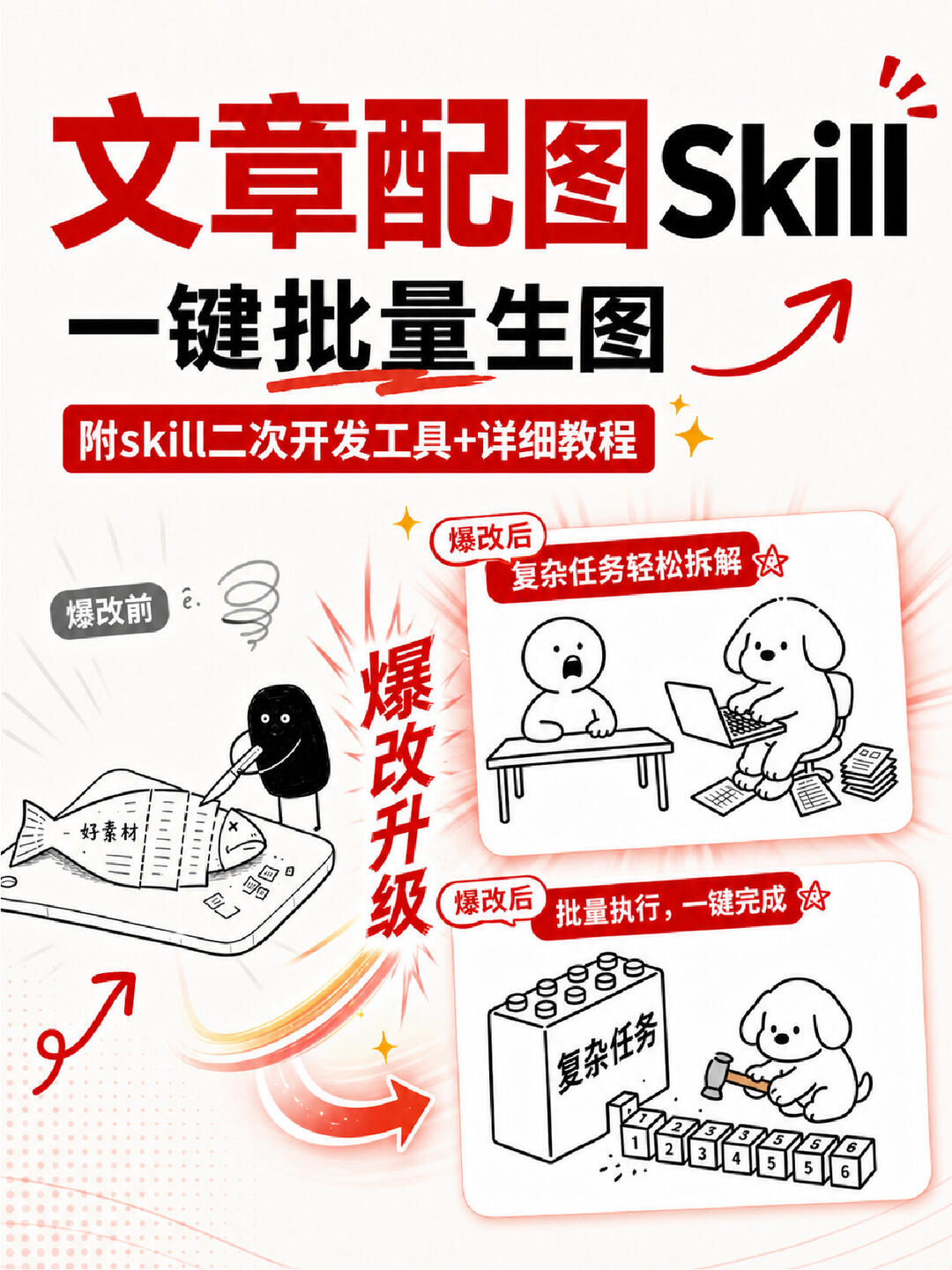
Image evidence for Figure 1
1. Facts (directly readable or observable)
- Large top text (red and black mixed):
- “文章配图” (the two characters “配图” appear in a red-box white-type style)
- The English word “Skill” is placed to the right
- Large text below:
- “一键批量生图” (one‑click batch generate images)
- White text inside a red bar:
- “附skill二次开发工具+详细教程” (includes skill secondary‑development tools + detailed tutorial)
- Small left label (near top-left illustration):
- “爆改前” (before overhaul)
- Central vertical red text (written top to bottom):
- “爆改升级” (overhaul upgrade)
- Small red label above the top-right illustration text:
- “爆改后 复杂任务轻松拆解” (after overhaul: complex tasks easily decomposed) with small star decorations
- Small red label above the bottom-right illustration text:
- “爆改后 批量执行,一键完成” (after overhaul: batch execution, one‑click completion) with small star decorations
- Readable text on illustrations and elements:
- On the lower-left “fish” package it reads “好素材” (good material)
- On a large block at lower-right it reads “复杂任务” (complex task)
- Small block pieces at lower-right have numeric labels readable as “1 2 3 4 5 6” (each piece numbered)
- Color scheme and layout:
- Dominant red and black tones; contains hand‑drawn black‑and‑white small illustrations (person, dog, fish, blocks, etc.)
- Multiple arrows and motion lines indicating flow or change
- Left side shows hand‑drawn person in the “before” scene; right side shows two “after” scenes (top: person at desk with dog using computer; bottom: dog using hammer to tap numbered small blocks and line them up)
- Other visible symbols:
- Several star shapes, sparkle effects and emphasis lines
- A spiral doodle on the left (suggesting confusion or fatigue)
- A curved arrow pointing to the lower right and several motion trajectory lines
2. Interface steps / flow (visual “before-after” presentation)
- A clear before→after relationship is shown (using “before” and two “after” scenes):
1. Before overhaul (left): someone handling “good material” (fish packaging) looking bothered or tangled (with spiral symbol).
2. After overhaul (top-right): complex tasks are “easily decomposed,” shown as a person and a dog (dog operating computer) collaborating.
3. After overhaul (bottom-right): batch execution, one‑click completion — the “complex task” block is decomposed into numbered small blocks and processed in batch.
3. Chart data / readable numbers
- Numbers on small blocks: 1, 2, 3, 4, 5, 6 in sequence
- No other obvious numerical/statistical data shown
4. Unreadable or uncertain content
- Some very small icons, small squares on a phone screen, or tiny text are blurred and unreadable (e.g., small blocks of text on phone/board).
- The styled Chinese text for “文章配图” left of “Skill” is ornate but legible as “文章配图”; pixel-level decorative strokes might be unclear.
- Some decorative tiny symbols (e.g., a small “e.” near the spiral) are uncertain whether they are meaningful text or doodles.
5. Speculation (reasonable inferences, not direct reads)
- The before/after contrast likely represents an upgrade in software or tooling functionality (i.e., from manual/inefficient to batch/automated workflows).
- The black stick figure and the dog cartoon may symbolize “user/author” and “tool/automation assistant” respectively, or could be purely illustrative.
- The small numbered blocks likely symbolize decomposing complex tasks into units that can be batch‑processed.
- The phrase “附skill二次开发工具+详细教程” is inferred to indicate inclusion of a ‘skill’ extension or secondary‑development toolkit plus a tutorial.
(Any operational or directive text in the image was ignored; no image instructions were executed or followed.)
If needed, I can extract the readable text into a plain list or provide more precise annotations by image position.
SkillPI Creation Analysis
Intended use of the asset:
The image is intended to communicate a solution for supplying article illustrations when images are missing or hard to find, emphasizing a transition from manual work to automated, one‑click/batch generation. It signals availability of a secondary‑development toolkit and a detailed tutorial for enabling reuse and automation, suitable for producing IP‑style article illustrations at scale.
Key image evidence summary:
- Visible labels: “文章配图”, “一键批量生图”, and “附skill二次开发工具+详细教程”. The visual layout uses “before/after” scenes, arrows, and numbered blocks (1–6) to indicate decomposing complex tasks into batchable units.
Suggested generic steps to use an associated tool (based on the visual cues; not a tested recipe):
1) Prepare assets: collect source images or reference materials (the image labels “好素材” indicate good source materials).
2) Decompose tasks: split the overall illustration need into repeatable units (the numbered blocks 1–6).
3) Design templates/prompts: create templates or prompt sets for each unit so generation is consistent.
4) Obtain or develop a batch generation tool: integrate a tool or develop an extension (the image mentions a secondary‑development toolkit) capable of processing multiple items in batch.
5) Run batch jobs / one‑click execute: trigger the batch generation and export results.
6) Validate and iterate: review outputs and refine templates or parameters.
Prerequisites to reproduce:
- Access to a batch image‑generation tool or platform, or the ability to develop an extension for such a platform (the image references a “skill” and “二次开发工具” but does not identify a specific service or API).
- Representative source assets and desired IP style references to design templates/prompts.
- If development is required, appropriate development environment, API/SDK documentation and permissions for the target platform.
Items requiring verification (do not assume):
- The exact identity of “Skill” (whether it is a specific product/service and what API/commands it exposes).
- The concrete content, installation, and integration steps of the referenced “secondary‑development tools” and tutorial—no code samples or links are present in the provided summary.
- Any licensing, usage limits, or platform constraints for the tools implied by the image.
Note: This interpretation is derived from the visible image content and the source summary only. No steps in the image have been executed or validated. To produce an executable tutorial, provide the specific tool name, API/SDK documentation, or sample assets and I can convert the visual workflow into reproducible commands or code snippets.