
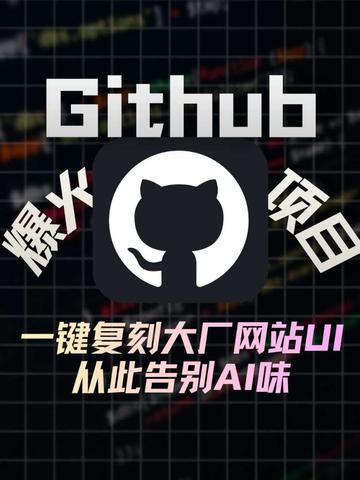
GitHub trending project! One-click clone Big Tech website UI — say goodbye to the AI look!
Learn how to locate and run an open-source project that claims to one-click clone Big Tech website UIs: guidance includes finding the repo, reading README, installing dependencies, launching demo pages, inspecting templates, and checklist items to verify reproducibility and licensing.
Image Analysis
Image 1 — directly readable facts:
- Large English word at top: “Github” (capital G, lowercase rest, white text, centered near top).
- Central icon: GitHub’s rounded-square black background with a white circle containing a black Octocat silhouette.
- Two slanted Chinese words beside the icon (vertical arrangement with white outline): left reads “爆火” (hot/trending), right reads “项目” (project).
- Two large Chinese lines centered below the icon (gradient color; the first line bolder): first line “一键复刻大厂网站UI” (one-click clone big company website UI); second line “从此告别AI味” (say goodbye to the AI look).
- Background is a dark grid (thin horizontal and vertical lines) with multicolored (green, red, purple, orange, etc.) curves/line-chart–like decorations.
- Vertical poster layout, dark/black background with high-contrast white and neon gradient text and icon.
- No obvious UI steps, buttons, input fields, or interactive controls visible; no readable numeric axis labels present.
Unclear or blurred content: smaller text or numbers on the grid are blurred and unreadable; tiny icons or text at edges/corners are indistinct.
Speculation (marked as speculation): the image appears to be promotional, related to a GitHub project claiming fast cloning of big-company UI; the decorative curves likely serve a technical/data aesthetic rather than showing real data; the phrase about avoiding an “AI look” suggests an emphasis on more human-like or handcrafted visual style (this is speculative).
SkillPI Creation Analysis
Purpose of the item:
- Based on the image evidence, this appears to be a promotional poster for a GitHub-associated open-source project or tool that claims to enable one-click cloning of big-company website UIs. The target audience is developers or designers seeking quick ways to reproduce big-tech style front-end UIs.
What the image evidence supports:
- The image contains the word “Github” and the Octocat icon, indicating an association with GitHub or a repository hosted there.
- The main claim shown is “one-click clone big company website UI”; however, the image does not include screenshots of actual tool output or step-by-step UI, so it does not demonstrate functional details or the fidelity of any cloning process.
Associated skills and plausible usage steps (general, to be verified against the actual repository):
1. Locate the repository on GitHub or the project’s release/page using the title or source reference.
2. Read the repository’s README and documentation to confirm intent, prerequisites, demo links, and license.
3. Clone the repo: git clone <repo-url>.
4. Install dependencies and run the demo—commonly in a Node.js environment (e.g., npm install && npm run dev or yarn commands).
5. Inspect the demo and source code to see how templates, components, and assets are implemented to assess if they are handcrafted templates or generated assets.
6. Customize and replace branding assets per project instructions to produce a local copy of the UI.
Prerequisites for reproduction:
- Finding the correct repository or official release (the poster does not include a direct repository link or project name).
- A suitable development environment and basic front-end tooling (Node.js, npm or yarn, git) and front-end knowledge (HTML/CSS/JS, build tools).
Items to verify (cannot be confirmed from the image alone):
- Whether the project truly enables “one-click” cloning or merely provides templates and scaffolding.
- Whether there is an online demo or example showcasing the claimed outputs.
- The origin of assets (handcrafted templates vs. AI-generated content) to substantiate the “say goodbye to the AI look” claim.
- License and usage terms (commercial use, third-party assets, attribution requirements).
Note: Source reference is a Douyin short video/post (https://www.douyin.com/video/7625945970489232763). The above is an evidence-based interpretation and a practical verification workflow; it does not assert that any specific repository exists or that the claimed feature has been independently reproduced.