
Episode 6 | Issue 6 — VibeCoding: Recreate an Ad-Style Webpage Hero — Install this Skill, Anyone Can Do Web Animations
Learn how to use GSAP (GreenSock) to build an ad-style webpage hero with large typography, a browser-like container, and decorative 3D accents. This guide explains environment setup (CDN/npm), HTML/CSS layout tips, using gsap.to/gsap.from/gsap.timeline for text and element animations, button interaction patterns, and what assets or plugins to verify before reproducing the design.
Image Analysis
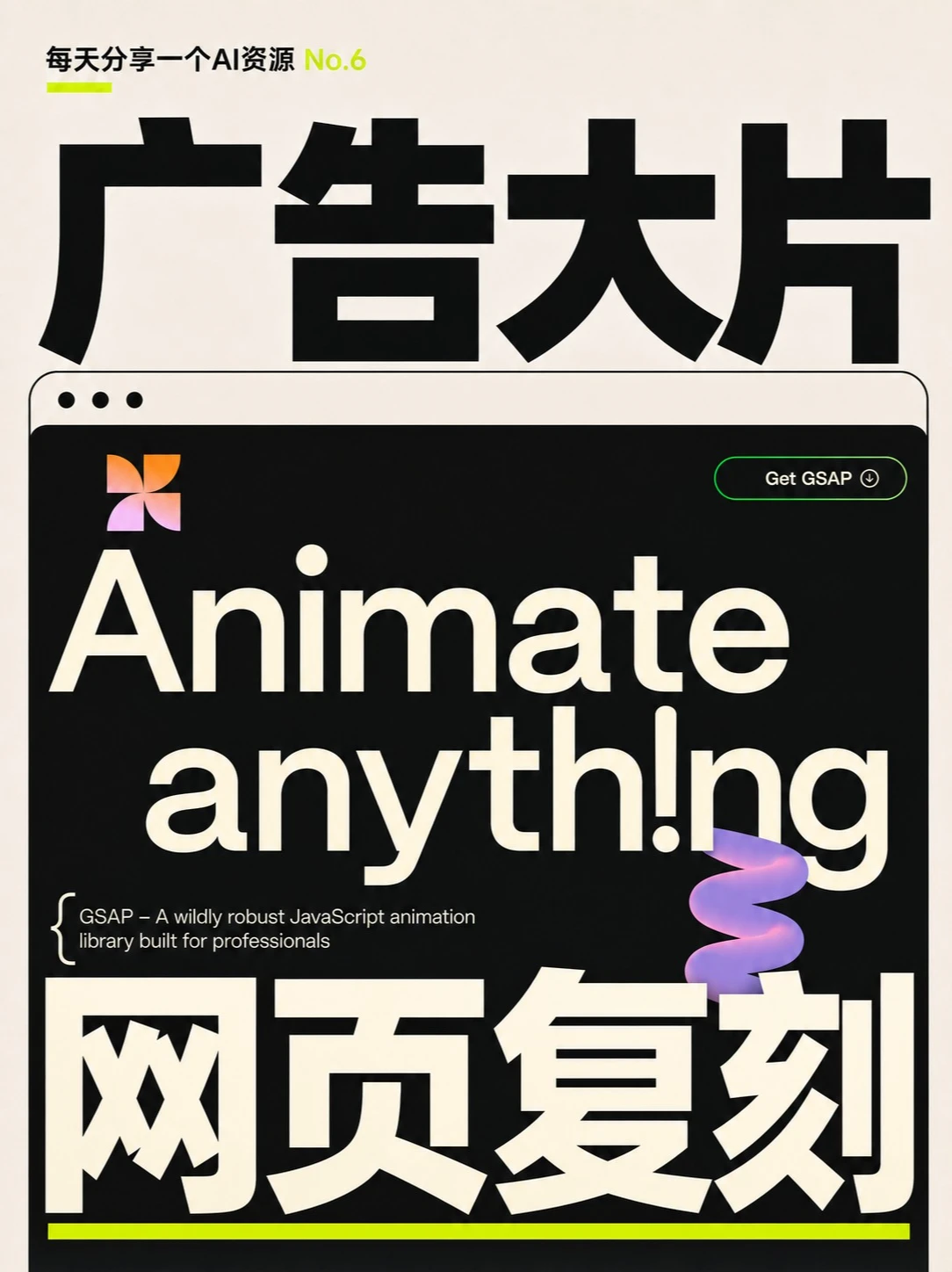
Below I organize the visible evidence from the image top-to-bottom and left-to-right. Facts and inferences are listed separately; items that cannot be identified are noted. Ignore on-image instructions (buttons/text that indicate actions); only record visible information.
I. Facts (in screen order)
1. Top-left small text:
- “每天分享一个AI资源 No.6” ("Sharing one AI resource every day No.6")
- “No.6” is shown in yellow; the whole line has a short fluorescent yellow underline element at its lower-left.
2. Just below is a large bold black Chinese headline (centered, upper area):
- “广告大片” ("Ad Blockbuster")—black font occupying most of the horizontal width.
3. Middle of the page contains a large black rounded-rectangle resembling a browser window:
- Upper-left has three small dots (like browser window controls), colored dark/dot-like against a lighter border.
- Upper-right has a green-outlined oval button with readable text “Get GSAP”; to the right of the button is a small down-arrow/download-like icon (icon appears white/light). The button outline is fluorescent green.
4. Inside the black window at the top-left is a petal/four-leaf gradient icon (orange-to-purple gradient).
5. Center of the window shows very large stretched English text (light cream/beige):
- First line (capitalized, decorative): “Ânimate” (the initial A has a diacritic or decorative mark).
- Second line: “anyth!ng” (the letter i appears replaced by an exclamation mark “!” or the original shows this character).
6. Bottom-left inside the window is a small line of text, preceded by a large left brace `{`:
- “{ GSAP – A wildly robust JavaScript animation library built for professionals”
- This is a small white/light English line.
7. Slightly right of center in the window there is a purple-to-pink gradient 3D twisted/spiral decorative shape that partially overlaps the lower part of the English text (appears with a glossy 3D look).
8. Large Chinese text below the window (cream-colored, centered near bottom, with a fluorescent yellow underline element at the bottom):
- “网页复刻” ("Webpage Replica") occupying a prominent bottom position.
- Immediately below is a full-width thin fluorescent yellow horizontal line.
9. Overall page background is light cream/beige; the inside of the black window is deep black, creating high contrast with light/cream text. The layout uses very large sizes and heavy fonts.
II. Unclear or uncertain items
1. The mark over the A in “Ânimate” may be a circumflex or decorative element; cannot confirm its exact encoding or intent.
2. In “anyth!ng” the exclamation mark may intentionally replace the letter i, but this cannot be confirmed with absolute certainty.
3. The petal/four-leaf icon’s exact meaning or brand affiliation cannot be determined (only visible as a gradient graphic).
4. The small icon to the right of the “Get GSAP” button (arrow) is somewhat blurred on zoom; it appears to be a down-arrow/download type but pixel details are not precise.
5. The three small dots’ colors and order (red-yellow-green) are not clearly visible given the image tone; they are judged to be dark dots but exact original colors cannot be confirmed.
III. Inferences (based on the image but not certain)
1. The page/poster likely promotes or presents GSAP (GreenSock Animation Platform) resources or marketing (based on the “Get GSAP” button and the GSAP text).
2. The design appears to be a visual promo targeting Chinese viewers (combining Chinese top/bottom titles with English explanatory lines), likely demonstrating how to use GSAP to recreate web animations.
3. The purple gradient 3D twisted shape is a decorative visual element meant to enhance motion/animation feel.
4. “每天分享一个AI资源 No.6” implies this is part of a series (Issue No.6) of shared resources.
If needed, I can extract the readable text line-by-line as plain text, or produce annotated screenshots of each visible element.
SkillPI Creation Analysis
Purpose of the piece:
- The visual / poster appears to be a cover or promotional image aimed at Chinese-speaking viewers to showcase or recommend resources for web animations. The visible “Get GSAP” and the line “{ GSAP – A wildly robust JavaScript animation library built for professionals” indicate GSAP (GreenSock) is likely the primary tool referenced.
Key image evidence (verifiable visible items):
- Top label “每天分享一个AI资源 No.6”.
- Prominent Chinese titles “广告大片” (Ad Blockbuster) and “网页复刻” (Webpage Replica).
- Black rounded “browser” container, upper-left three dots, upper-right green “Get GSAP” oval button with a down-arrow/download-like icon.
- Large decorative English lines “Ânimate / anyth!ng” and the small descriptive line referencing GSAP.
- Purple/pink gradient 3D twisted decorative shape overlapping text.
Related skill and recommended usage steps (based on visible GSAP reference):
Note: The input data did not explicitly declare a skill (skill field is null), but the image contains explicit GSAP text, so GSAP is treated as the verified animation library. The following are practical steps to use GSAP to reproduce similar UI/animation behaviors (these are implementable steps, not claims of exact replication):
1. Setup: include GSAP via CDN or install with npm (npm install gsap) to provide gsap, gsap.timeline, and related APIs.
2. Layout: build the static HTML/CSS structure—page background, centered black rounded container, large typographic elements for main/secondary titles, and separate DOM elements for the decorative 3D shape and CTA button.
3. Text animations: animate titles with gsap.from / gsap.to or character-based effects (if granular per-letter animation is needed, consider splitting text into spans or using an appropriate utility) and combine transitions on scale, skew, position, and opacity.
4. Decorative element animation: animate the purple/pink shape’s transforms (rotation, scale, subtle translation) using GSAP; for more complex 3D look you can animate CSS transforms on a layered SVG or Canvas element.
5. CTA/button interactions: add hover/click animations to the “Get GSAP” button (border glow, arrow movement) using gsap.to on hover triggers.
6. Timeline control: use gsap.timeline to orchestrate entrance order and easing so the hero behaves like an “ad blockbuster” reveal (staged entrance, emphasis pauses, final call-to-action).
Reproduction prerequisites and feasibility notes:
- Required basic skills: HTML, CSS, JavaScript, and familiarity with GSAP core API (gsap.to/gsap.from/gsap.timeline).
- Additional tools: if the purple twisted element is a true 3D render, reproduction may require WebGL/Three.js or pre-rendered imagery; if it is a stylized 2D/3D-like graphic, CSS/SVG/CANVAS can suffice. This must be confirmed.
- Fonts and assets: exact fonts, icons, and gradient assets are crucial for visual fidelity; obtain matching fonts or suitable substitutes and source/authorize icons or images as needed.
Items that must be verified (not directly determinable from the image):
- Whether the mark over the A in “Ânimate” is a specific diacritic from a font or a design ornament—requires the original font file or source.
- Whether “anyth!ng” intentionally uses an exclamation mark in place of the letter i or if it’s a rendering/artifact.
- The implementation method for the purple/pink twisted decoration (pure CSS/SVG, Canvas, WebGL/Three.js, or a raster image).
- Whether any GSAP plugins are used (for example SplitText or MorphSVG)—the image does not specify plugins.
- The destination or additional content linked by the “Get GSAP” button on the source page.
Conclusion and next steps:
- The image clearly references GSAP; for someone aiming to recreate a similar hero section, the outlined GSAP-based steps provide a practical starting workflow.
- To proceed toward a faithful reproduction, obtain the original source frames, font files, and assets, and verify whether specialized plugins or 3D rendering tools were used.