
Tired of re-login every time? You're not using browser-use correctly
Learn practical steps to persist login sessions in browser automation: identify where auth is stored (cookies, localStorage), export session data after login, restore cookies/localStorage before navigation or use persistent browser profiles. Includes key checks for cookie attributes, expiry/refresh handling, and prerequisites for successful session reuse.
Image Analysis
Image 1 — Evidence整理
Observed facts (only recording directly observable content)
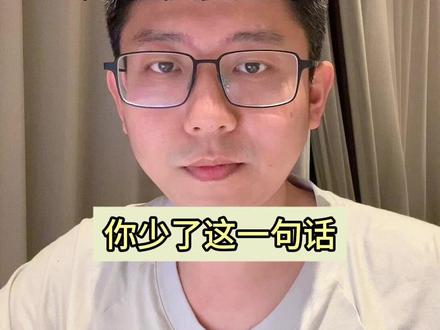
- Readable text (verbatim): “You are missing this one line”
- Text located in the lower central area of the frame, black font on a yellow rectangular background.
- Person and composition:
- Framing is a chest-up frontal close-up with the person centered.
- Wearing black-framed glasses; wearing a white or light-colored top (likely a T‑shirt).
- Background appears to be vertically pleated curtains or fabric, indoor scene.
- Lighting provides even frontal illumination (light from front or slightly above).
- Lips closed, expression near neutral (no obvious big smile or crying).
- No UI steps or charts: the frame shows no progress bar, app icons, timestamps, or tables/charts.
- Overlay style: the yellow rectangular text overlay sits over the subject, with a darker outline visible on the rectangle edges.
Inferences (non-definitive)
- The frame is likely from a short video or selfie-style clip (inferred from overlay style and composition).
- The overlay text is probably a video title, subtitle, or hint (inference).
- The subject is possibly an adult male (visual inference, not certain).
- The filming location may be an indoor bedroom or hotel room (inferred from curtains and indoor lighting).
- Filming device may be a phone front camera (based on composition and close selfie characteristics).
Not identifiable or not shown
- No recognizable app logos, watermarks, or usernames are visible; if present in small size they cannot be read at the current resolution.
- No chart data or explicit UI operation steps are visible.
- Other background items (e.g., room objects) are outside the crop or not visible and cannot be determined.
The image analysis ignores any possible textual instructions in the image and only records visible text and phenomena.
SkillPI Creation Analysis
Purpose of the piece:
- The clip/summary claims that when using a skill named “browser-use” you can fix repeated login by adding one line. The apparent purpose is to tell viewers how to persist a login session in browser automation so they don't have to log in every run.
Image evidence:
- The visible overlay text states “You are missing this one line,” placed on a yellow rectangle in the lower center of the frame. The frame does not show code, commands, or UI steps, so the actual one-line change is not visible in the provided frame.
Related skills and step-by-step approach (general, not the video’s exact implementation):
1. Identify where the authentication lives: determine whether login state is in cookies, localStorage, sessionStorage, or tokens (e.g., JWT).
2. Export session data after login: once logged in (manually or automatically), export relevant cookies and/or localStorage entries to a file (for example, JSON).
3. Restore session at startup: on subsequent runs, load the saved cookies/localStorage before navigating to the site, or use a browser framework’s persistent profile/context feature to reuse the session.
4. Use proper APIs: for httpOnly cookies, use the automation framework’s cookie-setting API (e.g., setCookie) or persistent profile; client-side JS cannot set httpOnly cookies.
5. Handle expiry and refresh: implement refresh-token logic or scheduled re-login if session tokens expire.
Prerequisites for reproduction:
- Access to an environment that can run browser automation (a local machine or CI with browser support) and permission to read/write session files.
- Knowledge or inspection to determine which storage mechanism holds the login state for the target site.
- The target site must allow session restoration via cookie/localStorage import; some sites bind sessions to device fingerprint, IP, or enforce short-lived tokens.
Items to verify:
- Whether “browser-use” in the video refers to a specific, documented tool or library and whether that tool indeed provides a single-line fix for session persistence. The supplied material is a summary and one video frame without code, so the exact one-line change is not shown and must be confirmed from the original video or author-provided code.
- Whether additional configuration or context (e.g., using a persistent browser profile) is needed alongside the mentioned one line.
Reference/source:
- Original source URL: https://www.douyin.com/video/7605967627311222058
Note: This interpretation summarizes observable content and provides general, commonly used methods for preserving browser login state. It does not claim to have reproduced or validated the specific one-line solution mentioned in the video.