
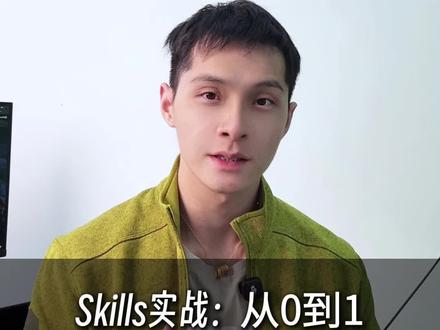
Skill Practical: Build Your Own Skill from 0 to 1
A practical step-by-step guide to create a Skill from scratch: define goals and use cases, design interaction and intents, implement handlers, test locally, and package/deploy. Follow these general steps to deliver a first working Skill project. Source video on Douyin: https://www.douyin.com/video/7623767783792300730.
Image Analysis
Image 1 — Facts:
- Readable text (verbatim): "Skills实战:从0到1"
- Composition and UI elements:
- The image is a mid-upper-body close-up of a young male subject (no identification).
- A horizontal semi-transparent dark banner is at the bottom; text is placed on that banner.
- At the left edge of the frame there is a dark rectangular area (possibly the edge of a monitor or TV).
- Observable details (objective description):
- The subject wears a light green jacket (zipper open to the chest) and a white inner shirt.
- A small clip-on microphone is attached at the collar.
- A thin necklace with a small, unclear pendant is visible.
- The background is a light or white wall; lighting is even; camera is frontal or slightly left-angled.
- The text is white and contrasted against the dark semi-transparent banner, positioned lower-center-left.
Inferences (marked as inferences, not definitive statements):
- The text likely serves as the video cover or the title of a course/tutorial series.
- The semi-transparent banner resembles styles used in video thumbnails/screenshots for titles.
- The dark rectangle on the left could be a monitor, TV, or cabinet edge.
Unclear / not identifiable items:
- The exact shape or inscription of the small pendant cannot be determined.
- The brand or model of the clip-on microphone cannot be identified.
- Any readable text or detail on the left dark rectangle cannot be determined from this crop.
- Smaller logos or brand marks (e.g., on clothing) are not identifiable at the current resolution.
SkillPI Creation Analysis
Purpose of the work:
- The title and thumbnail indicate this is a practical tutorial or demonstration for developing a "skill" from scratch. It is intended to guide viewers through the process of creating their own skill. Source video: https://www.douyin.com/video/7623767783792300730.
Image evidence summary:
- The thumbnail text "Skills实战:从0到1" directly supports that the content is a hands-on or step-by-step tutorial. The presence of a speaker close-up and a title banner suggests an instructional video rather than purely code screenshots.
Associated Skill usage steps (general, actionable steps that can be followed and adapted to the target platform):
1) Define the goal and use cases: decide what the Skill should do, who the users are, and the interaction scenarios.
2) Design the interaction model: enumerate intents, example user utterances, and expected responses; map conversation flows.
3) Create the project skeleton: initialize a local project, choose a programming language and runtime (common choices include JavaScript/Node.js or Python), and set up version control.
4) Implement logic: code intent handlers, state management, and any data access layers required.
5) Test locally: use simulators or test harnesses to validate conversation flows and handler behavior.
6) Package and deploy: follow the target platform’s packaging and deployment procedures (upload, configure endpoints, or deploy to a hosting service).
7) Validate and iterate: test in a sandbox or live environment, collect logs/metrics, and refine the Skill.
Reproduction prerequisites (what you need to prepare or confirm before attempting to reproduce):
- Identify the target platform or runtime environment, since structure, authentication, and deployment steps vary by platform.
- Basic programming skills (e.g., JavaScript/Node.js or Python) and familiarity with development tools (editor, terminal, git).
- Access to a developer account on the target platform or a suitable test/sandbox environment and any required credentials.
- Local testing tools or simulators to exercise and debug conversational interactions.
Items requiring verification (not provided by the thumbnail/summary and therefore unknown):
- The exact target platform, SDKs, or frameworks used in the video are not specified; platform-specific APIs and commands must be confirmed from the full video or author resources.
- No concrete code samples, configuration files, or dependency lists are present in the provided excerpt; those must be obtained to reproduce the tutorial precisely.
- Visual artifacts (microphone, necklace, left-edge device) are present but unrelated to technical steps; their models/brands are not identifiable from the image.
Note: The provided material is a title/thumbnail-level summary. To implement the tutorial exactly as presented, obtain the full video content or any referenced code repository to verify platform choices, code examples, and deployment instructions.