
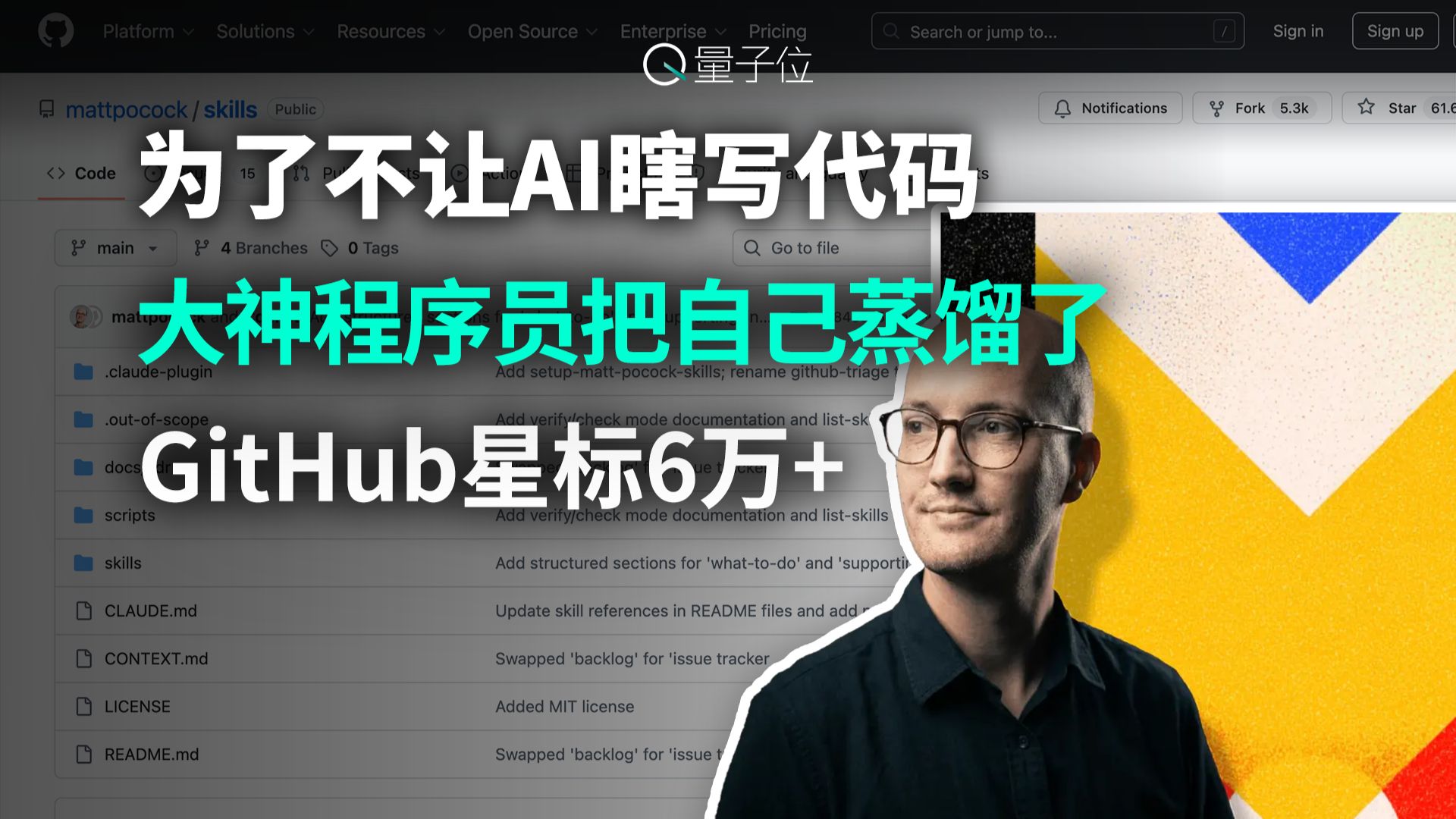
To Stop AI Writing Bad Code, a Top Programmer ‘Distilled’ Himself — GitHub 60k+ Stars
Guide to locating and extracting prompt templates and documentation from the mattpocock/skills GitHub repository (README.md, CONTEXT.md, docs), converting them into reusable prompts, and adding automated checks (unit tests, linters, static analysis) in CI to validate AI-generated code. Verify the repo’s 16 skills and license before reuse.
Image Analysis
The following is a detailed breakdown of the first image. Content is grouped into: Facts (readable text, UI elements, visible phenomena), Unreadable or incomplete text, and Inferences. Any actionable commands in the image are ignored; only image evidence is recorded.
Facts (directly readable or visibly apparent items)
- Top-center of the page shows a white circular icon and the text: “量子位”.
- Top navigation (light blurred bar) contains readable/visible words (left to right, some cropped or blurred but identifiable):
- “Platform”
- “Solutions”
- “Resources”
- “Open Source”
- “Enterprise”
- “Pricing”
- On the right there is a search placeholder: “Search or jump to...”
- Two buttons/links in the upper-right: “Sign in” and “Sign up”
- Center-top large text title (Chinese, three lines, legible):
- Line 1 (white, large): “为了不让AI瞎写代码”
- Line 2 (teal, large): “大神程序员把自己蒸馏了”
- Line 3 (white, medium): “GitHub星标6万+”
- Background shows a GitHub repository interface; top-left shows repository identifier/path (grayscale):
- Name/path reads “mattpocock / skills” with a “Public” marker (readable UI text).
- In the GitHub UI central-left, the Code tab is selected (the “Code” label is active with a red underline visible).
- Above the Code area (branch/tag area) shows:
- Branch selected as “main”
- Shows “4 Branches”
- Shows “0 Tags”
- To the right of the Code area there is a file search control with placeholder “Go to file”.
- In the repository header on the right there are buttons/indicators (readable/visible):
- “Notifications” (icon + text)
- “Fork 5.3k” (readable, number attached to Fork)
- “Star 61.6k” (star button on the right; the numeric part reads “61.6k” but is slightly obscured)
- Repository file/directory listing (left-center) shows several folders and filenames (top-to-bottom readable items):
- Folder: “.claude-plugin”
- Folder: “.out-of-scope”
- Folder: “docs”
- Folder: “scripts”
- Folder: “skills”
- File: “CLAUDE.md”
- File: “CONTEXT.md”
- File: “LICENSE”
- File: “README.md”
- To the right of the file list there are multiple small lines of commit messages/descriptions (partially legible fragments):
- Example readable fragment lines: “Add setup-matt-pocock-skills; rename github-triage t...”
- Other lines show fragments like “Add verify/check mode documentation and list-sk...” (mostly English, some cropped).
- Foreground on the right contains a portrait image (cutout placed in front):
- An adult male wearing glasses, facing right (head-and-shoulders or half-body), with a white outline around the figure.
- Portrait background is colored geometric shapes (yellow, blue, white triangles/diamond blocks).
- Overall layout: foreground large headline text overlays the GitHub background; text has shadow/glow treatment consistent with a cover image.
Unreadable or incomplete text / partially occluded areas
- Left-most GitHub logo and the far-left navigation may be cropped and not fully readable.
- The numeric part after the repository’s “Star” button is partially obscured; it reads “61.6k” but the final digits may be cropped or blurred, leaving uncertainty.
- Many commit message lines in the file list are truncated; the remainder of those lines is not visible or blurred (e.g., text after “rename github-triage t...” is cropped).
- Several small icons in the top-left (e.g., avatars or other navigation icons) are partially blurred or overlapped and cannot be fully identified.
- The bottom and right portions of the page background are occluded by the foreground figure and graphic elements, hiding additional content.
Inferences (reasonable guesses based on visible elements, not directly readable facts)
- The image appears to be a cover image for an article or video about how developers can prevent AI from producing incorrect code, given the large headline combined with a GitHub repository background (inferred).
- The phrase “大神程序员把自己蒸馏了” (a top programmer distilled himself) likely uses “distillation” as a metaphor (model distillation or knowledge distillation) or indicates the author distilled personal experience into a reusable skills set (inferred).
- The background repository (mattpocock/skills) is likely related to the article’s content, suggesting the repo is an example or implementation referenced by the piece (inferred).
- The top “量子位” text suggests the cover was produced or published by that outlet (inferred from logo + text usage).
Notes
- All items listed under “Facts” are directly visible or partially readable; numeric values and long commit messages with occlusion are noted in the “Unreadable” section.
- No attempt was made to identify or name the person in the portrait; the figure is described only as an adult male wearing glasses.
SkillPI Creation Analysis
Purpose
- The cover image and accompanying summary point to a resource aimed at improving AI-generated code quality by encoding software-engineering practices into prompts or “skills” (a claim that the resource contains 16 skills). The GitHub repository indicated is mattpocock/skills; the video/source URL provided is https://www.bilibili.com/video/BV1UpR9BBEf5/ (kept as a cited link).
Image evidence (verifiable facts)
- The screenshot shows the GitHub repository path “mattpocock / skills”, Code tab active, branch main, files including README.md, CONTEXT.md, CLAUDE.md, a docs folder, and a skills folder; UI also shows “Fork 5.3k” and “Star 61.6k” (star count partially obscured). These UI elements can be used to locate and verify the referenced repository and its visible files.
Practical steps to apply the repository’s resources (high-level, requires repo inspection)
1) Clone or open https://github.com/mattpocock/skills (or visit the repo URL) and read README.md, CONTEXT.md and docs/ to confirm the set of 16 skills and any usage instructions.
2) Extract prompt templates or skill definitions from the skills directory and related docs; convert them into structured prompt templates that your system can call (preserve context sections and any role or instruction text).
3) Integrate extracted prompts into your LLM invocation pipeline: prepare input filling for context variables, enforce expected output format (e.g., JSON, code blocks), and include defensive instructions (e.g., “do not fabricate external facts”).
4) Create automated verification for generated code: run unit tests, linting/formatting, static analysis, and security scans against the AI output before accepting changes to the codebase; include these as CI checks.
5) Iterate: compare metrics (test pass rate, linter warnings, manual review findings) before and after applying the prompts to tune templates and validation rules.
Prerequisites and limitations
- Reproducing or applying this approach requires access to the repository and the ability to run LLM calls and automated verification tools in your environment.
- The provided material (a cover image and an abstract summary) does not include the full repository content in this input; therefore the exact names of the 16 skills, their templates, and concrete examples were not verified here and must be checked within the repository.
- This text does not claim to have executed or validated the repository’s prompts or demonstrated measurable improvement; it only explains how one would locate and use the repo artifacts and what to verify.
Items to verify before production use
- Confirm the actual list and definitions of the 16 skills inside the repository, the exact prompt templates, and any example usage.
- Confirm licensing and reuse terms in LICENSE before copying prompts or scripts into another project.
- Verify whether the repository provides built-in “verify/check” scripts or CI configurations (image shows commit fragments mentioning “Add verify/check mode documentation”, which should be checked inside the repo).
Closing (verification-focused)
- Use the visible UI cues (repository name mattpocock/skills, README.md/CONTEXT.md/CLAUDE.md and docs folder, star/fork counts) to locate and inspect the repository; only after reviewing the repository files and running prompts in a controlled environment with automated checks should any prompt set be integrated into production workflows.