
Episode 92: Open-source Free AI Multi-function Knowledge Base
Learn how to locate the open-notebook repository, verify the MIT license, review README and Issues/PRs, check stars/forks, and follow the project link www.open-notebook.ai. Useful for developers evaluating or obtaining the Notebook LM source code.
Image Analysis
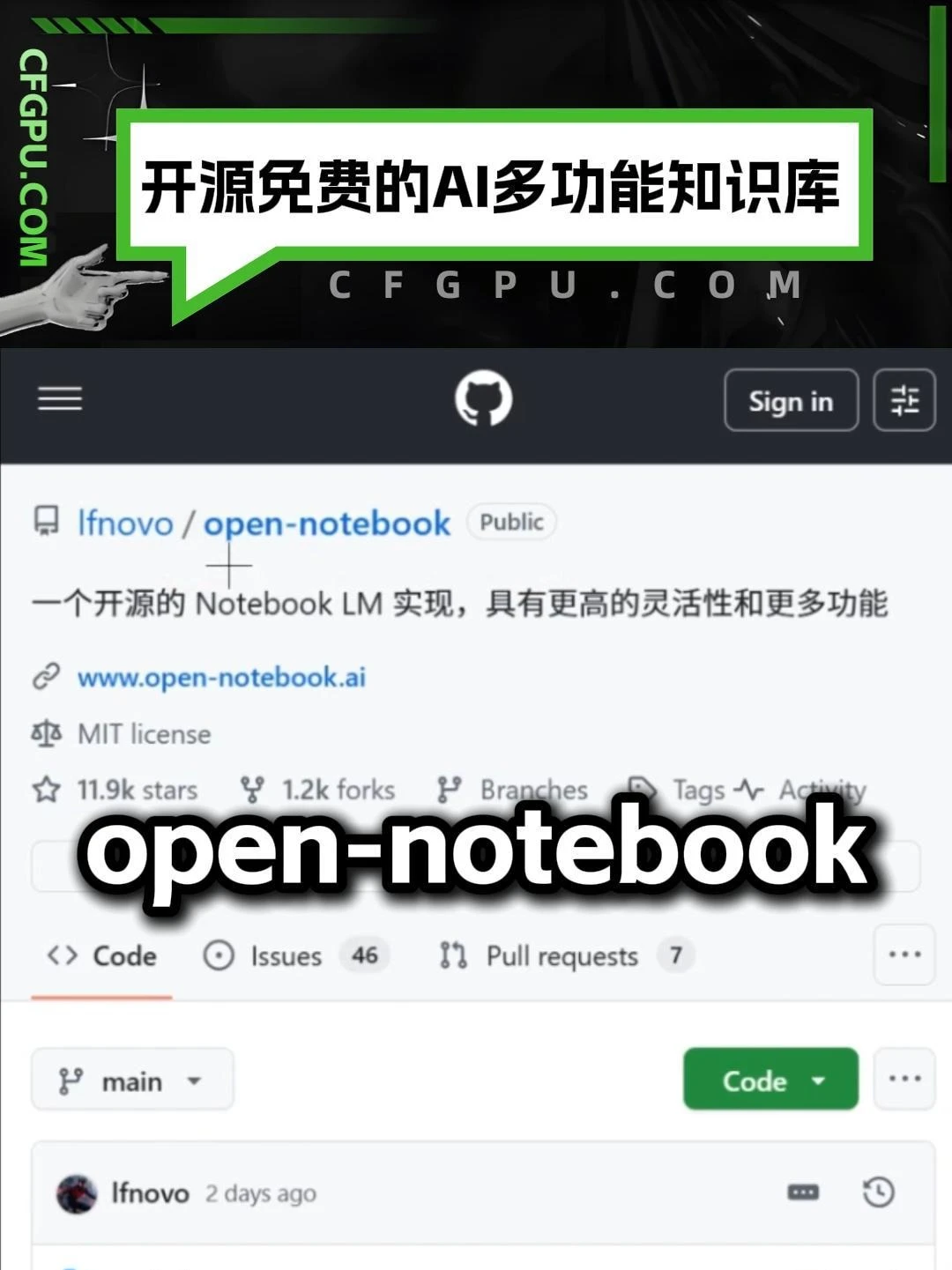
Figure 1 — Facts (only record readable/clearly visible content, UI elements and observable phenomena)
- Top banner (green dialog area, large Chinese characters):
- 开源免费的AI多功能知识库 (Open-source free AI multi-function knowledge base)
- Vertical text at left of banner (green background, white text):
- CFGPU.COM
- Light gray small text near bottom of banner (partially visible):
- C F G P U . C O M (characters spaced)
- Page appears to be a typical GitHub page: GitHub logo (cat icon) at top; upper-right has a “Sign in” button and a small icon with three horizontal lines/filter style (possibly settings or filters).
- Repository info (located near top of main page, some text clear):
- Account/repo name (blue link style): lfnovo / open-notebook (note: first-letter character has recognition ambiguity, see “Uncertain”)
- Visibility marker: Public
- Repository description (in Chinese):
- 一个开源的 Notebook LM 实现,具有更高的灵活性和更多功能 (An open-source Notebook LM implementation with greater flexibility and more features)
- External repository link (blue, clickable style):
- www.open-notebook.ai
- License info (text and icon):
- MIT license
- Statistics (icons and numbers in one row):
- 11.9k stars
- 1.2k forks
- (after that there are elements titled “Branches”, “Tags”, “Activity” but specific numbers/content are covered or unclear in the image)
- Large black-and-white overlay text in middle of page (visually prominent, covering mid-page content):
- open-notebook (large English text, black with white outline)
- Page tabs (clearly visible):
- Code (selected)
- Issues (shows number 46)
- Pull requests (shows number 7)
- Branch selector (small box showing current branch):
- main (with dropdown arrow)
- Right side has a green button (typical GitHub “Code” button style):
- Code (green button)
- List or commit area (partially visible lower on page):
- Shows user avatar thumbnails and username/timestamp: Ifnovo 2 days ago (username first-letter also unclear, see “Uncertain”)
- Other visible phenomena:
- There is a clear composite style where a banner is overlaid with a GitHub page screenshot (the whole image seems like a social/media promotional composite containing the website banner and GitHub screenshot)
- A crosshair-like overlay mark slightly left of center (possibly an indicator used during screenshot or presentation)
Figure 1 — Unreadable / Uncertain parts (items with ambiguous or unreadable text/elements)
- First letter of account/username: The repo area shows “lfnovo / open-notebook” but the commit area shows “Ifnovo 2 days ago”. It is ambiguous whether the first character is lowercase l (ell) or uppercase I (eye).
- Numbers after “1.2k forks” for elements like Branches, Tags, Activity are obscured or blurred and cannot be read.
- Aside from “CFGPU.COM” and “Open-source free AI multi-function knowledge base,” small decorative text/graphics in the top black background are partially obscured or too dark to read exactly.
Figure 1 — Inferences (reasonable inferences based on image content, marked as inferences)
- It is inferred to be a screenshot (or simulated UI) of a GitHub repository page for a repo named open-notebook; the owner may be Ifnovo / lfnovo.
- It is inferred the repository uses the MIT license (the page clearly shows “MIT license”) and that the repo has around 11.9k stars and 1.2k forks.
- It is inferred the top banner comes from a third party (CFGPU.COM) for promotional/labeling purposes rather than native GitHub UI (since GitHub normally does not include large custom banners).
- It is inferred that “www.open-notebook.ai” is the project website link.
Summary (short)
- Readable key information: banner text “开源免费的AI多功能知识库”, site label “CFGPU.COM”, repo name “open-notebook”, description “An open-source Notebook LM implementation with greater flexibility and more features”, external link “www.open-notebook.ai”, license “MIT license”, stats “11.9k stars”, “1.2k forks”, tabs “Code / Issues 46 / Pull requests 7”, branch “main”, and large overlay text “open-notebook”.
- Primary uncertainties: the first letter of the username (l vs I) and some covered/blurred statistic details and small icon text.
SkillPI Creation Analysis
Purpose of the work:
- Based on the image evidence, this appears to be a GitHub repository page (screenshot or simulated) for a project called open-notebook, described as "an open-source Notebook LM implementation." The repository can be used to obtain source code, read project documentation, verify license terms, and review community activity (Issues, PRs).
Image evidence summary (verifiable points):
- Repository name: open-notebook; possible owner username: lfnovo or Ifnovo (ambiguous in image).
- Visibility: Public; License: MIT license; external link: www.open-notebook.ai.
- Visible stats: 11.9k stars, 1.2k forks; Issues shown as 46, Pull requests shown as 7; current branch main.
- Page shows GitHub-style UI with Code tab selected and a Code (green) button on the right.
Associated skills and step-by-step usage (for inspecting/downloading the repository; steps consistent with visible info):
1) Open the repository page in a browser (via GitHub search or direct URL).
2) Read the README and repository description for feature and usage notes (not visible in the screenshot; must inspect the actual page).
3) Visit the external project website at www.open-notebook.ai to correlate documentation and demos.
4) Verify the MIT license by opening the LICENSE file in the repo.
5) Obtain the source: use git clone <repo-URL> (confirm correct owner/URL) or use the Code button to download a ZIP archive.
6) Check Issues and Pull Requests to assess community activity and known problems (image shows Issues 46, PRs 7, but confirm live values).
Reproduction prerequisites (minimum requirements to inspect/clone):
- Network access to GitHub and the project website.
- Git client installed locally if using git clone, or ability to download and unzip repository archive.
- Basic ability to read project documentation and source code (specific runtime/dependency requirements are not visible in the screenshot).
Items to verify (cannot be confirmed from the image alone):
- Exact repository owner username and correct repository URL (image shows ambiguity between lfnovo and Ifnovo).
- Full README contents including installation, run, or deployment instructions and any example notebooks/demos.
- Project tech stack and runtime/dependency list (language, frameworks, whether Docker or specific environments are recommended).
- Up-to-date statistics (stars, forks, branches, tags, activity) as the screenshot is a snapshot and may be outdated or partially obscured.
- Whether the CFGPU.COM banner is official to the project or an external promotional overlay.
- Full text of the LICENSE file to confirm usage constraints under the MIT license.
Notes:
- This interpretation is based solely on visible elements in the image and reasonable inferences. It does not perform live checks, cloning, or execution. For definitive details, open the GitHub repository and project website and perform the verification steps listed above.