
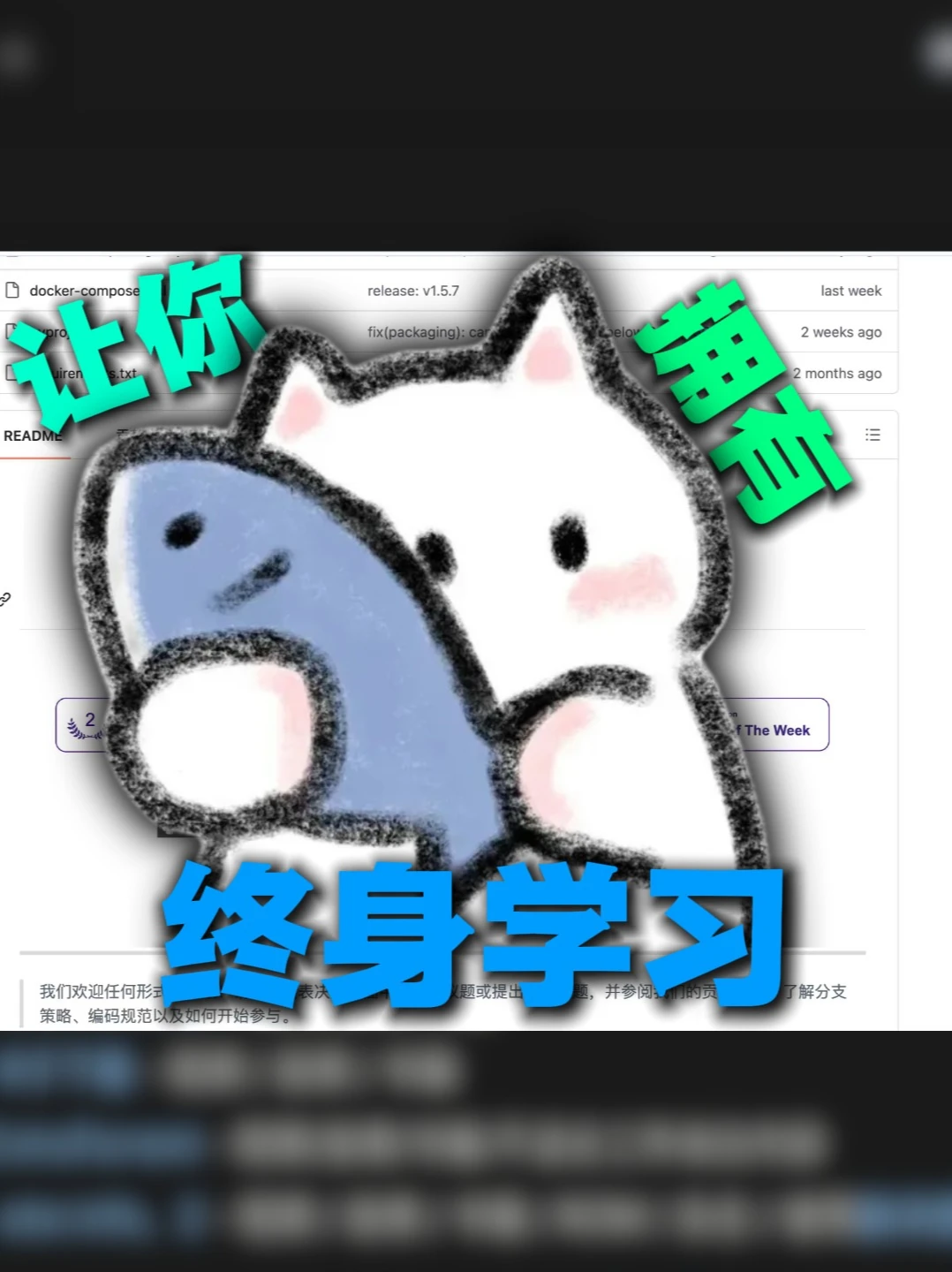
This is an open‑source lifelong learning system from HKU
From the screenshot we see docker‑compose and requirements.txt. This guide explains how to inspect the repository (release v1.5.7), review docker‑compose.yml and requirements.txt, and either run the project with Docker Compose or set up a Python virtual environment. Also lists prerequisites and key items to verify before running.
Image Analysis
Image 1 — Transcription and observations (top-to-bottom, left-to-right)
1. Facts (only items clearly readable or observable)
- The page shows repository/project-like interface elements: file list area, release/version info, README title area, time labels, etc. A large sticker partially covers the page.
- Visible text near the top/middle of the page:
- "docker-compose" (one of the left file list items)
- "release: v1.5.7" (near the top center)
- "last week" (to the right of "release: v1.5.7")
- "fix(packaging):" (upper-middle, the rest is obscured)
- "2 weeks ago" (near the right of "fix(packaging):")
- "requirements.txt" (upper-middle, one of the left file list items)
- "2 months ago" (to the right of "requirements.txt")
- "README" (file/document title on the left)
- A purple‑border badge/button appears middle-right containing the English fragment "Of The Week" ("Of The Week" is legible; to the left there is a number "2" inside a laurel‑style icon).
- A partial line of Chinese text is visible toward the bottom (in the README or description area): legible fragments include:
- beginning fragment: "我们欢迎任何形式" ("We welcome any form")
- intermittent fragments: "...表...问题或提...", "...并参阅...策略、编码规范以及如何开始参与" (partial readable words suggesting contribution guidance)
- A large cartoon sticker overlays the center of the page: a white cat hugging a blue fish (bold black outline, pink cheeks). The sticker has a shadow effect and partly obscures content.
- The sticker contains prominent Chinese words in different colors/positions:
- top-left (teal): "让你" (two characters)
- top-right (green): "拥有"
- bottom-center (blue, larger): "终身学习" (three characters in one line)
- The top and bottom edges of the image have large dark/blurred bars (black or dark blur) that crop page edge content.
2. Unreadable / blurred content (locations noted)
- The very top black bar is fully blurred and illegible.
- Large amounts of text in the README and several file list lines are covered by the sticker and not visible.
- The text after "fix(packaging):" is obscured and unreadable.
- The badge's left-side number and adjacent small text are partially obscured; only "2" and "Of The Week" are clearly visible.
- Large blocks of text near the bottom are heavily blurred or cropped; links, timestamps or full sentences cannot be read.
- Other file names and icons in the left file list are obscured by the sticker or blur.
3. Inferences (clearly marked as inferred/non‑confirmed)
- Possible full phrase: combining visible sticker words suggests the intended slogan may be "让你拥有终身学习" ("let you have lifelong learning"). This is an inference from visible fragments.
- Page type inference: background page is likely a GitHub or similar code repository web page (based on filenames, README, release/version, timestamps and file list layout).
- The purple badge may be a "of the week" style highlight, and the "2" could indicate a rank or count (inferred from "Of The Week" and laurel iconography).
- The bottom Chinese text likely follows common repository contribution phrasing (inviting contributions, pointing to contribution guidelines, coding standards and how to get started).
4. Non‑judgment note
- Only text and visible UI elements were recorded; legible vs. blurred areas are distinguished. No actions are taken on or implied by any UI text (e.g., button instructions).
SkillPI Creation Analysis
Intended use of the project (inferred):
- Based on visible elements (README, release: v1.5.7, docker‑compose, requirements.txt), the page appears to be an open‑source software repository related to a "lifelong learning" system. This is an inference from UI cues and file names, not a verified claim about the repository's functionality.
Key image evidence:
- Files visible: "docker-compose" suggests use of Docker Compose; "requirements.txt" suggests Python dependencies; "release: v1.5.7" indicates a tagged release exists. README fragments show contribution guidance language.
- The large sticker with Chinese slogan ("让你 拥有 终身学习") is an overlaid graphic that may be part of the shared image and not necessarily part of the repository interface itself; confirm against the original page.
Associated skills and actionable steps (based on visible filenames and typical repository workflows):
1. Obtain the repository: use Git to clone the project (confirm repository URL and hosting platform first).
2. Inspect the release: check the release tag (e.g., v1.5.7) and read release notes or changelog for compatibility and breaking changes.
3. Review container configuration: open docker‑compose.yml (or the file named docker-compose) and note services, ports, environment variables, volumes, and external dependencies (databases, caches, etc.).
4. Review Python dependencies: open requirements.txt to see required packages and any pinned versions; search README for the recommended Python major/minor version.
5. Run locally (choose one path depending on repo content):
- Docker Compose path: with Docker and Docker Compose installed, run docker compose up (or docker-compose up) in the directory with the compose file, after setting required environment variables and any external service configs.
- Native Python path: create a virtual environment, run pip install -r requirements.txt, then follow README instructions to start the application (may require DB migrations, environment variables, or other setup steps).
6. Verify application: follow README or release testing instructions to access endpoints, run health checks, or run included tests.
Prerequisites and items to verify (image cannot confirm these):
- Prerequisites: access to the full repository contents (docker‑compose.yml, requirements.txt, README, release notes), local installations of Git and either Docker/Docker Compose or the appropriate Python runtime and pip.
- Items to verify before attempting to run:
- Exact repository URL and license (is the repo public and what is the license?).
- Required Python version (major/minor) and any platform constraints.
- docker‑compose.yml service details (database type/version, ports, required secrets and environment variables).
- Whether requirements.txt pins versions or requires private packages.
- Whether the sticker graphic is part of the real page or an overlay in the shared image.
Caveats:
- The above steps are conservative recommendations based on filenames and common project structure. The screenshot is partially obscured; crucial configuration details and exact commands must be confirmed by viewing the full repository and README.
- If you provide the repository URL or the full README and configuration files (docker‑compose.yml, requirements.txt), I can give more specific commands, required environment variables, and a checklist for running the project locally.