
GitHub Highlight: Add Long-term Memory to AI Coding Assistants
Learn how the open-source agentmemory project can connect Claude Code, Codex and Cursor to a unified memory layer to automatically record context and inspect stored memories with a Viewer. Includes integration steps, prerequisites (API keys, runtime), and items to verify in the repo.
Image Analysis
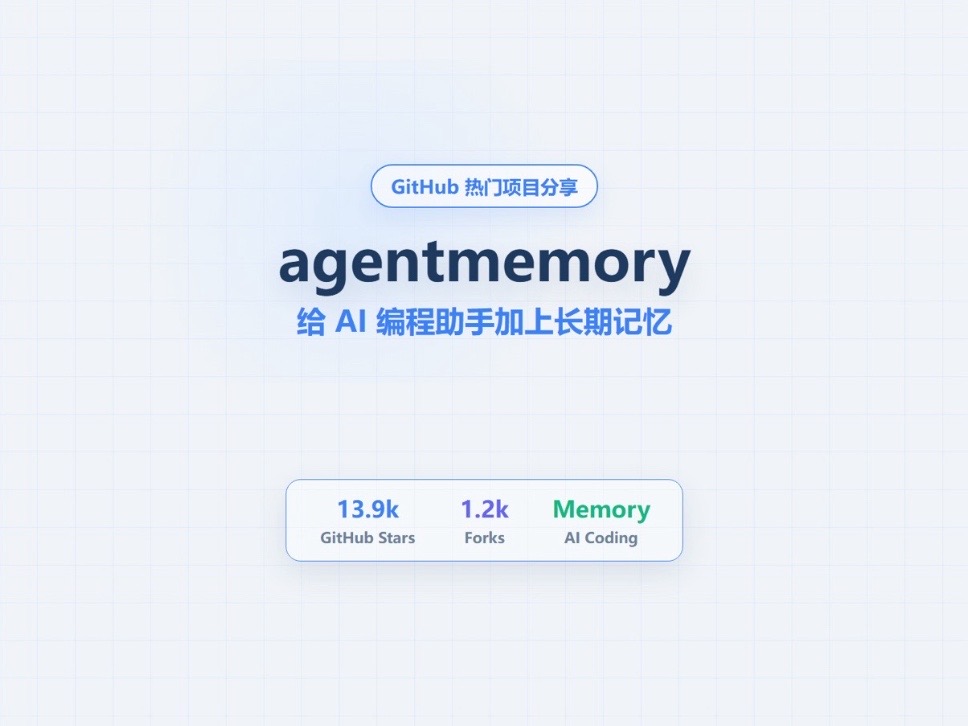
Organized from the visible content of image #1 into “Facts” (text, UI elements, chart data and visible phenomena), “Assumptions” (reasonable inferences about meaning or use), and “Unknown/Uncertain items.”
Facts
1. A pill-shaped button/label at the top reads: “GitHub 热门项目分享”.
2. Large central title (bold, dark) reads: “agentmemory”.
3. Subtitle under the main title (blue) reads: “给 AI 编程助手加上长期记忆” (Add long-term memory to AI coding assistants).
4. A bottom-centered card/info bar contains three columns (each with a number and small caption):
- Left column: number “13.9k” with small caption “GitHub Stars”.
- Middle column: number “1.2k” with small caption “Forks”.
- Right column: green text “Memory” with small caption “AI Coding”.
5. Visual/UI style and layout: light blue/white background with light-blue grid-paper lines; center-aligned layout; “agentmemory” in dark blue/almost-black large font; subtitle in smaller blue font; right-side “Memory” in green; bottom card with rounded corners and slight shadow; overall blue/light color theme.
Assumptions (marked as assumptions, not established facts)
1. “agentmemory” is likely an open-source project on GitHub and the image is a project presentation or promo page.
2. “13.9k GitHub Stars” and “1.2k Forks” likely indicate GitHub star and fork counts.
3. The “Memory / AI Coding” label likely categorizes the project as related to AI coding memory functionality.
4. The top “GitHub 热门项目分享” label may indicate the page is part of a curated or recommended collection.
Unknown/Uncertain items
1. Whether the page includes additional small print, links, or copyright information—footer and other text are not visible in the crop.
2. Fine-grained captions or units near the numbers might be present but are not visible.
3. Page elements beyond the cropped edges are not visible, so full context is unknown.
(Operational or interactive instructions shown in the image were ignored; only visible text and UI elements were recorded.)
SkillPI Creation Analysis
Purpose of the project: According to the source summary, agentmemory aims to add a long-term memory layer for AI coding assistants, allowing multiple tools/models (e.g., Claude Code, Codex, Cursor) to connect to a shared memory layer, automatically record context during coding interactions, and provide a Viewer to inspect stored memories. This is intended for scenarios that require preserving context across sessions or across tools when using AI for coding.
Image evidence summary: The screenshot clearly shows the project name and subtitle describing its purpose, and a project overview card that lists metrics labeled as GitHub Stars and Forks plus a “Memory / AI Coding” tag. The visual evidence supports that this is a project presentation page with those UI elements, but it does not prove implementation details or backend architecture.
Steps to use related skills/tools (general integration workflow based on the claims; specific commands and configs must be confirmed in the repository README):
1. Retrieve the repository and read the README: clone agentmemory and review installation, adapter support, and backend configuration docs.
2. Prepare the runtime environment: set up required runtime (e.g., Node/Python versions) and install dependencies as documented.
3. Configure the memory/storage backend: follow the project docs to choose and configure a memory store (the image does not specify whether this is a vector DB, local files, or cloud storage—verify in repo).
4. Configure model/tool adapters: set up adapters and API credentials for the tools you intend to connect (e.g., Claude Code, Codex, Cursor), ensuring supported versions and scopes.
5. Enable automatic context recording: start the agentmemory service per docs so it captures context during interactions.
6. Use the Viewer to inspect memories: run or access the Viewer UI to browse, search, or review recorded memory entries.
Prerequisites for reproduction:
- Access to the official agentmemory repository and documentation to obtain exact install and configuration instructions.
- API keys or access credentials for the models/tools you plan to integrate (Claude Code, Codex, Cursor) and any required runtime permissions.
- Suitable runtime environment and storage resources, plus basic skills in deployment and debugging (logs, environment variables, ports).
Items to verify (not fully specified by the summary or image):
- Supported memory backend types (vector DB, local storage, cloud storage) and their configuration steps.
- Exact adapter names, supported versions, and code examples for integrating Claude Code, Codex, and Cursor.
- Viewer capabilities and limits (e.g., edit/delete, access control, full-text search).
- Data retention, privacy considerations, and licensing terms for production use.
Note: The above guidance is derived from the source summary and visible UI elements. Do not treat screenshots or the brief summary as complete implementation documentation—consult the agentmemory repository and official docs for exact steps and safe production deployment guidance.