
Claude Code for PPT: Two Skills + One Prompt Template to Get It Done
Learn how to install and use guizang-ppt-skill and html-ppt-skill with a Claude Code Agent to produce decks for talks, business reviews, thesis defenses, and Xiaohongshu 9-grid posts. Includes npx install commands, the idea of universal prompt templates with replaceable placeholders, cross-skill speaker-view integration, and an Obsidian→Agent automated flow. Check the video and repos for exact templates and agent configuration.
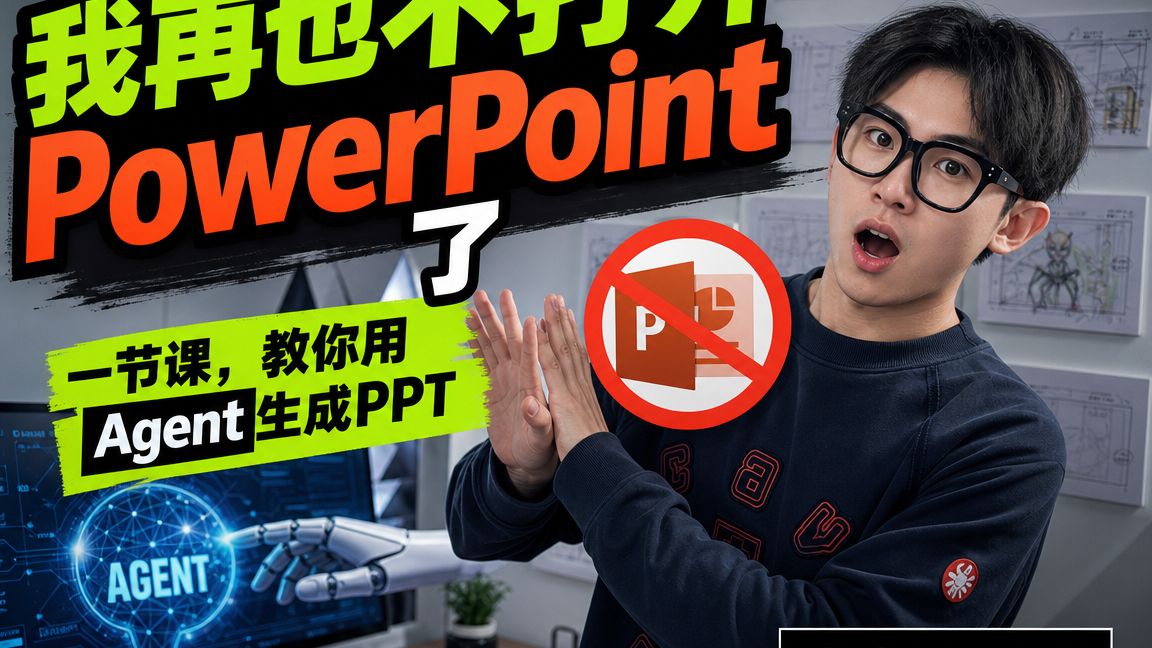
Image Analysis
Image 1 — Observed facts (only visible/readable info and observable phenomena are recorded)
- Large readable text (in visual order):
- Large green characters: “我再也不打” (there is a separate white character “了” at the far right, near the bottom-right of “PowerPoint”)
- Large orange English word: “PowerPoint”
- Black-and-white mixed text on green brush-stroke background: “一节课,教你用” + black-on-white label “Agent” + green text “生成PPT” (read together as “One lesson teaches you to use Agent to generate PPT”)
- White uppercase in a glowing circular orb: “AGENT”
- A red prohibition symbol (circle with slash) over the PowerPoint icon (PowerPoint icon is visible)
- Visible image elements and UI phenomena:
- A young man wearing black-framed glasses, mouth open with a surprised expression, hands clasped or gesturing near chest; wearing a dark top (with some red embroidery or patterns).
- A stylized/mechanical hand (robotic arm) at lower-left pointing to the glowing orb labeled “AGENT”; surrounding circuitry/node UI elements (blue tech-style background).
- Multiple sketches/storyboard images posted on the right-side wall (line-art images).
- A computer monitor, small potted plant and other desk objects at the right side of the scene.
- A black rectangular box at lower-right (partially cropped) with unreadable text/content.
- Color/style notes: title uses vivid green and orange large text with brush-stroke and shadow effects, matching a tutorial/video thumbnail style.
Unreadable or blurred content (explicitly noted):
- Small text and UI details on the monitor are unreadable due to small size or glare.
- The detailed content of sketches/storyboards on the wall is not readable (too small).
- Text/graphics inside the black rectangle are cropped and low-resolution, so unreadable.
- Exact letters/patterns of red embroidery on clothing are partially obscured or blurred.
- Several small icons and possible lower-right screen text cannot be identified.
Inferred (based on visible elements; not confirmed):
- The overall intent likely claims “never make (manual) PowerPoint again” and promotes using an “Agent” tool/feature to auto-generate PPTs (inferred from title text, “Agent / generate PPT” label, and robotic arm pointing to AGENT).
- The red prohibition symbol over the PowerPoint icon likely signals “replace/stop using PowerPoint.”
- Composition and style resemble an online tutorial or promotional thumbnail typical for instructional/demo videos.
- The monitor’s circuitry/node UI, robotic arm, and glowing “AGENT” orb aim to convey the concept of AI/automated agents.
Note
- No identification or naming of the person in the image was attempted (only appearance and posture described).
SkillPI Creation Analysis
Use cases: The video demonstrates using Claude Code–driven Agents and Skills to auto-generate presentation materials for multiple scenarios (live talk decks, business postmortems, thesis defenses, Xiaohongshu 9-grid posts) and provides reusable prompt templates for quick customization. The thumbnail imagery supports this message—large “Agent generate PPT” text, a prohibited PowerPoint icon, and robotic/tech visuals reinforce the idea of replacing manual PowerPoint creation with an Agent.
Steps to use the referenced skills (based on the summary and provided install commands):
1) Prepare environment: have Node/npm installed, ensure network access to GitHub, and have a runtime/environment for Claude Code agent. For the Obsidian-to-PPT flow, prepare an Obsidian vault.
2) Install the skills (as shown in the video summary):
npx skills add https://github.com/op7418/guizang-ppt-skill --skill guizang-ppt-skill
npx skills add https://github.com/lewislulu/html-ppt-skill
These commands require npx and network access; run in a shell with appropriate permissions.
3) Obtain or edit the prompt templates: the video states each demo includes a universal prompt template where you replace placeholders (title, section points, style) to generate your PPT. The exact template contents must be copied from the video or accompanying materials.
4) Run the Claude Code Agent: invoke the configured agent to call the installed skills (guizang-ppt-skill or html-ppt-skill), supplying the prompt and structured inputs to produce PPT files or HTML outputs. Exact agent invocation parameters, APIs, or CLI commands should be taken from the video or official docs.
5) Advanced composition: to add speaker view or combine skills, orchestrate skill outputs and inputs—e.g., take guizang output and feed/transform it for html-ppt to generate a speaker view; for Obsidian automation, configure the agent to scan notes, select a skill, and trigger generation.
Prerequisites for reproduction:
- Access to and ability to install the GitHub repositories referenced (guizang-ppt-skill, html-ppt-skill).
- A configured Claude Code agent environment (including any required credentials, API keys, or runtime configuration—details are not in the summary and should be checked in the source materials).
- Familiarity with prompt templates and basic agent/skill input-output handling, or access to the video/notes that contain the concrete templates.
Items to verify before attempting reproduction:
- Current availability and compatibility of both skill repositories (whether they are maintained, required dependencies, and supported versions).
- The full prompt templates and exact placeholder names used in the demos (the summary does not include the full templates).
- Claude Code agent version and precise configuration steps (authentication, CLI/API usage) used in the demos.
- Whether html-ppt natively supports a speaker view or requires adaptation, and how to convert guizang outputs into html-ppt compatible input.
Notes: The above steps preserve the exact install commands and links from the source. The summary-based workflow is actionable at a high level, but concrete reproduction requires consulting the video and the referenced repositories for full templates, agent call examples, and skill interface details.