
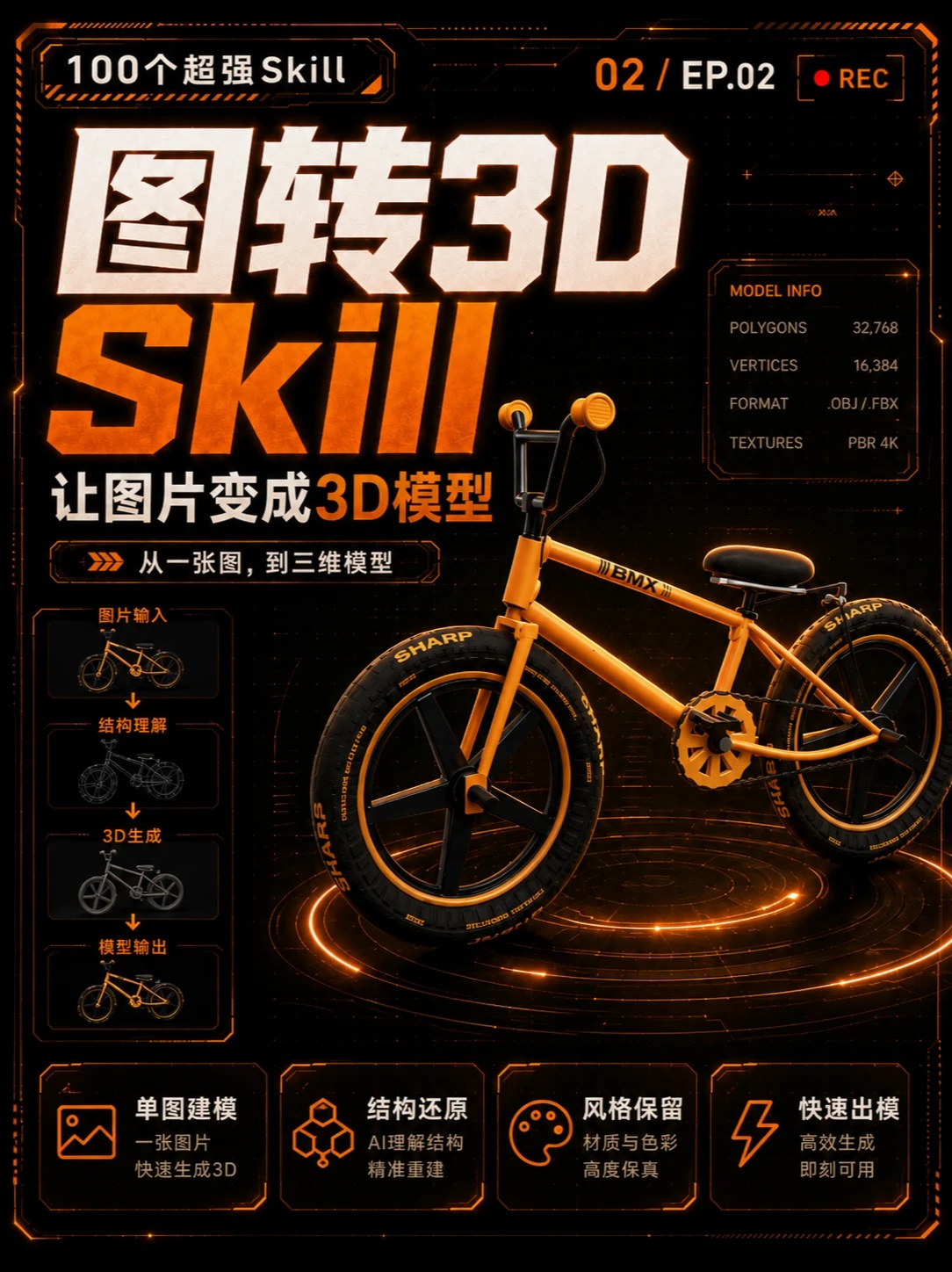
Episode 2: Practical Skill — Image-to-3D skill: single image to model, pure JS code, suitable for web product display!
Learn the practical steps to convert one photo into a 3D model suitable for web display: image input, structure reconstruction, mesh generation, and export as .OBJ/.FBX with PBR 4K textures. Includes checklist of prerequisites and verification points (e.g., polygon targets 32,768, and whether the pipeline is client-side JS).
Image Analysis
Image 1 — Image evidence summary
1. Facts (readable text, interface steps, chart data, visible phenomena)
- Top/title readable text
- “100个超强Skill”
- “02 / EP.02” (top-right)
SkillPI Creation Analysis
Intended use and scenarios:
- The poster/example demonstrates the capability of converting a single image into a 3D model, intended for product presentation, concept demos, prototype visualization, or short instructional clips. The sample output shown is a render-ready 3D model (a bicycle) intended for web display.
Key evidence from the image (directly readable):
- MODEL INFO shows POLYGONS 32,768, VERTICES 16,384, FORMAT .OBJ / .FBX, TEXTURES PBR 4K — indicating target mesh complexity and texture specifications.
- The left-side flow lists a typical pipeline: Image Input → Structure Understanding → 3D Generation → Model Output. Bottom features summarize product positioning (single-image modeling, structural restoration, style preservation, rapid output).
Associated skills and recommended implementation steps (workflow inferred from the image; not a claim about the exact original implementation):
1) Image preparation: obtain a high-resolution photo of the target object (example: bicycle).
2) Structure inference/semantic analysis: perform semantic segmentation, depth/normal estimation, or keypoint detection to infer 3D structure from the single view (approaches include single-view reconstruction or learning-based inverse rendering).
3) Mesh generation: reconstruct an initial mesh from inferred structure, apply topology correction and polygon optimization (the example lists POLYGONS 32,768 and VERTICES 16,384 as target scales).
4) Textures and materials: generate or project PBR 4K textures to preserve materials and color fidelity for realistic rendering.
5) Export and integration: export .OBJ or .FBX files (as listed) and include the PBR textures for importing into a web presentation pipeline.
6) Web presentation: load the exported mesh and PBR materials into a web 3D engine to provide lighting, interaction, and optimized rendering for product display. (Common engines include three.js or Babylon.js, but these are not specified in the image and need verification.)
Prerequisites and items to verify:
- To verify: whether the workflow is implemented fully in “pure JS” on the client side or relies on server-side/model inference (the video title mentions “pure js code”, but the image alone does not confirm implementation details).
- To verify: the specific algorithms or models used for single-view reconstruction, depth/normal estimation, or inverse rendering are not shown and must be confirmed.
- To verify: how PBR textures are generated (automatically or with manual intervention), UV unwrapping strategy, and whether additional texture maps (albedo, roughness, metallic, normal) are produced.
- To verify: performance and compatibility details for web use — loading time, runtime simplification strategy, frame rate on target devices, and whether glTF (a common web-optimized format) is supported in addition to .OBJ/.FBX.
Notes:
- This interpretation is based on visible information and reasonable inference, not on confirmed implementation details. To reproduce the exact behavior depicted, obtain the original code/implementation notes to confirm whether it is truly a client-side pure-JS solution, which libraries or models are used, and how textures and exports are produced.