
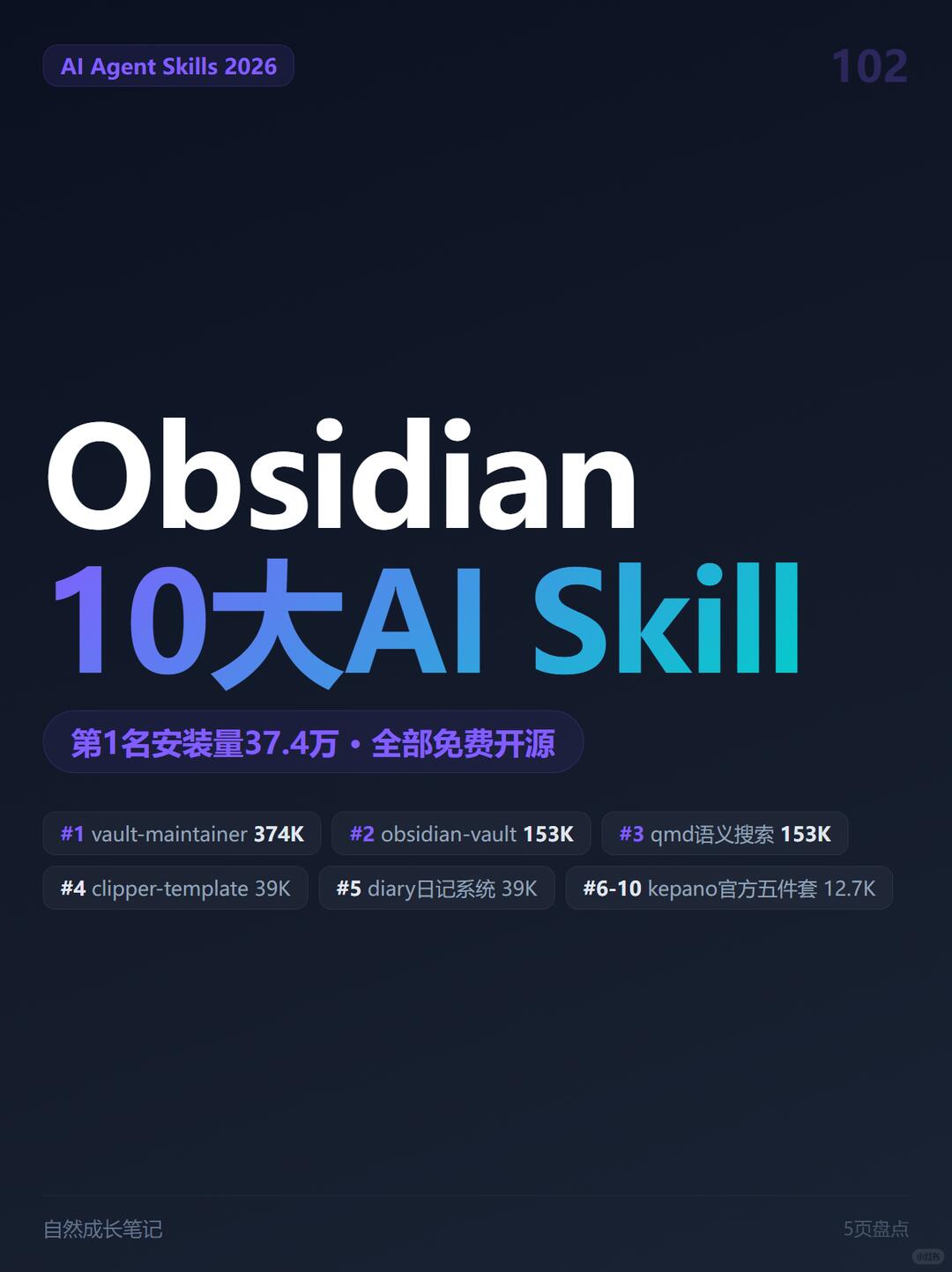
Top 10 AI Skills for Obsidian — #1 shows 374K installs
Step-by-step guidance to install and configure Obsidian Skills that let AI Agents operate a vault: use the example npx install command, configure vault-maintainer to normalize wikilinks/frontmatter, use obsidian-vault for programmatic note read/write, and employ qmd for local semantic search. Includes environment prerequisites and items to verify before use.
Image Analysis
Facts (directly readable text, data and visible elements in the image)
- Top-left (purple rounded tag): AI Agent Skills 2026
- Top-right: 102 (deep purple number)
- Main central title:
- Obsidian (large white)
- Top 10 AI Skill ("10" purple-blue gradient, "AI Skill" blue-green gradient)
- Purple rounded subtitle bar near center-bottom: #1 install count 374K · all free & open source
- Ranked items (dark rounded small bars, arranged left-to-right/top-to-bottom):
- #1 vault-maintainer 374K
- #2 obsidian-vault 153K
- #3 qmd semantic search 153K
- #4 clipper-template 39K
- #5 diary system 39K
- #6-10 kepano official five-pack 12.7K
- Footer bottom-left: Natural Growth Notes
- Overall visual: dark/deep-blue to black background, white and blue-purple gradient text, many rounded dark tags and purple/blue highlights, poster/cover layout.
Assumptions (reasonable inferences not explicitly stated in the image)
- The "#1 install count 374K · all free & open source" likely refers to item #1 (vault-maintainer) and corresponds to the 374K figure shown next to #1.
- Numbers next to items (374K, 153K, 39K, 12.7K) likely indicate installs, downloads, or GitHub stars, but only the #1 item is explicitly labeled as an "install count;" the metric type for other numbers is not clarified in the image.
- "kepano official five-pack" probably refers to five related components provided by an author/organization named "kepano," aggregated into a bundle.
Unknown / Unclear
- Small text and a small circular mark near the bottom-right are unreadable (could be page number, copyright, or small icon).
- Small footer text on the right is not clear; the phrase that looks like "5-page roundup" is somewhat blurred and uncertain.
- Some small-font elements on dark backgrounds may not be fully legible at this image scale, affecting minor details.
SkillPI Creation Analysis
Purpose of the source:
- The itemized summary and cover image aim to present a curated set of open-source Skills that let AI Agents interact with an Obsidian vault, highlighting candidate tools for tasks like vault normalization, programmatic note read/write, semantic retrieval, web clipping templates, and more.
Image evidence highlights:
- The cover layout emphasizes a top-10 list and visually calls out the first item with a large install figure and the label “all free & open source.” The image shows per-item short descriptions and numeric indicators, but it does not consistently define what those numbers represent.
Practical steps to use the listed Skills (based on information directly available in the provided summary; verify details in each project README before use):
1) Prepare environment
- Ensure you have access to the Obsidian vault directory and read/write permissions.
- Install Node.js / npm if you need to run the skills manager or use npx.
2) Install the Skills package (source example)
- Run: npx skills add kepano/obsidian-skills (this command is taken from the source summary; confirm the repository and command in the project docs before running).
3) Configure vault-maintainer
- According to the source, vault-maintainer is intended to maintain vault compatibility and normalize wikilinks, frontmatter, and filenames. Review its documentation and test on a backup vault to understand effects and options.
4) Use obsidian-vault for programmatic read/write
- The source states obsidian-vault uses a file API (not shell) to read, search, create, and edit notes — useful for automated workflows that must safely access vault content. Configure file paths and permissions, then validate basic CRUD operations.
5) Deploy qmd semantic search for local hybrid retrieval
- Source describes qmd as a local hybrid retrieval engine offering semantic search plus keyword ranking. Real deployment may require building an index, embedding generation, or a local vector store; consult project docs for details.
6) Evaluate other Skills (clipper-template, diary, obsidian-markdown, obsidian-bases, json-canvas, defuddle, obsidian-cli)
- Each item has a short functional description in the summary; check each repository for installation, dependencies, and configuration.
Reproduction prerequisites (items to prepare and verify before attempting to reproduce):
- Validate and follow each Skill’s official repository and README for exact install commands and security guidance.
- Local environment: Node.js/npm (if using npx), read/write access to the vault, and backups of important data for testing.
- If a Skill uses semantic search or embeddings, prepare the required index or model artifacts, vector store, or API credentials as documented.
- To integrate with AI Agents (the source mentions compatibility with Claude Code / Codex CLI / Cursor / OpenCode), verify actual integration instructions for each agent and Skill.
Items requiring verification (not fully specified in the source summary):
- The precise meaning of numeric indicators next to each item (install counts vs. stars vs. downloads) — the image labels only the first as an install count.
- Claimed security scores or other ratings referenced in the summary (e.g., security scores) should be checked against their origin.
- Implementation details and side effects of vault-maintainer’s normalization (e.g., file renames or metadata changes) — test on a copy of a vault.
- qmd’s embedding/model requirements and resource usage — consult its docs.
- The exact composition and purpose of the "kepano five-pack" — check the corresponding repository or author page.
Note: This interpretation is derived from the provided summary and image transcription. For live deployment or automation, always rely on each Skill’s official documentation and test changes in a safe environment (backed-up vault) before applying to production data.