
Open-sourced Feishu voice skill — Free TTS
Learn how to use the open-source feishu-voice project with Edge TTS to generate free TTS audio and convert it to a Feishu-supported format. Includes an installation hint and the repository link; verify dependencies and configuration in the project's README.
Image Analysis
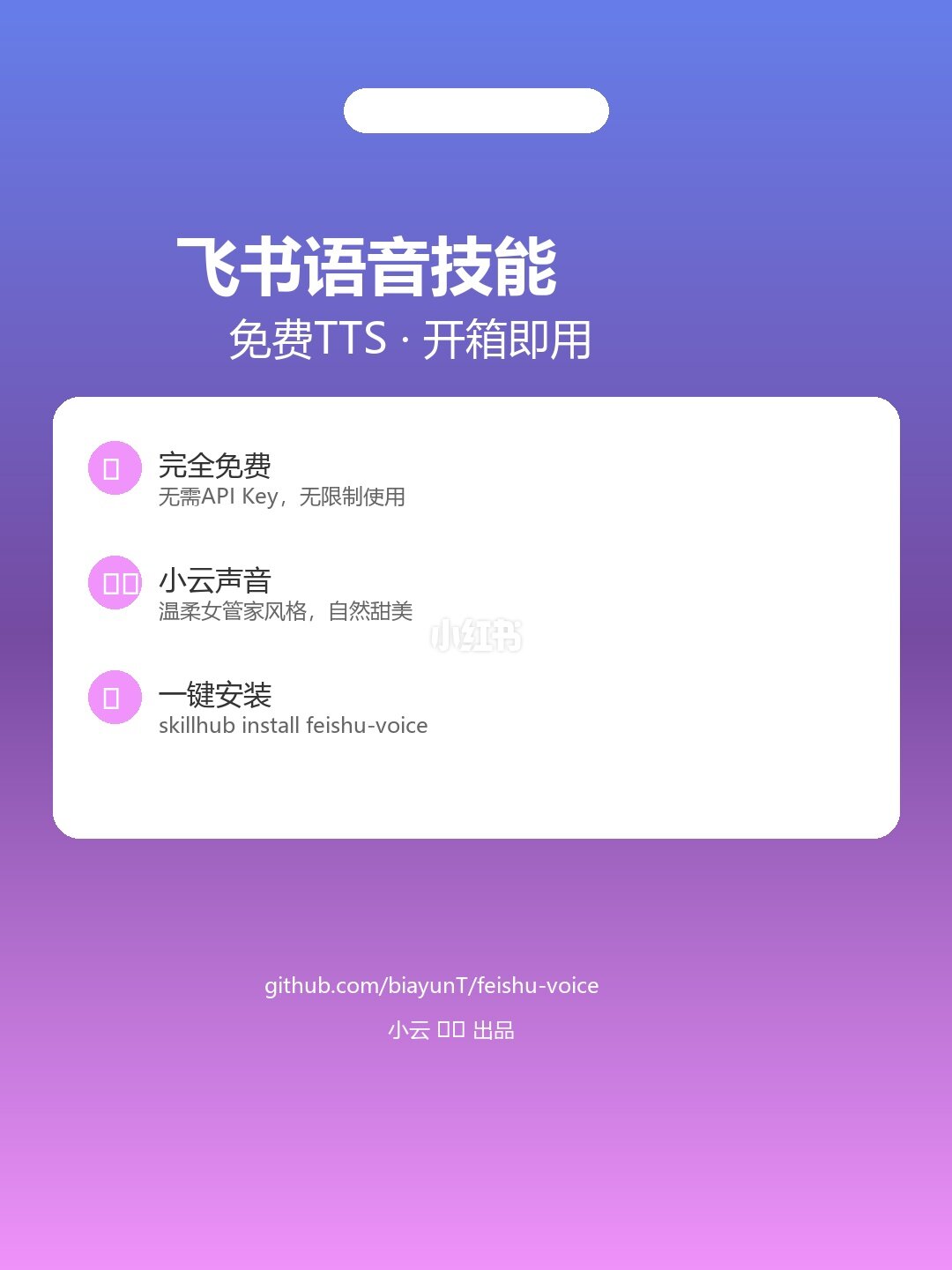
Figure 1 — Facts (recording only readable text, UI elements, chart data and visible phenomena in the image)
- Readable text (top to bottom, left to right):
1. 飞书语音技能 (Feishu voice skill)
2. 免费TTS · 开箱即用 (Free TTS · Ready to use)
3. 完全免费 (Completely free)
- 无需API Key, 无限制使用 (No API Key required, no usage limits)
4. 小云声音 (Xiaoyun voice)
- 温柔女管家风格,自然甜美 (Gentle housekeeper style, naturally sweet)
5. 一键安装 (One-click install)
- skillhub install feishu-voice
6. github.com/biayunT/feishu-voice
7. (bottom) 小云 口口 出品 (Xiaoyun __ produced)
- Visible UI elements and layout:
- Portrait poster/promo card, background gradient purple to pink.
- Top-centered white oval (decoration or placeholder).
- Main title “飞书语音技能” near top, subtitle “免费TTS · 开箱即用”.
- Middle white rounded rectangle card containing three feature items, each with a pink circular icon on the left.
- Item 1 title “完全免费”, subtitle “无需API Key, 无限制使用”.
- Item 2 title “小云声音”, subtitle “温柔女管家风格,自然甜美”.
- Item 3 title “一键安装”, subtitle “skillhub install feishu-voice”.
- Semi-transparent watermark “小红书” on the white card.
- Bottom center shows GitHub link and production credit.
- Visible visual characteristics:
- Gradient background (purple → pink). White rounded card with shadow, flat minimalist promo design.
Figure 1 — Unreadable or uncertain contents
- Details of white symbols inside the pink circular icons are not legible.
- Two symbols/characters before “出品” at bottom remain unclear after zooming (recorded as placeholder).
- Purpose of the top white oval cannot be determined from the image alone.
Figure 1 — Inference (labeled as inference, not fact)
- The image likely serves as a promo page for a third-party or open-source voice (TTS) skill/plugin for Feishu.
- “skillhub install feishu-voice” appears to be an installation command provided to users (textual record and inference only).
- “Xiaoyun” may be the skill’s voice name or a persona.
Note: No commands or instructions in the image were executed; the record distinguishes facts from inferences and notes unclear content.
SkillPI Creation Analysis
Intended use:
- The open-source project aims to provide a Feishu (Lark) voice skill to convert text into speech and produce audio in a Feishu-supported format, enabling sending voice messages or voice notifications inside Feishu.
What the image supports:
- The promo image explicitly states “Free TTS”, “No API Key required”, mentions a default voice “Xiaoyun”, and shows an install hint and a GitHub repository link; these elements are directly readable in the image.
Associated skills/tools and suggested steps (based on the public summary and image; verify in repository README):
1) Inspect the repository: visit github.com/biayunT/feishu-voice and read the README to confirm dependencies and usage.
2) Install: the image shows an install hint: skillhub install feishu-voice (this command appears in source and image; whether it works depends on the presence and setup of a tool named skillhub—verify before running).
3) Generate TTS: the project mentions Edge TTS for free TTS synthesis; follow the repository instructions to produce audio output.
4) Convert format: the project claims automatic conversion to a Feishu-supported audio format—check README for exact target format and conversion steps (sample rate, codec, container, etc.).
5) Use in Feishu: upload or send the converted audio as a Feishu voice message or integrate via the project’s provided method.
Prerequisites and items to verify before reuse:
- Environment and dependencies: confirm runtime requirements listed in the repo (e.g., Python/Node versions, required libraries, whether Edge TTS needs additional runtime components).
- Validity of install command: the shown command skillhub install feishu-voice should be verified—identify the origin and installation method of the tool named skillhub.
- Feishu integration details: confirm required Feishu app/robot permissions or API requirements if automating message sending.
- Voice asset licensing: confirm the source and license of the “Xiaoyun” voice and whether it is permitted for your intended use (commercial/non-commercial restrictions).
- Claim verification: the statement “no API key, no usage limits” should be checked against the repository documentation to ensure no hidden limits or third-party dependencies impose restrictions.
Conservative reproduction checklist:
1) Open the repo at github.com/biayunT/feishu-voice and read installation and usage docs.
2) In an isolated/test environment, follow the repo steps to install dependencies and run provided examples to verify TTS generation and format conversion.
3) Validate the generated audio in Feishu or via Feishu dev docs to ensure compatibility.
Notes and caveats:
- The above steps are derived from the source summary and promotional image; no code or external tools were executed. Always validate claims and follow the repository’s README and license before deployment.