
Stop Scrolling Chat Logs — Sink Conversations into a Personal Knowledge Base with Obsidian and obsidian-conversation-curator
Learn how to consolidate AI chat conclusions, methods, and evidence into a local Obsidian vault using the open-source obsidian-conversation-curator. Steps covered: install Obsidian, find KeNing0/obsidian-conversation-curator on GitHub, follow the repository README to configure the tool, use example prompts to generate previews and update local Markdown notes. Verify implementation details in the repo.
Image Analysis
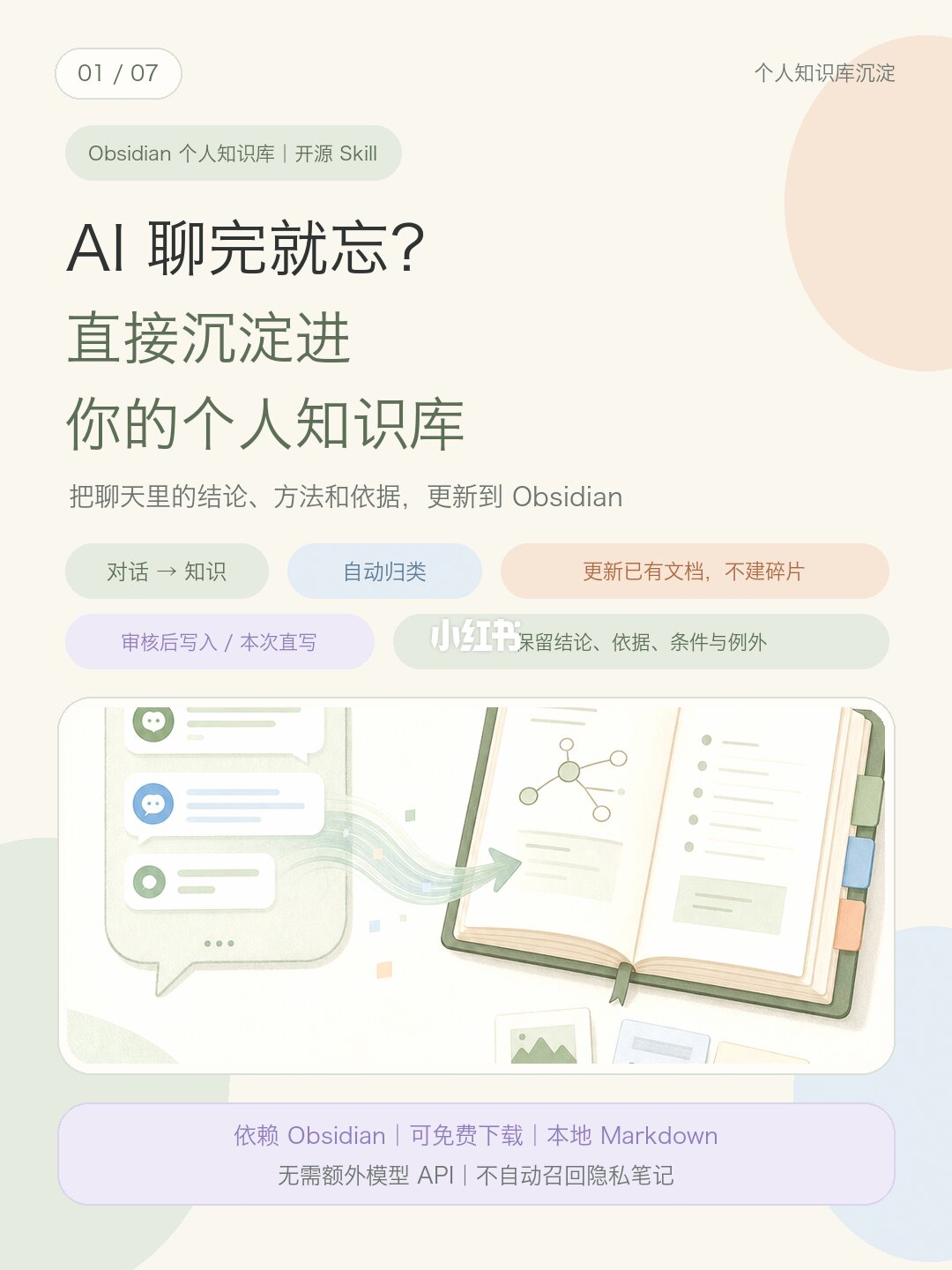
Slide 1 — Visual/text evidence
1) Header and pagination
- Top-left: rounded rectangle with "01 / 07" (page 1 of 7).
- Top-right small text: "个人知识库沉淀" (Personal knowledge base consolidation).
2) Top label
- Green rounded label: "Obsidian 个人知识库 | 开源 Skill" (Obsidian personal knowledge base | open-source Skill).
3) Main title / subtitle / caption
- Large title (dark): "AI 聊完就忘?" (Chat with AI and forget?).
- Green subtitle split on two lines: "直接沉淀进 你的个人知识库" (Directly sink into your personal knowledge base).
- Smaller gray caption: "把聊天里的结论、方法和依据,更新到 Obsidian" (Update Obsidian with conclusions, methods and evidence from chats).
4) Colored pill tags (rounded)
- Green pill: "对话 → 知识" (Conversation → Knowledge).
- Blue pill: "自动归类" (Auto-classify).
- Orange/beige pill: "更新已有文档,不建碎片" (Update existing documents, don't create fragments).
- Purple pill: "审核后写入 / 本次直写" (Review before write / write directly this time).
- Light green pill: partly obscured by watermark; legible fragment reads something like "保留结论、依据、条件与例外" (Keep conclusions, evidence, conditions and exceptions).
5) Illustration
- Left: phone/chat bubbles illustration.
- Right: an open notebook with tabs, node diagram and text blocks.
- A flow arrow from chat bubbles to notebook indicates the process of moving conversation into notes.
6) Watermark
- White watermark/text near center-bottom: "小红书" (Xiaohongshu).
7) Bottom info bar (purple)
- First line (clear): "依赖 Obsidian | 可免费下载 | 本地 Markdown" (Depends on Obsidian | free download | local Markdown).
- Second line (smaller): "无需额外模型 API | 不自动召回隐私笔记" (No extra model API required | does not auto-recall private notes).
8) Layout and colors
- Light, muted color scheme (beige background, green/blue/purple/orange pills).
- Layout: title at top, caption and pills mid, illustration center-lower, bottom functional bar.
Steps/process implied in the image
- The graphic and arrow explicitly depict a "Conversation → Knowledge" import flow.
- Pill text lists features: auto-classify, update existing docs rather than create fragments, support review-before-write or direct write, preserve conclusions/evidence/conditions/exceptions.
Unclear items
- The light-green pill is partially covered by watermark; the full text cannot be confirmed.
- Small decorative text inside the notebook and some small icons are unreadable at this resolution.
Inference (marked as such)
- This slide is likely an introductory page describing an Obsidian-focused tool that imports chat content into a local knowledge base.
- The footer indicates emphasis on local storage and privacy (local Markdown, no external APIs), and the slide number (01/07) implies additional detail on subsequent slides.
SkillPI Creation Analysis
Intended use:
This post and slide introduce an open-source Skill—obsidian-conversation-curator—intended to help users convert AI chat conversations into structured notes in a local Obsidian knowledge base. The target audience is users who want to preserve conclusions, methods, and evidence from chats into searchable notes.
Image evidence (key verifiable points):
- The slide explicitly labels the project as "Obsidian 个人知识库 | 开源 Skill" and the footer states "依赖 Obsidian | 可免费下载 | 本地 Markdown", supporting the claim that Obsidian and local Markdown storage are required.
- Pills on the slide list features: conversation→knowledge, auto-classify, update existing documents instead of creating fragmentary notes, and options for review-before-write or direct write, which aligns with the described behavior.
- The slide index 01/07 indicates this is the first of a multi-slide series with further details likely available on later slides.
Steps to use the associated Skill (based on the source description and reasonable assumptions; not a code-level reproduction):
1. Install Obsidian on your machine (the source notes Obsidian is required and is freely downloadable).
2. Locate the project on GitHub by searching for: KeNing0/obsidian-conversation-curator (the source provides this search string).
3. Read the repository README to follow installation and configuration instructions; deploy any plugin or script into Obsidian per the repo documentation.
4. During or after chat sessions, use prompts similar to the source examples to trigger summarization and note creation. Example source commands (Chinese originals):
- “总结前面聊过的内容,保留核心结论和依据,更新到 Obsidian。”
- “把我发的培训材料整理成笔记,写进个人知识库。”
- “我没指定类别,检查已有文档,放进最合适的分类。”
5. Review the generated preview (the source states the tool “defaults to providing a full preview”), then choose to approve and write into Obsidian or edit before writing.
Reproduction prerequisites:
- Obsidian must be installed with write access to the local vault (local Markdown files).
- Access to the repository code or release artifacts for KeNing0/obsidian-conversation-curator; follow the repository README for precise setup and dependencies.
- The source claims no additional model API, server, or vector DB is required; how summarization/classification is implemented (local heuristics, local models, or client-side model calls) must be confirmed in the repository.
Items to verify in the repository/documentation (do not assume):
- Implementation details: whether the Skill contains built-in summarization/classification logic or acts as a bridge to a model (the post references “Codex” as an example trigger, which requires verification).
- The claim “no extra model API required”: verify whether the project truly performs all processing locally or relies on optional external services.
- Integration specifics: how conversation context is fed to the Skill (manual paste, chat-client integration, clipboard, exported logs), how files are named/organized, and how conflicts or duplicates are handled.
- Privacy controls: concrete mechanisms to exclude or isolate private notes and to ensure the tool does not auto-recall private vault contents.
Conclusion (based on verifiable content):
The source presents an open-source approach—obsidian-conversation-curator—to consolidate chat-derived insights into Obsidian notes with features such as auto-classification and preference for updating existing documents. To implement or reproduce the setup, consult the GitHub entry KeNing0/obsidian-conversation-curator and its README for definitive installation, configuration, and any external dependencies.