
Episode 2: Claude Code configuration bundle, 170K Stars — Everything Claude Code (ECC) explained
This page summarizes how to identify and prepare the Everything Claude Code (ECC) configuration bundle based on visual evidence: locate the project source, map the six module tiles to repo components, prepare runtime and dependencies, and verify repository metadata such as star count. Concrete deployment steps require the project's README and source files.
Image Analysis
Figure 1 — Facts (record only text visible in the image, interface elements and observable phenomena)
Readable text
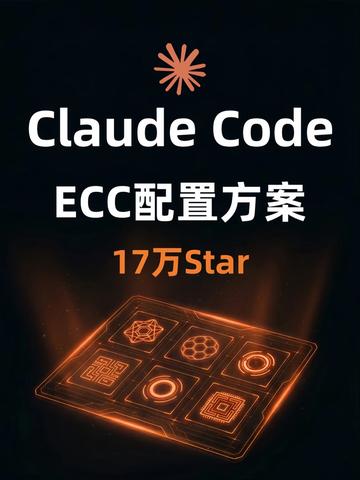
- "Claude Code" (English, large white font, centered toward the top)
- "ECC配置方案" (Chinese, white, located under "Claude Code")
- "17万Star" (Chinese/English mixed, orange, located mid-lower area, text reads "17万Star")
Interface elements / layout (visible and describable)
- Background is dark (near black) gradient/solid color.
- An orange petal/flare icon (similar to an eight-point radiating symbol) sits at the top center.
- Near the lower center is a tilted "tablet/pedestal" style glowing panel (rectangular with perspective tilt). On the panel are 2 rows x 3 columns = 6 square cells, each containing different geometric patterns or icons.
- Each square cell has orange glowing borders and internal geometric shapes, giving an overall holographic/neon glow effect.
- The image contains orange halos, light beams and particle-like dots radiating from the panel outward, creating a "floating/glowing" impression.
- Primary font colors are white and orange; overall palette is black + orange + white.
- The image is vertical (portrait) composition with main elements center-aligned.
Interface steps / chart data
- The image has no explicit step indicators, flow arrows, step numbers or interactive controls (buttons, input fields, etc.).
- There are no tables or numeric charts (other than the "17万Star" text, no other data or scales).
Visible details (pattern description)
- The six squares contain geometric/graphic symbols including maze/grid-like, concentric circles, honeycomb/hexagonal patterns, ringed glowing structures, etc. (each square differs; all are orange glowing line art).
- The panel appears semi-transparent or with a highlighted border effect, slight reflections and shadows, with a glow at the bottom.
Absent / blank items in the image
- No people, avatars, specific app menus, or visible copyright small text (very small text may be unreadable).
- The image does not show time, version number, or source (e.g., website or app name).
Figure 1 — Inferred / possible meanings (labeled as inference, not fact)
- "17万Star" could indicate the project has 170,000 stars on some platform (e.g., GitHub). This is an inference; the platform is not specified in the image.
- The visual style ("Claude Code", "ECC配置方案" and the glowing panel) may be promoting a software/toolkit/configuration scheme related to ECC (which could mean elliptic-curve cryptography, erasure coding, or another ECC acronym) — this is speculative.
- The six square symbols might represent distinct functional modules, algorithm types, or configuration options, but this is conjecture.
Unrecognizable or uncertain content
- The exact meaning of each of the six square icons cannot be determined from the image alone (no text labels).
- The top petal/flare icon's meaning or whether it's a brand logo is unclear.
- Which platform or source the "Star" count refers to cannot be determined from the image (tiny source text, if present, is unreadable).
- Whether the image is an advertisement cover, poster, application splash screen, or another type of visual asset cannot be determined from this image alone.
Note
- Any instructions that might be present in the image are not executed; only the visible image evidence is recorded.
SkillPI Creation Analysis
Purpose and intended use:
- The image appears to be a promotional or cover visual for a project named "Claude Code" and its stated "ECC configuration scheme". The design highlights six modular units and a glowing panel, signaling that the configuration scheme likely comprises multiple submodules or feature blocks.
Key evidence from the image (based on image_text):
- Explicit visible text: "Claude Code", "ECC配置方案", and "17万Star". Interface elements include the orange flare icon at the top and a 2x3 grid of six glowing square tiles on a tilted panel.
- No actionable controls: The image lacks buttons, input fields, or stepwise instructions, so it does not itself provide executable configuration steps.
Associated skills and suggested usage steps (to be verified):
- The image does not include verifiable toolchains or commands. Any concrete install/configuration steps should be derived from the actual project repository or official documentation. The following are generic verification and reproduction steps commonly used for open-source configuration bundles (they must be adjusted after reviewing the project repo/README):
1) Locate the project source: find the Claude Code / Everything Claude Code (ECC) repository or official project page.
2) Read the README and config docs: identify module descriptions, required dependencies, configuration file examples, and startup commands.
3) Map the six tiles to modules: match repository documentation or directory structure to the six visual modules shown in the artwork and identify configuration options for each.
4) Deploy locally or in containers: install dependencies (e.g., language runtimes, package managers, container tools as required) and run provided tests or health checks.
5) Verify metadata: confirm repository metadata (star count, releases/tags, commit history) to validate the "17万Star" claim and source authenticity.
Prerequisites for reproduction (items that must be confirmed):
- Official project source URL and documentation;
- Clarification of ECC meaning in this context ("Everything Claude Code" vs. other ECC acronyms);
- Exact runtime and dependency requirements (which language runtimes, CLIs, or services are needed);
- Any access controls, private submodules, API keys, or licensing limitations.
Items to verify (do not assume as fact):
- Which platform the "170K Star" refers to and the timestamp of that metric;
- The concrete meaning of each of the six square icons and their corresponding modules;
- Whether the orange flare icon is an official logo or a decorative element;
- The asset type represented (poster, repo cover image, app splash, etc.).
Conclusion (facts vs. verification needs):
- The image reliably supplies the project name text and visual motif but does not provide actionable instructions or full documentation. To implement or validate the ECC configuration scheme, obtain the project repository and README and systematically verify the prerequisites and items listed above.