
Built a tape-collage–style skill with Codex
Follow the source hints to install make-tape-collage (GitHub: sherlyryn) in an Agent that supports skill installation and Red Skill uploads. Learn the installation prompt, example prompts for photo-based or text-only collage generation, and what to verify in the repository and Agent before running.
Image Analysis
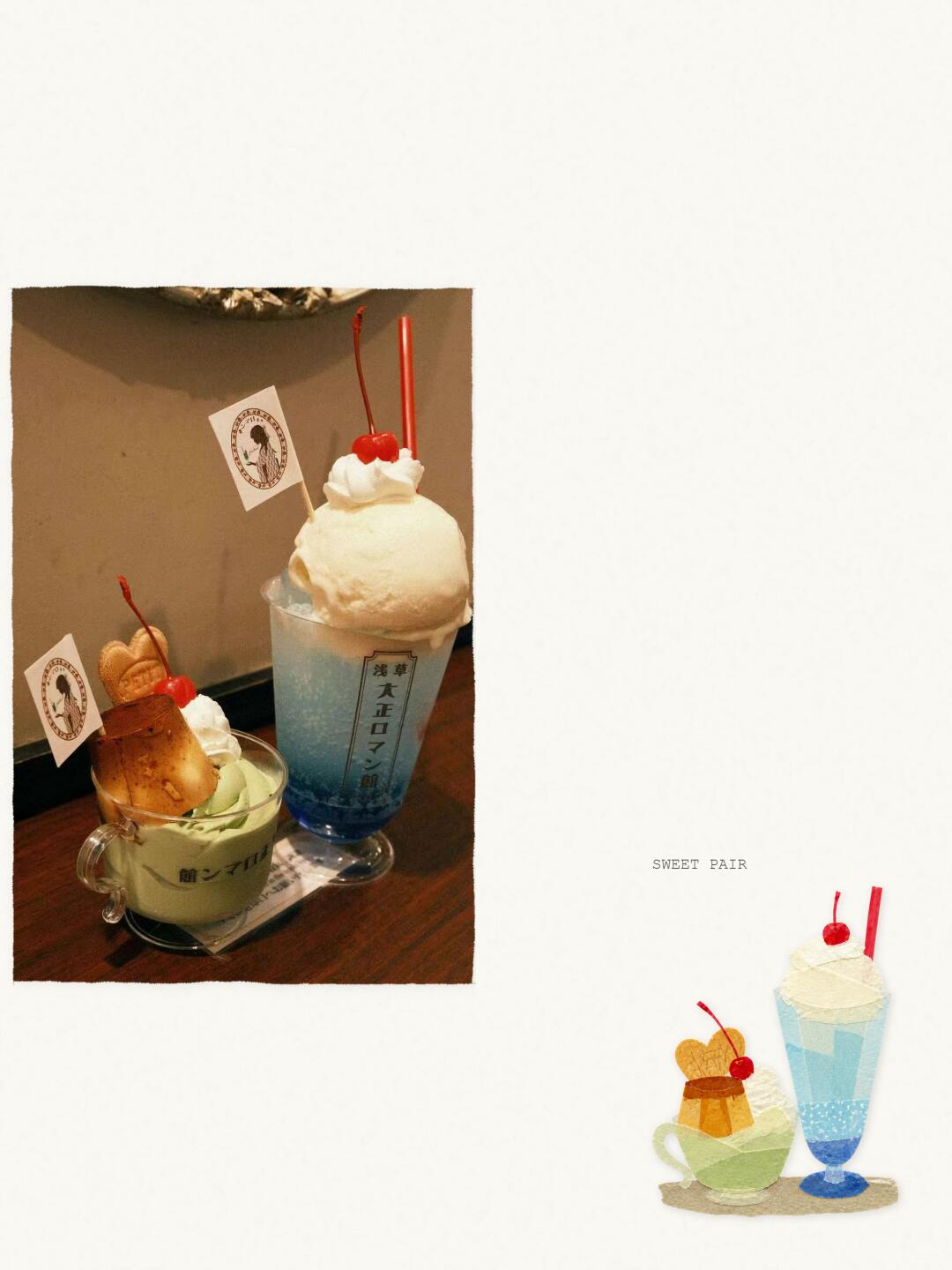
Image 1 — Record
Facts (readable text, UI steps, chart data, visible phenomena)
- Readable text:
- English: SWEET PAIR (located near the lower right of the image, above the illustration)
- Japanese (on the tall glass vertical label, readable characters): "浅草" and "大正ロマン" (on the tall glass front vertical label)
- UI steps: none (the image is a product/photo, with no interactive UI elements or step prompts)
- Chart data: none
- Visible objects and phenomena (objective description):
- A photo with a thick white border sits toward the upper-left of the page; inside the photo are two desserts on a dark wooden table with a light-colored wall background.
- On the right is a tall transparent blue drink (similar to cream soda) with blue liquid and blue granules/decoration at the bottom, a large pale ice cream scoop at the top (near vanilla color), some whipped cream, a small red cherry, and two red straws; the tall glass has a vertical label on the front (see readable text above).
- On the left is a small transparent cup (handle to the right) containing a green paste-like item (likely matcha ice cream or pudding), topped with a caramel pudding or flan piece (caramel-colored surface), whipped cream, a red cherry, and a heart-shaped cookie; each cup has a small flag with a circular emblem/badge.
- A small paper slip or receipt is visible under the two cups (between the wooden table and the cup bases).
- In the lower-right corner of the image is an illustration depicting two similar desserts (left: green cup + pudding + cherry; right: tall blue drink + cream + cherry), echoing the photo content.
- The overall photo tone is warm (indoor artificial light); selective depth of field was used, slightly blurring the background.
- Both small flags bear circular emblems with a side-profile silhouette (black) surrounded by circular text/patterns.
Inferences (reasonable visual guesses, not fully determined from the image)
- The two desserts may be: right — a Japanese cream soda (blue soda + ice cream) or similar float; left — a matcha-flavored dessert/ice cream with caramel pudding (purin) and a cookie.
- The vertical label likely shows the shop name, possibly "浅草 大正ロマン館" (reading "大正ロマン" together with "館" as a shop name is a hypothesis).
- The circular emblem on the small flags may be a shop mark or brand logo; the silhouette could be a brand element.
- The blue granules at the cup bottom may be candy beads, blue syrup, or decorative ice.
- The paper under the cups could be a menu, placemat, or receipt, but the exact nature is unclear.
Unclear / needs marking as uncertain
- The small circular emblem's surrounding text is unreadable (text too small / resolution insufficient).
- Any printed text on the small cup's handle-side is unreadable; nearby small black text cannot be fully read.
- Aside from "浅草" and "大正ロマン," other characters on the tall glass's vertical label cannot be confirmed (lower parts are obscured by glass curvature or lighting).
- Text on the paper beneath the cups is unreadable (resolution and angle limits).
- Fine details within the flag emblem (small text / pattern elements) cannot be confirmed (silhouette visible but surrounding small text unreadable).
(Any instructive or operational text in the image was ignored; only visible text and image phenomena were recorded.)
SkillPI Creation Analysis
Intended use:
- According to the source, the make-tape-collage skill converts photos or text prompts into tape-collage–style images. The default output reportedly includes a layout and textual elements; it also supports text-only prompts to produce purely composed tape-collage artworks.
Image evidence (what the photo indicates about expected outputs and style):
- Readable labels like “SWEET PAIR” and the Japanese characters "浅草" and "大正ロマン" show a combined-photo-plus-illustration layout with text overlays, which aligns with a tape-collage aesthetic combining images, illustrations, and typographic elements.
Steps to use the related skill (based on the source’s instructions; exact commands not verified):
1. In any Agent that supports skill installation, send the instruction: "help me install the make-tape-collage skill" and provide the skill link if requested (source lists GitHub: sherlyryn).
2. After installation, call the skill via the Agent or access it from the uploaded Red Skill list (source notes a Red Skill has been uploaded and is available).
3. Provide input examples:
- Photo-based: "Use Make Tape Collage to turn this photo into a tape-collage journal page and keep the original image."
- Text-only: "Use Make Tape Collage to generate a blue-gray tape-collage poster about being alone in the rain."
4. Verify outputs for expected collage layout, text overlays, and whether the original image is preserved when requested.
Reproduction prerequisites:
- An Agent platform that supports installing and invoking third-party/custom skills and allows Red Skill uploads or references.
- Access to the referenced GitHub account/repository (GitHub: sherlyryn) to obtain code, installation instructions, and assets — repository existence and contents must be confirmed.
- Permission/ability to upload or point to input images (local upload or accessible URL) and sufficient compute/API access to generate images.
Items to verify (not confirmed by the source alone):
- The exact repository URL, installation commands, dependencies, and license for make-tape-collage (verify the GitHub: sherlyryn repository and README).
- How the skill reuses or references skill-make-photo-stamp-archive (author Dlcccc71913) and the extent of any code or asset borrowing.
- Where the “uploaded Red Skill” is hosted in the Agent platform, and whether it is publicly accessible or limited to the uploader.
- Output details such as image resolution, returned file formats, whether the original image is returned alongside the collage, configurable parameters, and the precise prompt syntax.
Closing note (results and verification):
- The source provides installation hints and example prompts usable in an Agent that supports skill installation. Before attempting full reproduction or deployment, confirm the GitHub repository, installation steps, and Agent/Red Skill access and permissions.