
Turn photos into reusable design assets with 3 AI visual skills: heytea-style, ian-xiaohei-illustrations, travel-memory-card-duo
Learn steps to use three AI visual skills to convert casual photos and article highlights into a Heytea-style children's doodle poster, an "Xiaohei" hand-drawn illustration for knowledge content, and a set of transparent-background sticker assets for journaling and collage. Includes expected deliverables, general workflow steps, prerequisites and verification items. Source: https://www.douyin.com/video/7678131231708878666
Image Analysis
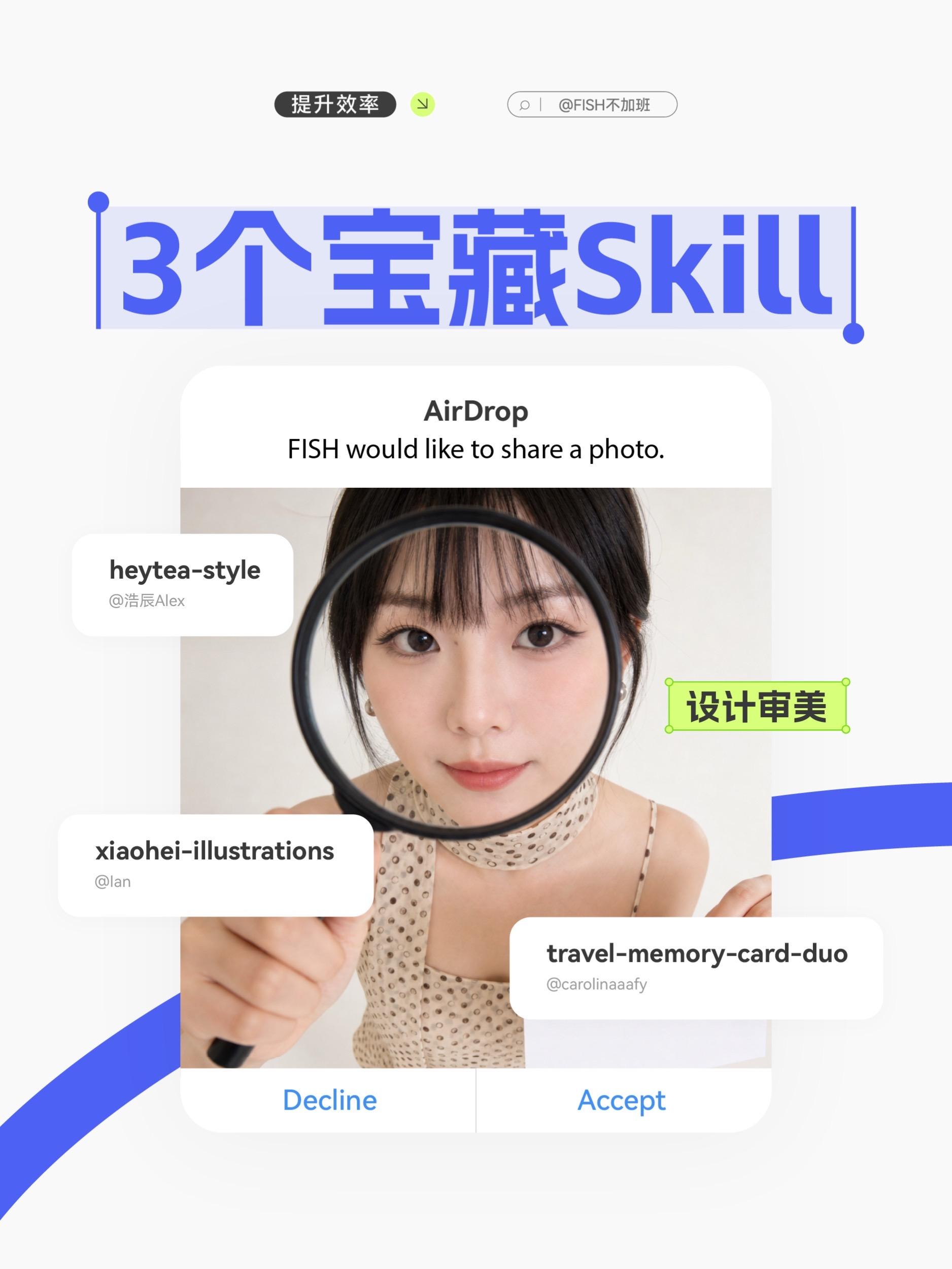
Image 1 — Facts (listed top-to-bottom, left-to-right, readable text, UI elements and visible phenomena)
- Top-left of page:
- Black rounded button text: 提升效率
- Next to it a small neon yellow/green circular icon containing a down-right arrow (icon visible, no text label)
- Top-right of page:
- Oval light-gray input/search box with a magnifying glass icon on the left; box text: | @FISH不加班
- Note: the vertical bar "|" is visible between the magnifier icon and @FISH不加班
- Upper middle (main title):
- Large blue text (appears with text selection/edit handles, blue dots left and right): 3个宝藏Skill
- Blue dots and vertical lines on both sides suggest the text is selected/has edit controls
- Directly under the main title, centered, a white card (modal style, similar to iOS AirDrop prompt):
- Top bold black text: AirDrop
- Body text below (English): FISH would like to share a photo.
- Centered inside the card is a half-body photo of a woman (see image details below)
- Two buttons at the bottom of the card (blue text):
- Left: Decline
- Right: Accept
- Photo/person (inside AirDrop card):
- A young woman faces the camera, holding a magnifying glass in her right hand (from viewer perspective it sits in front of her face, the magnifying circle over her right eye/left visual field), the eye inside the magnifier is noticeably enlarged.
- Visible details: straight bangs, earrings, a light-colored scarf or neckerchief with small spots, a sleeveless or thin-strap top with small dot pattern.
- The magnifier handle is held by her hand located lower-left in the image.
- Rounded white overlay labels on the photo (left, bottom, right), include account names:
- Top-left white rounded card:
- Title: heytea-style
- Subtitle: @浩辰Alex
- Lower-left white rounded card:
- Title: xiaohei-illustrations
- Subtitle: @lan
- Right-middle-lower white rounded card (partially visible):
- Title: travel-memory-card-duo
- Subtitle: @carolinaaafy
- Upper-right near the photo edge a green rectangular label with four green corner dots (like an edit/selection frame):
- Inside the green label dark text: 设计审美
- Background/decorative elements:
- Curved blue decorative strips visible bottom-left and bottom-right near page edges.
- Overall flat/card style, white cards with shadows.
Image 1 — Unclear or indeterminate items
- The small circular icon right of “提升效率” shows a down-right arrow; unclear whether this represents an interactive control or decoration.
- The vertical bar "|" in the search box may be a cursor, separator, or decorative element; cannot be fully determined.
- Topmost small text/icons may be cropped or too small to read in the current resolution.
- The four green corner dots around the green label resemble edit handles but may be decorative rather than functional.
Image 1 — Inferred (labeled as inference, not established fact)
- The overall composition appears to be a mobile UI or a visual mockup (inferred as a UI/product showcase).
- "AirDrop / FISH would like to share a photo." looks like an iOS-style AirDrop prompt, likely used to depict a photo-sharing interaction.
- The main title "3个宝藏Skill" likely indicates the page/graphic is presenting three notable skills or examples.
- The white rounded cards (e.g., heytea-style) are likely author/source labels to demonstrate different creators (inferred from the '@' prefixes).
- The blue text buttons "Decline / Accept" are inferred to correspond to standard AirDrop reject/accept actions.
SkillPI Creation Analysis
Intended uses
- According to the source summary, the three AI visual skills are presented with distinct practical outputs:
1) heytea-style: convert casual photos into Heytea-style children’s doodle posters featuring skewed handwritten text—suitable for posters and social-media visuals.
2) ian-xiaohei-illustrations: interpret article key points and generate a "Xiaohei" hand-drawn illustration—suitable for knowledge-content visuals or explanatory images.
3) travel-memory-card-duo: transform travel photos into hand-drawn illustrations and produce a package of transparent-background stickers for journaling, sticker sheets, and collage covers.
Image evidence summary
- The screenshot shows an AirDrop-like card containing a portrait image with multiple overlaid rounded white labels, each labeled with one of the three skill names and an author handle—this supports the claim that the post/screenshot is introducing three separate visual skills and their authors.
- UI elements such as "Decline / Accept", the blue main title "3个宝藏Skill", and a green label reading "设计审美" suggest a demo or showcase context focused on sharing images and producing design assets.
Suggested general usage steps (based on the source description; adapt to actual platform instructions)
1) Prepare inputs: select photos and/or extract article key sentences or summary you want visualized.
2) Choose the skill matching the desired output:
- Poster/doodle style → heytea-style
- Knowledge-illustration → ian-xiaohei-illustrations (requires textual key points)
- Sticker set / journaling assets → travel-memory-card-duo
3) Upload photo or provide text context to the skill interface (web UI, API, or local deployment depending on where the skill is hosted).
4) Set output options if available (transparent background for stickers, target resolution, text to appear on the image).
5) Export generated assets and integrate them into your layout tool (handbook, collage, poster template) and perform any necessary post-processing.
Prerequisites and verification items before attempting reproduction
- Access method: confirm where each skill is hosted (open-source repository, specific platform or marketplace) and how to invoke it (web UI, API, local runtime).
- Output capabilities: verify supported export formats (e.g., PNG with alpha for transparent stickers), maximum resolution, and whether batch processing is supported.
- Controllability: verify which generation parameters are exposed (ability to control handwriting style, color, composition, and consistency across multiple images).
- Licensing: confirm usage rights and license terms for generated images (commercial use, attribution, and any author-specified restrictions).
- Quality and post-editing needs: check sample outputs to determine whether further retouching is needed for print or high-resolution use.
Source and verification note
- Original source URL: https://www.douyin.com/video/7678131231708878666
- The provided material is a summary plus a UI screenshot. To reliably reproduce results, obtain the skills' access information (repository or platform docs), test with representative inputs, and confirm export and license details.