
CAS open-source AI academic paper tool GPT_Academic
Learn how to locate and verify the GPT-Academic project (claimed open-source by CAS), review its README and LICENSE, download source or releases, and perform a basic environment setup and demo run to validate functionality. Specific commands and dependencies must be obtained from the project’s official documentation.
Image Analysis
Source: Image 1 (original image URL not provided — incomplete source, noted)
Facts (readable or visually verifiable):
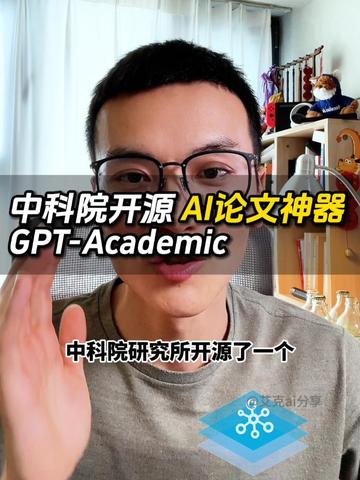
- Prominent overlaid text in the center (horizontal black semi-transparent bar, white and yellow font):
- “中科院开源 AI论文神器 GPT-Academic”
- Original case and spacing preserved: GPT-Academic
- The letters “AI” are yellow; the rest are white Chinese characters (visual feature).
- A smaller line of white Chinese text near the bottom center-right:
- “中科院研究所开源了一个”
- A blue icon at the lower right, appearing as stacked rectangles/platform shapes; the top layer shows a white network/node graphic (suggestive of connections).
- Near the blue icon there is a small line of watermark/text that is incomplete or blurred (see “Unable to read”).
- The main subject is an adult facing the camera (identity not identifiable), wearing black frame glasses; the left hand (right side of image) is raised near the camera, the right hand/body is slightly left of center.
- The background is an indoor scene: white curtains left side with light, a shelving unit/bookcase on the right holding multiple items including at least one plush toy or stuffed figure (top right of shelf), a red object (below the plush), and several transparent or light-colored bottles (on a nearer shelf or desk).
- Overall framing is portrait or near-portrait typical of short vertical videos.
- Color and contrast are normal; legible text is the high-contrast text on the black semi-transparent bar and the bottom white text.
Unable to read or incomplete items (not confirmed, no inference):
- The small text beside the blue icon in the lower right cannot be fully read (blurred/partially occluded).
- Most small objects on the shelf cannot be precisely identified (e.g., exact nature of the red object or the plush toy's character).
- The original image URL or publisher account info is not provided, so source and poster cannot be verified.
- No clear timestamp, full platform watermark, or UI elements that identify a specific app or site are visible (if present they are partial/unreadable as noted).
Inferences (marked as such, not direct visual facts):
- The overlay text and composition suggest this frame is from a short video or promo clip presenting the “GPT-Academic” tool or project (based on typical short-video title styling; inference).
- The blue icon may be a logo associated with the tool/service (based on placement and common practice; inference).
- The person in the frame may be explaining or demonstrating (facing camera and gesturing; inference).
- The shelving and props likely indicate a home or studio environment (inference based on common layouts).
Notes on ignored items:
- Instructional text in the image (if any) was ignored per requirements and not recorded here.
SkillPI Creation Analysis
Intended use (reasonable expectation without performance claims):
- The text and imagery point to a project named “GPT-Academic” presented as an AI tool for academic papers. The material appears to be a short-video frame intended to introduce or advertise the project.
Image evidence summary (based on image_text):
- Central overlay reads “中科院开源 AI论文神器 GPT-Academic”.
- Lower-right shows a blue icon and a partial watermark; shelving and a person in a short-video style frame are present. The image metadata notes the original image URL was not provided (incomplete source).
Related skills and steps to use (require verification):
- The provided material does not include installation, dependency, or runtime details. Following a standard open-source project verification and trial workflow is recommended (actual commands and dependencies must be taken from the project’s README):
1) Locate the official project page or repository and read documentation and license. The provided link (user-supplied) is: https://www.douyin.com/video/7362029830981864714
2) Identify required dependencies and environment setup in the README (e.g., Python version, packages, model weights), if available.
3) Clone or download the source, create an isolated environment, and install dependencies per documentation.
4) Run any provided demo or example scripts to validate behavior and compare outputs to the documentation.
5) Review license terms to confirm permitted uses for academic writing or distribution.
- Note: Specific technical skills (exact installation commands, required frameworks, or model weight handling) are not provided in the source and must be verified on the project page. These items are therefore “to be verified”.
Reproduction prerequisites (to be confirmed):
- Access to the full source repository or release artifacts (the video frame is not a substitute for source code or executable releases).
- Documentation (README), dependency list, and any model weights or demo data required to run the project.
- Appropriate hardware and environment per the project’s requirements (e.g., GPU, specific OS or runtime) — verify in the repo.
Items needing verification before claiming reproducibility:
- Whether the project is officially released by China Academy of Sciences (CAS) or a CAS-affiliated institute (the video claims this; verify via official repo or announcement).
- The tool’s actual features, APIs, input/output formats, and provided demos or datasets.
- Licensing and permissible use for academic or other purposes.
References and evidence:
- User-provided source link: https://www.douyin.com/video/7362029830981864714
- Image evidence indicates the project name and a promotional short-video frame; original image URL missing per supplied metadata.
Conclusion (cautious):
- The supplied material signals the existence of a named project “GPT-Academic” associated with CAS claims, but it does not provide actionable install/run instructions or code. To obtain reproducible steps and deliverables, locate the official project page or repository and follow the README and license guidance. Do not assume capabilities or availability of model weights until those artifacts are confirmed on the project page.