
Open-source Fingerprint Browser
Learn how to identify and verify visible elements in a screenshot or repository page for an open-source fingerprint browser—pyproject.toml, README, commit snippets, and badges—and get a checklist of items to request for full verification (requires the repository URL).
Image Analysis
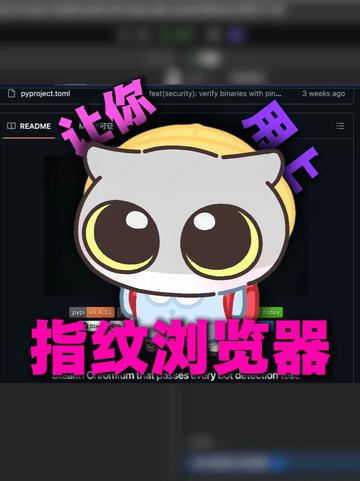
Image evidence summary (Image 1)
Source
- Image number: Image 1 (no URL provided — incomplete source)
Requirements followed: ignored on-image possible operation or instruction text; recorded only visible text and UI elements.
1. Readable text (verbatim or near-verbatim)
- Top tab (readable): pyproject.toml
- Top-right short text (readable, truncated): feat(security): verify binaries with pin...
- Top-right timestamp (readable): 3 weeks ago
- Left file/directory list visible item (readable): README
- Circular orange/yellow badge or label (partially readable): py 0.4.10 (“py” and “0.4.10” are relatively clear; surrounding badge text/icons incomplete)
- Large overlaid Chinese text on the image (prominent, colored, verbatim): 指纹浏览器
- Vertical purple text on each side of overlay (each side one column, partial words legible):
- Left side: 让你 (only the two characters “让你” are clear on the left column)
- Right side: 用上 (only the two characters “用上” are clear on the right column)
- Central artwork: a cartoon cat-head / owl-like figure (no text)
- Window theme: dark theme; layout resembles a code repository or source-hosting UI (left file tree, right content/preview area)
- Bottom/right corner shows a blue button or blue-highlighted area (text unreadable)
2. UI steps / interface elements (visible controls/layout)
- Top has a tab bar; current open tab is “pyproject.toml.”
- Top-middle/right shows a recent commit/change short message and time (“feat(security): verify binaries with pin...”, “3 weeks ago”).
- Left vertical pane is a file tree/list; “README” is visible.
- Center/right is file content or preview but largely covered by a large sticker (cartoon image and Chinese text), preventing full reading of underlying content.
- Bottom/right has a status bar or action button (blue), text blurred and unreadable.
3. Chart/data
- No explicit charts (bar/line) or numeric tables visible; only UI elements and overlay graphics are present.
4. Visible phenomena (visual features)
- Overall dark interface (dark theme).
- Large overlay sticker/image in the center with cartoon and prominent Chinese characters, covering most of the underlying interface.
- Underlying content is obscured or blurred in parts.
- Top area shows a layout typical of version control/repository views (branch/commit message/timestamp locations are typical).
- Left file tree and center preview split layout is visible, though file contents are obscured.
5. Unreadable or uncertain items (marked as “unreadable/uncertain”)
- Full commit message at the top is truncated; only the beginning “feat(security): verify binaries with pin...” is visible.
- Whether there are other tabs or file names at the top (only “pyproject.toml” visible); the rest are unreadable.
- File/directory names other than “README” in the left tree are unreadable or hidden.
- Other small icons/text around the circular badge (e.g., branch name, author, etc.) are blurred or not visible.
- Underlying text for pyproject.toml or README cannot be read due to overlay.
- Bottom blue button/area text is unreadable (could be “Open/Run/View/Download”, but cannot be confirmed).
- The exact species or identity of the cartoon figure (cat/owl/mascot) cannot be determined; its specific name or origin is unreadable.
6. Inferences (marked as inferences, not confirmed facts)
- Inference: the interface likely belongs to a code-hosting platform (e.g., GitHub/GitLab or similar web UI) because of the file tree + file preview + commit info + timestamp layout, but the image does not uniquely identify the platform.
- Inference: “py 0.4.10” appears to be a package/version badge, but the exact meaning is uncertain.
- Inference: the top text “feat(security): verify binaries with pin...” looks like the start of a commit message, but full content is unknown.
- Inference: the underlying content may contain README or pyproject.toml contents, but these cannot be read to confirm.
End note (requirements followed)
- Recorded readable text, interface steps, and visible phenomena; clearly separated facts, unreadable items, and inferences. Instructions present on the image were ignored. Without a provided URL for the underlying file, the source is marked as incomplete.
SkillPI Creation Analysis
Purpose and deliverables
- This material is a screened image-based evidence summary useful for preliminary identification and recording of visible elements related to an “open-source fingerprint browser” repository UI (pyproject.toml, README, commit snippet, badge, and layout). Deliverable: a verifiable observation checklist and items requiring follow-up — not the full source code or a runnable artifact.
Key evidence from the image (Image 1)
- Confirmable visible items: tab labeled pyproject.toml, README in the file list, commit snippet “feat(security): verify binaries with pin...”, timestamp “3 weeks ago”, badge text fragment “py 0.4.10”, dark-theme repository-like UI, and a central overlay reading “指纹浏览器” with a cartoon mascot.
- Incomplete elements: no URL for the image source (marked incomplete); underlying file contents are obscured and unreadable.
Steps to use related skills (general repository inspection workflow; specific tools/skills must be verified before use)
1) Obtain the complete source URL: request the repository URL referenced by the screenshot or video (user-provided video link: https://www.douyin.com/video/7662315486360751370 can serve as an index to follow up).
2) Open the repository page in an accessible browser and confirm the UI matches the screenshot (file tree, file preview, commit area).
3) Open and download pyproject.toml and README to inspect full contents and metadata (package name, dependencies, version specifications).
4) Inspect commit history to find the full commit message corresponding to the visible fragment and review associated changes (author, files changed, commit diff).
5) Verify the badge “py 0.4.10” meaning (release tag, package index version, or CI indicator) by checking releases/tags or CI badges.
6) Note any portions that were obscured in the screenshot and mark them as unverifiable in the checklist.
Reproduction and verification prerequisites
- Required prerequisites: the full repository URL and network access; permissions to view the repository if it is private; basic familiarity with pyproject.toml and repository layouts.
- Optional tools/skills (to be confirmed): web browser, git/CLI or repository browser, knowledge of Python packaging. The image does not provide enough info to assert a specific platform or automation tool, so choose tools after confirming the hosting service.
Items requiring verification (explicit list)
- Complete repository URL and accessibility (image lacks file URL; source incomplete).
- Full contents of pyproject.toml and README (obscured in the screenshot).
- Full commit message for the fragment “feat(security): verify binaries with pin...” and the associated commit diff.
- Exact meaning and source of the badge “py 0.4.10” (release/tag vs. CI vs. package index).
- Function of the bottom blue button/hotspot (text blurred in the image).
- Origin or identity of the central mascot/graphic (project logo vs. promotional overlay).
Fact-limited conclusion
- The screenshot depicts a dark-themed repository-like interface with visible items pyproject.toml, README, a partial commit message, a timestamp, and a badge fragment. Because the image lacks the full URL and the underlying files are covered, platform identity, file contents, and reproducible build/run steps cannot be confirmed from this evidence alone. The above checklist and follow-up items are provided for targeted verification.