
Step-by-step: Create Your Own Skill from Scratch | Full TVC Case Workflow
Learn how to conceptualize and deliver a Skill with an accompanying TVC case. This guide outlines storyboard generation, asset preparation, filming workflow, and basic integration & testing steps so creators can produce storyboard scripts and publishable ad assets (verify target Skill platform and asset rights).
Image Analysis
Image 1 — Evidence notes
Image source: not provided (source information missing)
1. Readable text (transcribed exactly as visible in the image, preserving spaces and case)
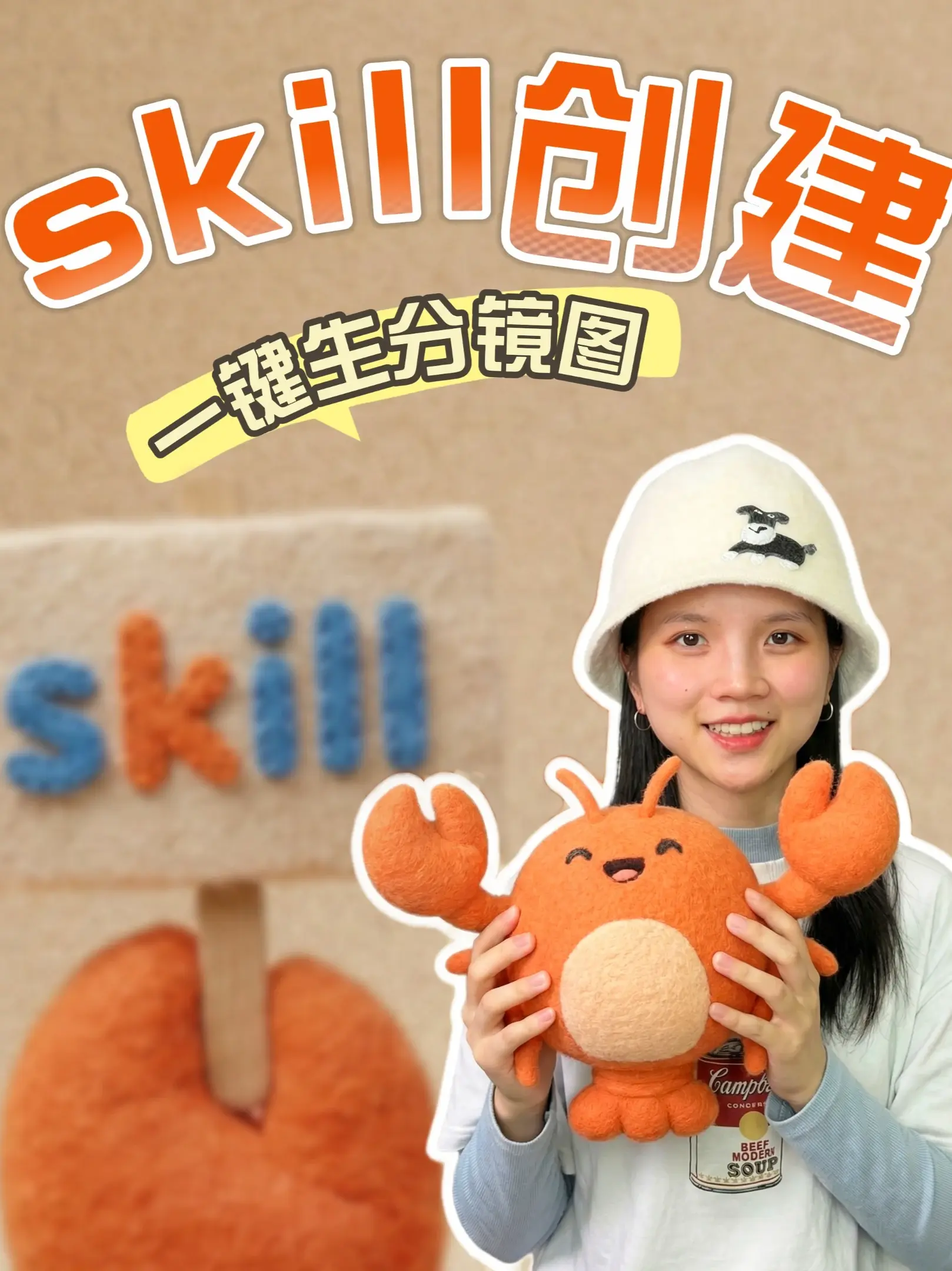
- Large top text (orange gradient, white outline): "skilll创建" (mixed-language visible text)
- Yellow dialog/tag box (black border text, short dash on left): "-键生分镜图"
- Background blurred collage text (plush/ball-like texture, blue and orange): "skilll" (lowercase letters visible as s k i l l l)
- Partially visible text on the shirt's can design (white background red can, partially obscured):
- Readable as: "BEEF MODERN SOUP" (uppercase)
- Letters above the can partially visible: "Campb" (not complete)
2. Interface steps / chart data
- No typical UI step indicators (e.g., “Step 1/2/3”, “Next”, “Save”) nor charts, numeric data, axes, or tables were found in the image. The image is mainly a poster/promo style still photo without UI workflow or chart data to record.
3. Visible phenomena / visual elements (facts)
- A young woman (identity not identified) occupies the right side of the frame, wearing a light-colored bucket hat embroidered with a black-and-white dog on the front; she wears silver hoop earrings.
- She holds an orange plush toy with both hands; the toy resembles a crab or round cartoon creature with large claws, eyes closed in a smiling expression, and a light beige circular belly.
- The person and the plush toy have white outlines, in a "sticker silhouette" style (white border tracing the shapes).
- The background is a beige textured wall with large orange gradient text and a yellow dialog box at the top; in the background there are plush/ball-textured letters in blue and orange (repeating the top text “skilll”).
- The photo uses shallow depth of field (foreground subject sharp, background blurred).
- Overall color tone is orange, beige, and blue; style is cute/cartoon and handmade textile feel.
4. Unclear or incomplete text (explicitly flagged as not verifiable)
- The short dash on the left side of the yellow tag: "-". This may be a cropped or omitted Chinese character (for example “一”) or a design element; it cannot be determined as a full character, so it is not confirmed as “一” or similar.
- The top English letter string is "skilll" (three l's). Whether this deliberate triple-l spelling ("skill" usually has two l's) is intentional branding or a design effect cannot be fully confirmed.
- The letters above the can read only as "Campb"; remaining letters are obscured or unclear, so the full word cannot be verified (it might be “Campbell(s)” but the image does not show it completely).
5. Inferences (marked as inferences, not statements of fact)
- The yellow tag likely intends a phrase like “一键生成分镜图” or “一键生成分镜” (“one-click generate storyboard”), current visible text is "-键生分镜图", inferring the missing character could be “一” or “一键成”, but this is speculative.
- The can design on the clothing may be an homage or imitation of the “Campbell” soup can art style (Andy Warhol references are common), but due to incomplete text and possible adaptation, this remains conjecture.
- The plush-text letters in the background and the top large text may be two representations (flat and plush) of the same brand/logo, inferred from visual similarity.
6. Ignored/excluded items
- Ignored any possible UI instructions or "please follow this" text in the image (as requested by the user to ignore image-inserted instructions); therefore no operational instruction text from the image was recorded, even if present.
SkillPI Creation Analysis
Intended use of the asset:
- The provided summary and image appear to promote a tutorial-style piece titled “Step-by-step create your own Skill from 0” and references a full TVC (television commercial) case workflow. The material is suited to introduce a process from concept to deliverable, aimed at creators who want to build an interactive Skill and produce an accompanying ad/TVC.
Key image evidence (verifiable facts):
- The image is promotional in nature and includes the visible strings "skilll创建", a yellow tag reading "-键生分镜图", repeated plush-text "skilll", and a clothing can graphic with partial text "BEEF MODERN SOUP" and "Campb".
- No UI elements or step-by-step operational text are visible that would allow direct extraction of executable instructions.
Associated Skill-related steps (general, platform-agnostic and realizable from the material):
1) Define the deliverable and trigger scenarios: identify the Skill’s goal, user intents, and entry points (voice command, button, etc.).
2) Design TVC script and interaction points: draft the TVC storyline and mark where the Skill should interact or prompt the user.
3) Produce storyboards and asset lists: create storyboard frames (shot, dialogue, duration, transitions) and compile props and media assets. The image’s reference to "分镜图" suggests storyboard generation, but the exact function is not confirmed.
4) Shoot and edit assets: film, edit, and prepare audio/video assets for both the TVC and in-Skill presentation.
5) Integrate and test on chosen Skill platform: connect media and interaction logic to the specific Skill platform (platform not specified in source), then run functional and UX tests.
6) Publish and monitor: release and track usage/engagement to iterate on content and interaction flows.
Prerequisites for reproduction:
- The specific Skill platform or runtime must be identified (source does not state which platform or technical requirements).
- Complete storyboard script and TVC shooting script (the image provides promotional cues but not the full script).
- Rights clearance for visual elements and brand assets (the can design showing partial "Campb" and “BEEF MODERN SOUP” may implicate trademark/copyright issues).
- Developer/publisher access to the target Skill platform to perform integration and deployment.
Items requiring verification (missing or ambiguous from the source):
- Which exact Skill platform or product the tutorial refers to — the provided data does not include a platform name or technical documentation.
- Whether "skilll" (three lowercase l's) is intentional branding, a design choice, or a typo — affects trademark and search terms.
- Whether the yellow tag implies a one-click storyboard generation feature ("一键生成分镜图") or is merely promotional text; original video/text should be checked for functionality claims.
- Whether the can artwork is a copyrighted brand (e.g., Campbell) or a parody/adaptation; licensing status must be confirmed before reuse.
- The full TVC process details and any downloadable assets or step-by-step commands are not present in the supplied summary; consult the original post at https://www.douyin.com/video/7637087554147224858 for the complete tutorial content.
Notes and cautions:
- This interpretation is derived from the provided summary and image evidence. The image is promotional and lacks actionable UI screenshots or code snippets; to implement a Skill and replicate the TVC workflow technically, obtain the full tutorial/video content and the target Skill platform’s developer documentation.
- No unverified platform or proprietary Skill name was assumed in writing SEO or steps.
Source reference:
- Original video link provided by user: https://www.douyin.com/video/7637087554147224858