
Don't Install ClaudeCode Skills Blindly! These Ones Actually Help
Learn a practical workflow to identify high-frequency Skills, prune to a concise set, and prepare an agent-driven batch-install plan using Agents mentioned (Claude Code, OpenClaw, Codex). The guide explains deliverables: a curated Skills list and an installation+verification checklist. Verify each Agent's install capabilities and the exact Skill identifiers before proceeding.
Image Analysis
Image index: #1
Source: not provided (note: source information missing)
1. Facts (only record content that is directly readable/visible in the image)
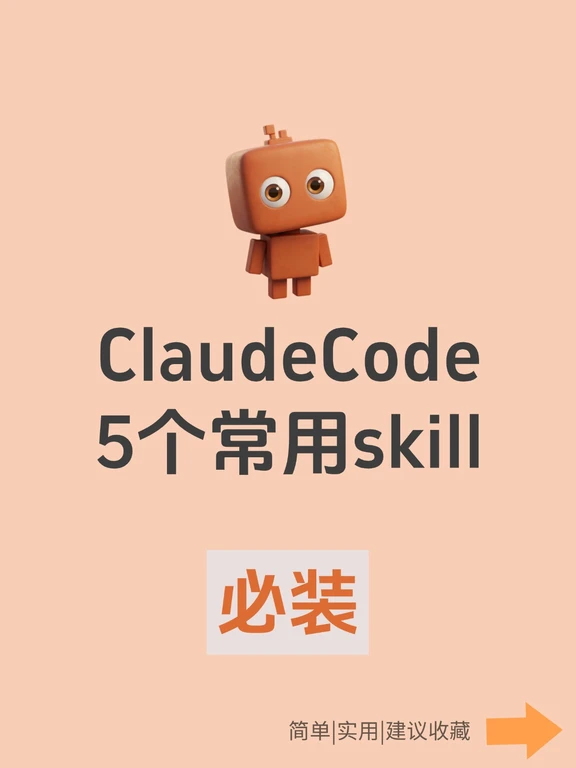
- Readable text (verbatim, preserving case and symbols):
- “ClaudeCode”
- “5个常用skill” ("5 common skills")
- Large boxed text: “必装” ("Must install")
- Small bottom-right text: “简单|实用|建议收藏” ("Simple|Practical|Save for reference")
- Interface / layout highlights:
- Background is a single tone peach-pink / light orange.
- At top-center there is a cartoon robot: square head, round eyes, orange-brown / blocky style.
- Title “ClaudeCode” is centered below the robot in large dark gray/black font.
- Subtitle “5个常用skill” is below “ClaudeCode”, slightly smaller, mixing Chinese and the English word “skill”.
- A light-gray box in the middle-lower area contains large orange text “必装” centered.
- Bottom-right has an orange right-pointing arrow; to its left small text reads “简单|实用|建议收藏”.
- Visual/ stylistic observations:
- Overall palette: peach-pink / light orange background, orange-brown robot, dark gray/black text, orange accent elements.
- Flat, cartoonish visual style; centered layout with clear hierarchy (robot — main title — subtitle — emphasis box — bottom hint and arrow).
2. Inferences (marked as inference, not verified fact)
- Likely a cover for a product or feature set named “ClaudeCode”, emphasizing “5 common skills” and labeling them as recommended (“must install”) (inference).
- Bottom text “Simple|Practical|Save for reference” likely summarizes the content or is a call to action (inference).
- The arrow likely indicates “continue” or “see details/next” interaction (inference).
3. Unclear or indiscernible content
- The image lacks clear copyright, author name, timestamp, or URL metadata, so origin or creator cannot be confirmed (missing/indiscernible).
- If there is smaller or partially cropped text at edges, it was not recognized in the current view (indiscernible).
Note: Any possible ‘‘instructions’’ present in the image (e.g., “save for reference”) were recorded only as readable text and not executed.
SkillPI Creation Analysis
Purpose and takeaway (from the summary):
- The post advises against indiscriminately installing many Skills in Claude Code; instead it recommends curating a concise set of high-frequency Skills. It claims the same approach can be used with OpenClaw and suggests using an AI Agent to automate installation (examples given: Claude Code, OpenClaw, Codex).
Image evidence and its support:
- The cover image shows the words “ClaudeCode”, “5个常用skill” and a highlighted “必装” box, plus phrasing “简单|实用|建议收藏”. This visually supports the claim that the content will recommend several commonly used Skills and label them as recommended. The image does not contain specific Skill names or step-by-step instructions, and metadata for provenance is absent.
Steps to use related Skills (general, reproducible process but requires verification):
1. Define use cases: list the daily tasks you want Skills to cover (e.g., text editing, code assistance, templates).
2. Select and prune: choose a concise set of high-frequency Skills based on those tasks (author emphasizes “less is more” but does not list specific Skills).
3. Prepare installation specs: for each Skill, document its name, source, required permissions, and configuration parameters in a format the Agent can use.
4. Instruct the Agent: give the Agent the installation list and clear instructions (or the image if the Agent supports image-to-action), and monitor execution and logs.
5. Test and rollback: validate each installed Skill’s functionality; have uninstall or rollback steps ready.
Prerequisites and items to verify before attempting reproduction:
- Prerequisites:
- Access to the mentioned Agents (Claude Code, OpenClaw, Codex) with needed accounts, API keys, or client permissions.
- Clear identification of the Skills to be installed (names, repositories/market links, required configuration). The source summary does not provide these names.
- Confirmation that the Agent supports installing Skills from a prompt or image-based instruction; agent-specific documentation must be consulted.
- Items that must be verified:
- The exact meaning of “Codex” in the post (could refer to different tools/services with the same name); verify which product is intended.
- Whether the Agents cited actually support the automated, image-driven bulk installation workflow the author suggests.
- The availability of batch-install interfaces or whether installations must be performed per-Skill; implementation differs by Agent.
- Security and permission implications of letting one Agent act on behalf of another (audit logs, scopes, and rollback capability).
Reference and source note:
- Original source URL for verification: https://www.xiaohongshu.com/discovery/item/69d65111000000001a02146d?app_platform=ios&app_version=9.32.3&share_from_user_hidden=true&xsec_source=app_share&type=normal&xsec_token=CBkmA_DwyVRsmgcQFJsWCPt4_RNqH18fckaBZ5FbaW7P4=&author_share=1
- Note: The provided content is a summary and a cover image; it does not list concrete Skill names or detailed installation commands. Confirm specifics against original/official documentation before attempting automated installation.