
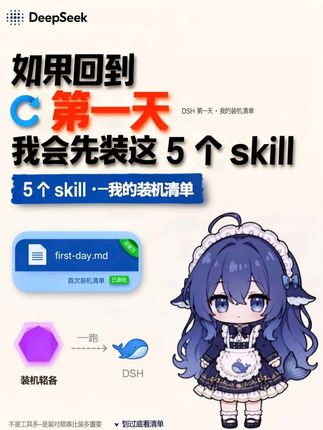
vibecoding Awards | If I could go back to my first day using DSH… I'd skip everything else and install these five skills first.
Learn how to prepare a first-day install checklist in DeepSeek/DSH: create or open a first-day.md file to record the five skills, mark priorities with favorite/pin badges, and identify key UI elements shown in the screenshot (file card, green status tag, icons). The image does not name the five skills; exact installation steps must be verified inside DeepSeek/DSH.
Image Analysis
Image 1 — Observable facts (readable text, UI elements, visible phenomena)
- Top-left label/text:
- "DeepSeek" (with a dot-matrix icon; spelled DeepSeek in English)
- Main headline (large, readable):
- "如果回到 C 第一天 我会先装这 5 个 skill" (Chinese text visible in image)
- The character "C" appears in a blue circled glyph; "第一天" (first day) is in red font.
- Subheading/badge (blue banner):
- "5 个 skill - 我的装机清单" (visible in the banner)
- Upper-right small text (near main title):
- "DSH 第一天 - 我的装机清单" (very small font; appears to be this text)
- Center-left file-style control (blue rectangular card with icon):
- Filename text: "first-day.md"
- Small text below (likely a description): "首次装机清单" (first-time install checklist)
- Top-right corner of the rectangle has a small green tag (text inside unreadable; likely "favorited" or "pinned")
- Lower-left / bottom area icons and text (side by side):
- Purple hexagon icon (no discernible text or label)
- A blue cartoon whale graphic (with text "DSH" to its right)
- Small nearby text by the whale, possibly "一路" or a similar short phrase (not fully legible)
- Center-right area shows a cartoon character (looking down, maid outfit, purple hair, bluish-purple color scheme, anime style; portrait/illustration is prominent)
- Bottom of the page has a very thin line of gray text; mostly unreadable (partially visible but incomplete)
- Overall color scheme: off-white/light pink background, accents in blue, red, purple; poster or information-card style
Image 1 — Unreadable or incomplete text (itemized):
- Text inside the green tag at the top-right of the file card is not fully legible (likely "favorited", "pinned", or a similar short phrase) — marked unreadable.
- Small text near the whale graphic (possibly "一路") cannot be confirmed.
- Upper-right small text "DSH 第一天 - 我的装机清单" is tiny and some strokes are unclear; considered tentative.
- The thin gray explanatory text at the bottom is nearly unreadable and cannot be reconstructed.
- The exact phrasing/spacing of the headline containing "C 第一天" may be slightly ambiguous (e.g., whether it reads as "C 第一天" or "回到 C 的第一天"); recorded as seen with minor uncertainty due to decorative fonts.
Image 1 — Inferred (reasonable inferences based on visible facts; labeled as inference)
- The image appears to be a poster or slide themed around "going back to day C (possibly a timepoint or version) and the five skills to install first" — a prioritized install checklist (inference, not explicitly readable).
- The cartoon character is likely decorative or a mascot for the checklist (inference).
- The blue file card labeled "first-day.md" likely represents the source file or note containing the checklist (inference).
- The purple hexagon and whale icons at the bottom-left may be icons/labels representing specific software or project identifiers (inference).
(Instructions or button-like text in the image are ignored; the above summarizes visible text, UI elements, and phenomena, marking unreadable areas explicitly.)
SkillPI Creation Analysis
Purpose and high-level judgment:
- The asset appears to be a visual install checklist targeted at DeepSeek/DSH users, recommending the five skills the author would install on the first day. The image is presented as a poster/information card and does not list the actual names of the five skills, so the specific items to install cannot be determined from the image alone.
Image evidence highlights (verifiable UI elements):
- Clearly readable: DeepSeek branding, main headline, banner text "5 个 skill - 我的装机清单", file card labeled first-day.md, small upper-right text likely reading "DSH 第一天 - 我的装机清单", right-side anime-style illustration, left-bottom purple hexagon and blue whale icon with "DSH" text.
- Unclear / require verification: green tag text on the file card, small text near the whale icon, very small gray footer text, and the precise meaning of the headline's "C 第一天" phrasing.
Suggested steps linked to the visible elements (actionable guidance based on what appears in the image; specific skill names not provided):
1) Prepare access: ensure you can access and sign in to DeepSeek/DSH (the image displays a DeepSeek/DSH-related interface; availability and access need confirmation).
2) Create or open the checklist file: create/open a file named first-day.md in DeepSeek to record the initial skills and notes (image shows a file card labeled first-day.md).
3) Document and mark priorities: list the five items in first-day.md and use the UI's tagging/favoriting/pinning features to mark priority items (image shows a small green tag on the file card, likely indicating a saved/pinned state).
4) Map visual cues: use the visual cues in the screenshot (banner, file card, icons) to map where to find or place entries in your DeepSeek workspace.
5) Install/enable skills (to be verified): follow DeepSeek/DSH's skill/plugin/extension management interface to install or enable the listed items—note the image does not show an install flow, so the exact installation mechanism must be confirmed in the actual product.
Reproduction prerequisites and limitations:
- Access to DeepSeek/DSH and a valid account or appropriate permissions is required; if the service is private or restricted, reproduction is not possible.
- The five skills mentioned in the headline are not named in the image; without their names and sources, you cannot perform a precise install of “the five skills.”
- The image suggests UI features (favorite/pin, file card, icons); availability of identical UI and interactions must be checked in the real DeepSeek/DSH environment.
Items requiring verification:
- Exact names and sources of the “five skills” the poster refers to (not present in the image).
- The meaning of the letter/character "C" in the headline (context, version, or other reference).
- Exact meaning of the green tag on the file card (favorited, pinned, saved, or other state).
- What the purple hexagon and whale icons represent (which services, features, or projects).
- Whether DeepSeek/DSH provides a "skill" installation mechanism and the exact steps/entry points for installing/enabling skills.
Source reference and verification note: original video page https://www.douyin.com/video/7687499500474829786 (used solely as the image/text source). The above interpretation is restricted to what is visible in the image and does not claim hands-on reproduction of the install process.