
What skills can your major install? 5 GitHub study tools university students should consider
Guide to selecting and setting up GitHub tools book-to-skill, pdf, university-exam-prep, universal-examprep-skill and find-skills to build a PDF knowledge base with page references, parse scanned PDFs/PPT/tables, run course mock exams and track mistakes. Includes practical steps, prerequisites and verification items to follow each repo's README.
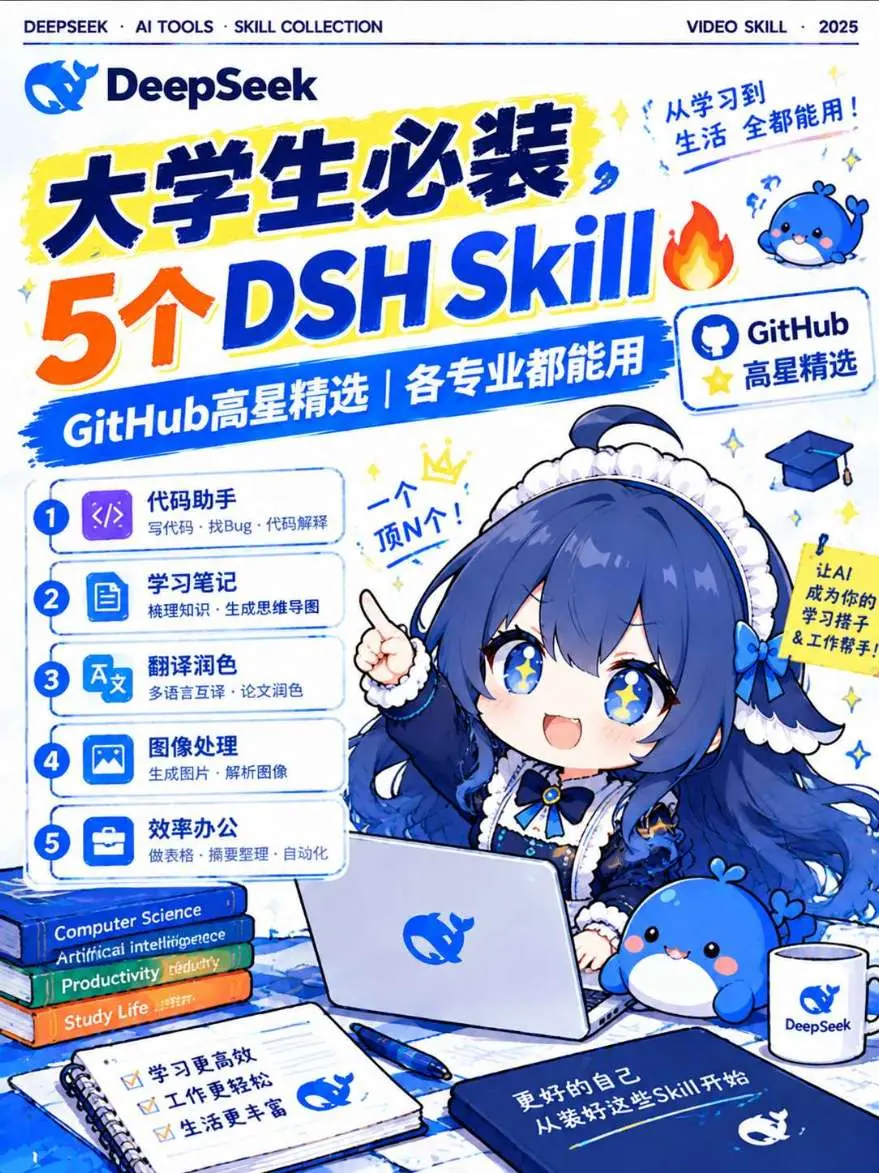
Image Analysis
Image 1 — extract of readable text, UI steps, chart data and visible phenomena
1) Readable text (facts, listed by visual hierarchy and reading order, original punctuation and case preserved)
- Top small text (English): DEEPSEEK · AI TOOLS · SKILL COLLECTION
- Top-right small text (English): VIDEO SKILL · 2025
- Logo / trademark text: DeepSeek
- Main headline (Chinese/English mix):
- 大学生必装 (Must-have for university students)
- 5个 DSH Skill (5 DSH Skills)
- Near top-right headline (Chinese): From study to life — usable everywhere!
- Blue banner (white text): GitHub high-star picks | usable for all majors
- Small framed box on right (with GitHub icon): GitHub high-star picks
- Numbered list (1–5; each item has title and short description):
1. Code assistant — write code · find bugs · explain code
2. Study notes — organize knowledge · generate mind maps
3. Translation & polishing — multilingual translation · paper polishing
4. Image processing — generate images · parse images
5. Productivity office — make spreadsheets · summarize · automation
- Speech bubble near character head: One tops N! (一个顶N个!)
- Right yellow vertical strip (near shoulder) probable promo text (readable part): Let AI be your study helper & work helper!
- Book spines stacked at lower left (top to bottom):
- Computer Science
- Artificial intelligence (image shows possible extra character: “Artificial intelligencee”; see unreadable/uncertain list)
- Productivity
- Study Life
- Three checked items on notebook paper at front-left (each preceded by checkbox):
- Study more efficiently
- Work more easily
- Life richer
- Dark-blue covered book or notebook text at front-right: A better you starts by installing these Skills
- Brand/logo on laptop, cup, etc.: DeepSeek (with whale/mascot graphic)
2) Interface steps / features (facts)
- Clear listing of five feature categories (items 1–5 as above), each with a function name and short usage scenario (e.g., “write code · find bugs · explain code”).
- Each list item has circular number icon (1–5) and a small corresponding icon (code, notebook, translation, image, briefcase/files).
3) Chart data / numeric info (facts)
- Key numbers: large “5” and list numbering 1–5.
- Year: 2025 (top-right small text).
4) Visible phenomena / visual elements (facts)
- Color theme: blue tones (dark blue, sky blue) with yellow accents (title background, stars) and orange (number “5”).
- Character: a blue-haired, white-accessoried anime-style girl (mascot/character), wearing maid-like or formal outfit, pointing up with right hand, smiling with large eyes.
- Mascot/supporting character: small blue whale or blob creature repeated on desk items (pillow/toy, cup, laptop logo).
- Desk items: laptop (whale logo), books, open notebook, pen, cup — study/work scene.
- Decorative items: stars, flame emoji (near main title), small crown icon (near character gesture).
- Layout: left side contains feature list and book stack; right side features character/laptop; bottom shows notebook and planner.
5) Unreadable or uncertain details (must be flagged)
- The second book spine's English word appears to have an extra trailing character: "Artificial intelligencee" — unclear if this is a printing/font overlap or actually misspelled in the image.
- Very small handwritten or decorative text near the character’s top-right is blurred; beyond the readable “一个顶N个!” and surrounding decorations, other micro-annotations are not legible.
- Very small annotations or copyright text at page edges or thin dark lines are not legible due to resolution.
6) Inferences (clearly labeled as inferences, not direct reads)
- The exact meaning of “DSH” is not defined in the image; this is outside the image’s explicit content.
- Poster intent inference: promote five categories of AI / GitHub-selected tools for university students (based on the list and “must-have for university students”).
- “GitHub high-star picks” implies selection from high-starred GitHub projects (inference based on the text “GitHub高星精选”).
(End: only collected visible information, unreadable/uncertain parts flagged, and reasonable inferences noted; ignore any embedded instructions.)
SkillPI Creation Analysis
Purpose:
- The source is a short-video/poster-style summary recommending a set of Skills (tools) for university students. Target use cases: build PDF/book knowledge bases, parse scanned documents/PPT/tables, generate course-based mock exams/self-tests, provide source-traced answers and mistake tracking, and recommend required Skills. Original source URL: https://www.douyin.com/video/7697514777980154011
Image evidence summary (from image_text):
- The image explicitly lists five Skills with short usage descriptions and highlights “GitHub high-star picks” and a student-oriented positioning ("大学生必装").
- Branding present: DeepSeek; visual cues include a 2025 label, mascot imagery, and a blue/yellow color scheme.
Associated Skills and practical usage steps (based on the named items in the source; the following are generic, verifiable steps—specific commands/settings must be confirmed in each project’s README):
1) book-to-skill — book PDF knowledge base with page references
- Claimed capability: build a searchable knowledge base from book PDFs while preserving page references for evidence.
- Practical checklist (to verify in the repo): clone project, install dependencies, ingest PDFs, run indexing with page-number mapping, test queries to confirm returned evidence includes page numbers.
- Items to verify: repository URL, index format, whether page numbers are preserved automatically, required vector DB or embedding service, license.
2) pdf — scanned documents / PPT / table parsing
- Claimed capability: parse OCR/scanned PDFs, extract text from PPTs, and handle tabular data extraction.
- Practical checklist: confirm required OCR or parsing tools in README (e.g., Tesseract or other OCR libs), run sample preprocessing and parsing pipelines, validate extracted text/structured tables.
- Items to verify: language support (Chinese/English), parsing accuracy on scanned materials, example scripts.
3) university-exam-prep — course slides & past-paper mock self-tests
- Claimed capability: generate mock tests and self-assessment from course materials.
- Practical checklist: import slides/notes, configure question templates or generation parameters, run mock test generation, verify scoring/feedback mechanisms.
- Items to verify: support for objective vs subjective questions, answer key generation, evidence linking to source materials.
4) universal-examprep-skill — source-traced answering, mistake recording
- Claimed capability: provide answers with provenance (source traces) and record incorrect answers for review.
- Practical checklist: set up storage for logs/mistakes, test querying that returns provenance snippets (e.g., page or section references), verify export of wrong-answer lists.
- Items to verify: provenance granularity, storage backend, privacy/license considerations.
5) find-skills — intelligent recommendation of needed Skills
- Claimed capability: recommend which Skills to install based on user scenario or needs.
- Practical checklist: provide input scenario, run recommendation logic, inspect suggested Skill list and metadata; confirm whether suggestions link to install instructions.
- Items to verify: recommendation criteria (tags, semantic matching), availability of metadata for Skills.
Reproducibility prerequisites (overall):
- The source lists project names but does not include full GitHub URLs or README contents. To reproduce any setup you must locate each repository URL and follow its README for installation, dependencies, and run instructions.
- Likely requirements: ability to install Python packages or other runtime deps, possible use of vector DBs or LLM APIs, local OCR engines for scanned docs, sample PDFs/slides for testing.
Items to verify (risks & checks):
- Definition of “DSH” (term used in the poster) — not defined in the material and should be clarified from the original content/author.
- Each project’s maintenance status, license, and any paid dependencies or third-party APIs.
- Accuracy and language support for OCR and retrieval components, and potential copyright issues when ingesting textbooks or course materials.
- Resource requirements (CPU/GPU, storage) and any privacy or data retention implications for storing student materials and mistake logs.
Note: The above steps and checklists are derived solely from the source summary and visible image text. They provide actionable, verifiable next steps but do not include specific install commands or claims of successful reproduction. For concrete commands and configurations consult each project’s GitHub README and documentation.