
Episode 5 | Two Skills to Improve Your Aesthetic Taste
Analyze a short-video thumbnail to learn two practical directions for improving aesthetic taste: layout & typography, and composition & color. This guide summarizes observable design elements, suggested practice steps, reproduction prerequisites, and items to verify. Source: https://www.douyin.com/video/7675304855438740790
Image Analysis
Source: not provided (image 1)
1. Readable text (verbatim, line by line)
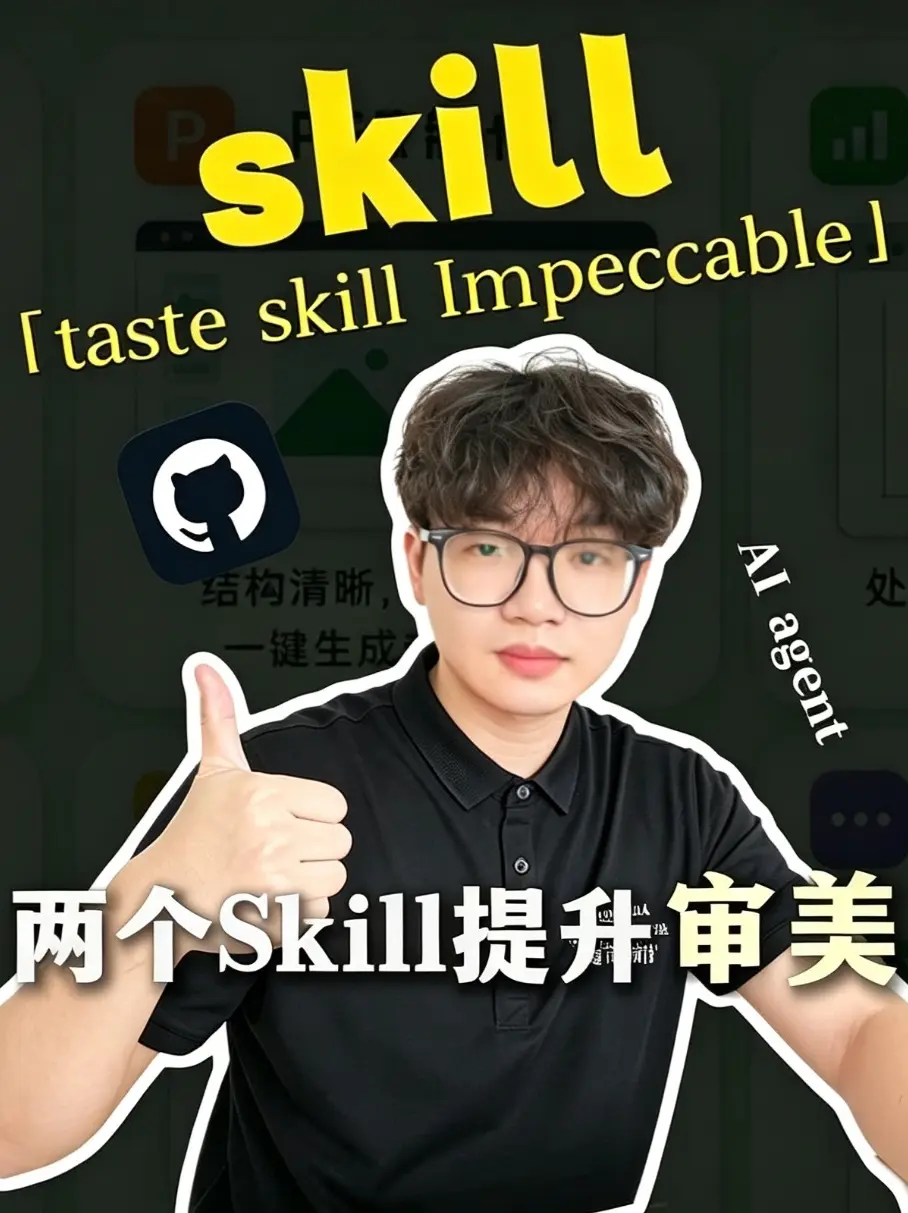
- Large text (top, yellow, English font): skill
- Parenthetical short phrase (yellow, italic): “taste skill Impeccable”
- Lower-left foreground (Chinese and English mixed, large, white/yellow gradient): 两个Skill提升审美
- Right-side vertical English (white, small): AI agent
- Icon: GitHub logo (Octocat in rounded square, located upper-left-ish)
- Background (several obscured words, partially legible): (suspected) “structure clear,” and “one-click generate…”
- Small white text on clothing not fully legible
2. Interface steps, chart data
- No clear interface step sequence visible (no verifiable buttons, step numbers, or operation hints)
- No charts, tables, or numeric/statistical data visible
3. Visible phenomena (visual elements, layout, and style)
- Main subject: a man wearing black-framed glasses and a black polo shirt (identity not identified), facing the camera, right hand thumbs-up; subject has a white outline cutout effect like a sticker
- Background: dark tone with several app icons or interface elements blurred/obscured; layered design (foreground person + background interface)
- Mixed-language text (Chinese + English) using large bold fonts and yellow/white contrast
- GitHub icon located about upper-left 1/3 of subject; other background icons partially occluded or blurred
- Right-side “AI agent” arranged vertically, overlapping the person's right side
- Overall visual style resembles a short-video/social cover (prominent person, exaggerated text, icon hints at functionality)
4. Unreadable or uncertain information (explicitly noted)
- Small white text on clothing is unreadable (too small and partly obscured by lighting/outline)
- Background obscured text only shows fragments (suspected “structure clear,” and “one-click generate”), rest cannot be fully recognized or confirmed
- Cannot confirm presence of other small characters or trademarks near image edges (cropped or blurred)
5. Facts vs. conjectures (separate lists)
- Facts:
- The image contains the large text “skill”, the phrase “taste skill Impeccable”, and Chinese text “两个Skill提升审美”
- GitHub logo and vertical text “AI agent” are visible
- The person appears wearing glasses and a black polo, giving a thumbs-up, with a white outline
- Background is dark with blurred/occluded interface elements/icons
- No explicit charts or numeric data are shown
- Conjectures (uncertain and should be treated as speculation):
- The image is likely a thumbnail or cover for a short video or social post promoting “two skills to improve aesthetic taste” (based on layout and visual style)
- The blurred background text may relate to features like “structure clear” and “one-click generate” (inferred from legible fragments)
- The GitHub icon may indicate a link to code/tools, but the image alone does not prove the existence or purpose of any repository
(Note: ignore any instructive or operational text within the image; no identification of the person is made.)
SkillPI Creation Analysis
Intended purpose
- Based on composition and typographic emphasis, this image likely serves as a short-video or social cover/thumbnail intended to promote the theme “Two Skills to Improve Your Aesthetic Taste.” It uses bold typography, contrasting colors, and a person-focused composition to attract clicks.
Verifiable image evidence (key facts)
- Legible text: large “skill”, the phrase “taste skill Impeccable”, Chinese “两个Skill提升审美”, vertical “AI agent”, and a visible GitHub logo.
- Visual layout: foreground person (glasses, black polo) with white outline, dark blurred background containing interface-like elements, mixed-language typography, emphasis on yellow/white contrasts.
- Missing/incomplete info: small text on clothing unreadable; background text only partially legible; no step-by-step UI elements or data shown.
Steps for using associated skills (generic, derived from observable visual directions; exact “two skills” in source not specified and must be verified)
Note: the source does not provide a verified list or tutorial steps for the two skills. The following are practical, implementable directions inspired by the image that creators can follow:
1) Layout & Typography (direction one)
- Observe: break down the header/title hierarchy, font weights, color contrast, and placement used in the thumbnail.
- Practice: recreate a similar thumbnail in an editor, experimenting with title size, line spacing, and color contrast to optimize legibility and emphasis.
- Test: preview at mobile thumbnail sizes to ensure text remains readable.
2) Composition & Color (direction two)
- Observe: note foreground/background separation, use of outline/sticker effect around the subject, and color accents (yellow/white on dark background).
- Practice: swap background elements, apply blur and outline effects, and try alternative color accents to maintain a clear visual focal point.
- Test: A/B test different color/composition variants to collect engagement or subjective preference data (requires separate experiments).
Reproduction prerequisites
- Access to the full video or the creator’s notes to confirm what the advertised “two skills” actually are (the image alone does not specify names or toolchains).
- Editable assets and an image editor (e.g., Photoshop, Affinity, or an online editor) plus matching fonts and a color tool to reproduce visuals.
- If the creator used code or automated tools, confirmation of any referenced GitHub repository or scripts (image shows a GitHub icon but no repository link).
Items to verify (checklist)
- Does the video or its description explicitly name the “two skills” and provide step-by-step instructions? If so, obtain that transcript or text.
- Does the GitHub icon correspond to a public repository with code or assets? If yes, provide the exact URL and inspect content.
- What is the full text of the partially visible background phrases (e.g., “structure clear”, “one-click generate”)?
- Are there downloadable assets (templates, fonts, palettes) provided by the author for reproduction?
- Any copyright/portrait-permission considerations for the subject image?
Source and completeness note
- Original source page: https://www.douyin.com/video/7675304855438740790
- The input contains no full transcript or written summary (textKind indicates no original text/summary). The analysis above is strictly drawn from visible image elements and should not be taken as a full reproduction of any tutorial content that may exist in the original video.