
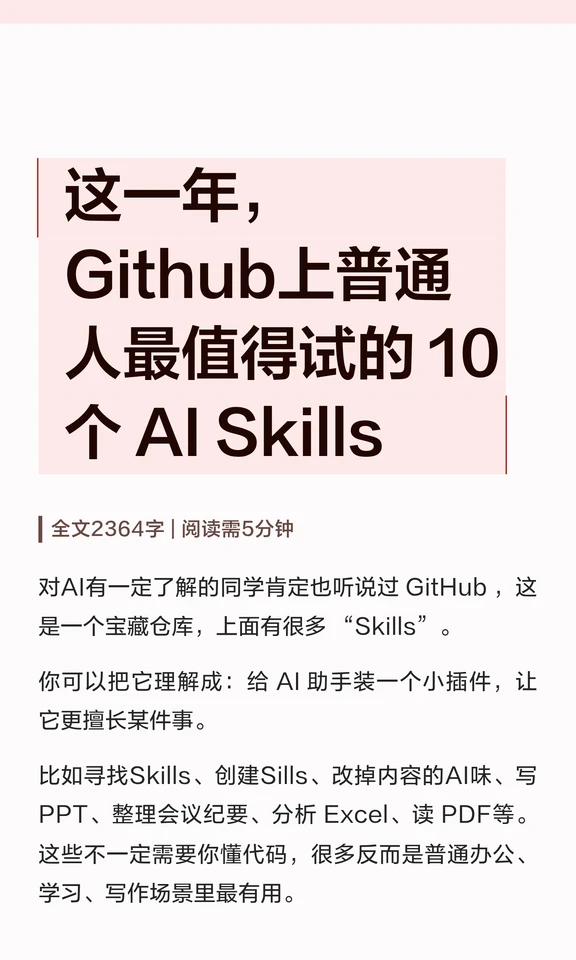
10 GitHub AI Skills Worth Trying This Year for Non‑Developers
Step-by-step guidance to locate and try GitHub AI Skills aimed at office and study tasks—covering repository discovery, reading READMEs, installing or enabling skills, configuring API keys, and running sample tests for PPT generation, meeting notes, Excel analysis, and PDF reading. Source screenshot notes: full text 2364 characters; reading time 5 minutes. Source URL retained.
Image Analysis
Image 1
Facts (readable text, recorded line by line top-to-bottom, left-to-right, preserving original punctuation):
- 10 AI Skills on GitHub worth trying this year for ordinary people
- | Full text 2364 characters | Reading time 5 minutes
- If you have some understanding of AI you have probably heard of GitHub; it’s a treasure trove with many “Skills.”
- You can think of them as small plugins for an AI assistant that make it better at a specific task.
- For example: finding Skills, creating Sills, removing AI-sounding content, writing PPTs, organizing meeting minutes, analyzing Excel, reading PDFs, etc.
- These do not necessarily require coding knowledge; many are most useful in everyday office, study, and writing scenarios.
UI elements and steps (visible components and layout):
- A light-pink rectangle at the top contains the main title text.
- Thin line decorations appear top-left and around the title (a vertical line visible on the left, short horizontal lines beside the title).
- The title uses a large dark font; body text uses a smaller dark font.
- Below the title is a small-font metadata line: full text length and estimated reading time (shown as “| Full text 2364 characters | Reading time 5 minutes”).
- Below are paragraph-style body sections with spacing between paragraphs.
- The page background is white and content is left-aligned (or with a narrow left margin, body area shifted right).
Charts/data:
- Readable data: full text length “2364 characters” and reading time “5 minutes.”
- No other charts or tables.
Visible phenomena (visual and typographic features):
- Main colors: light pink and white, with strong contrast from dark text.
- Title is line-broken and occupies most of the pink rectangle.
- Mixed Chinese and English appear in the text (e.g., “Github”, “GitHub”, “AI Skills”, “Skills”).
- Mixed use of Chinese and English quotation marks (e.g., “Skills” inside Chinese sentences uses English quotes).
- Inconsistent capitalization appears: both “Github” and “GitHub” are used on the same page.
- Sans-serif-like fonts visually, with moderate line spacing.
Unreadable or possibly incomplete content (explicitly noted):
- No obvious cropped text, though the bottom edge of the image is close to the last line—slight cropping risk; currently the visible text is complete and legible.
- It’s unclear whether “Sills” in “creating Sills” is a misspelling of “Skills”; the image text does display “Sills” as recorded.
- No footer, author name, publish date, or source URL are visible in the screenshot; if present elsewhere they are not included in this capture.
Inferences (marked as such and not presented as confirmed facts):
- Likely the cover or title page of an article aimed at general users, titled “10 AI Skills on GitHub worth trying.”
- Likely intended to introduce AI plugins/skills for non-developers for office, learning, and writing use-cases (based on listed examples).
- The metadata “Full text 2364 characters | Reading time 5 minutes” likely indicates article length and estimated read time.
(The above ignores any instructional content that might be present in the image; it only documents visible text, UI elements, data, and phenomena.)
SkillPI Creation Analysis
Purpose of the item:
The screenshot appears to be a cover/title page for an article recommending 10 AI Skills on GitHub aimed at ordinary users (non-developers), focusing on productivity tasks such as PPT generation, meeting minutes, Excel analysis, and PDF reading. The intended audience is users who want to try AI plugins that can be used with little or no coding.
Key evidence from the image:
- Headline: “10 AI Skills on GitHub worth trying this year for ordinary people.”
- Metadata shown: “Full text 2364 characters | Reading time 5 minutes.”
- The image lists example tasks: finding Skills, creating “Sills” (typo in the screenshot), removing AI-sounding content, writing PPTs, organizing meeting notes, analyzing Excel, reading PDFs.
- Visual layout details: light-pink title banner, white page background, left-aligned content, mixed Chinese/English terms and inconsistent capitalization ("Github" vs "GitHub").
Practical steps to try GitHub AI Skills (general, verifiable workflow):
1) Locate candidate repositories on GitHub: search by keywords relevant to the target task (e.g., “AI Skill”, “assistant skill”, “PPT generator”, “meeting notes”, “Excel analyzer”, “PDF reader”), or follow links provided by the article if available.
2) Read README and examples: confirm the described functionality, requirement statements, example inputs/outputs, and licensing (license).
3) Check dependencies and authorization: verify whether an API key is required (for example, OpenAI API), whether a browser extension or local script is needed, and note any hosting/third‑party services.
4) Prepare credentials and environment: obtain necessary API keys, set up runtime environments (e.g., Python) if needed, or ensure compatibility with no-code interfaces.
5) Install or enable the skill per repository instructions: follow the repository’s installation steps, keeping records (commands run, screenshots) for reproducibility.
6) Run sample tests: use repository-provided examples or your own sample files (PPT, meeting text, Excel, PDF) to validate output quality and formatting.
7) Evaluate results and iterate: assess whether outputs meet your needs and adjust configuration or prompts; check repository issues or discussions for troubleshooting.
8) Verify legal and privacy aspects: review license terms and data handling—especially whether data is uploaded to third-party servers.
Prerequisites for reproducing results:
- A GitHub account and network access to GitHub;
- Any required API keys (e.g., OpenAI) and knowledge of their cost/limits if applicable;
- Sample files for testing (PPTs, meeting transcripts, Excel sheets, PDFs);
- Basic ability to follow README instructions and install dependencies if the skill is not no-code.
Items requiring verification before relying on a specific Skill:
- The exact repository names, authors, and installation steps for the listed 10 Skills (the screenshot does not include the list or links).
- Whether each Skill truly requires no coding as suggested by the article.
- The license of each repository and whether commercial use is permitted.
- Data privacy and processing details (where data is sent/stored during use).
- The apparent typo “Sills” and whether the original article contains corrections or links.
Source and preserved data:
- Original screenshot source URL: https://www.xiaohongshu.com/explore/6a1d1dfd0000000008025552?xsec_token=YBP4-olISLS5XPmvRQwhPH9z59SAAINHnRYViF3BTFMrE%3D
- On-screen metadata: Full text 2364 characters; Reading time 5 minutes.
Caveats:
- This interpretation is based solely on the visible screenshot and does not verify any specific GitHub repositories or their functionality. Before using any Skill in production, review the repository’s README, license, and privacy statements and perform hands-on tests as described above.