
Tested Viral GitHub Video Skills (includes asset pack)
Step-by-step guide to locate and reproduce viral GitHub video-generation projects: verify repository README and license, obtain asset packs and prompts, set up runtime (Python, FFmpeg, model checkpoints), run demos, and combine template rendering with director-level editing to produce editable short videos. Includes a checklist of items to verify before large-scale runs.
Image Analysis
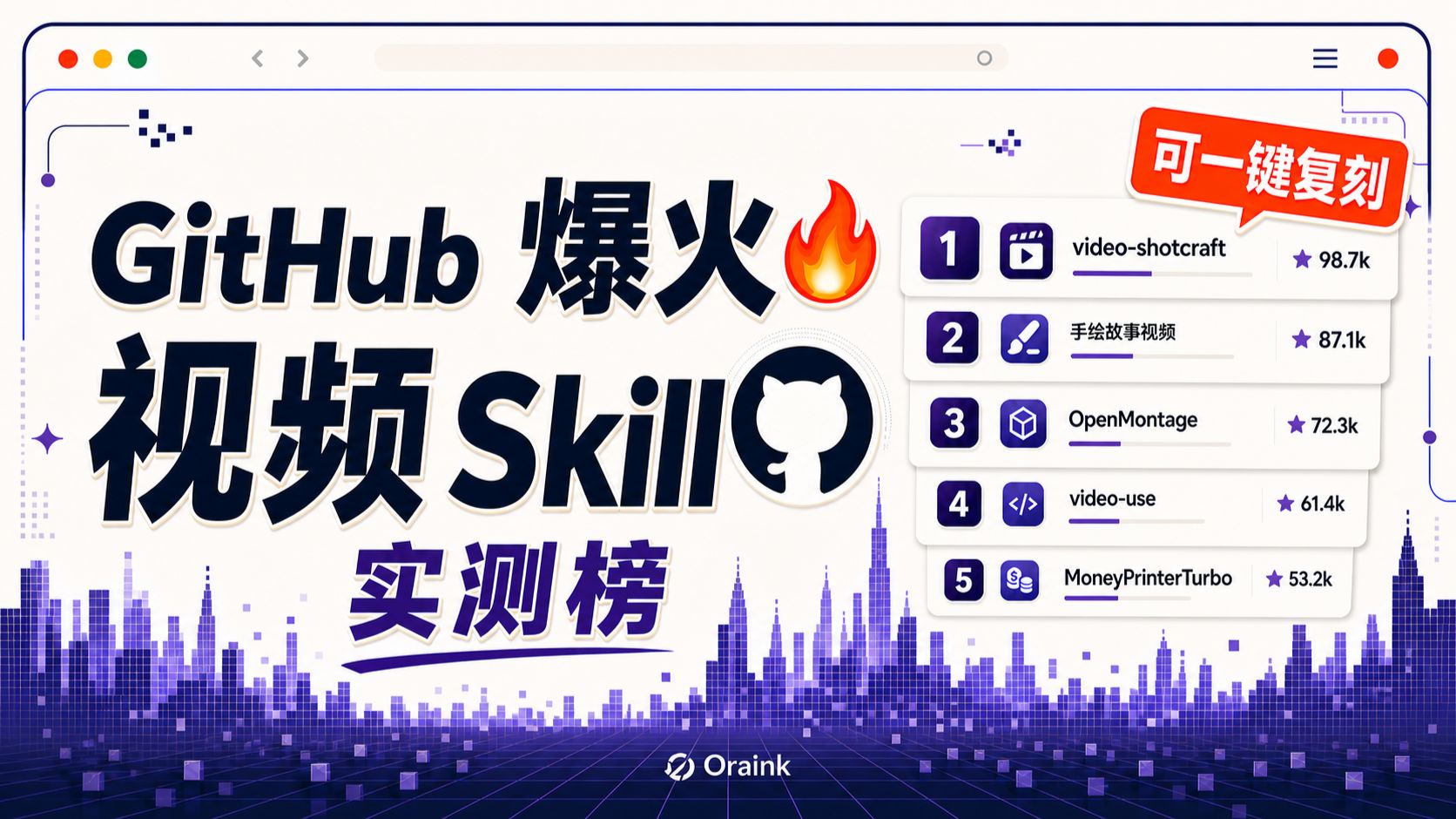
Facts (only recording readable text, UI elements, chart data and obvious phenomena visible in the image):
- Overall layout and decoration
- The image resembles a browser window interface: three dots (red, yellow, green) at top-left; three horizontal menu bars and a red circular dot at top-right.
- Bottom features a purple pixelated city/audio-wave style grid background; overall purple tone.
- Top-right has a red dialog-style tag with white text: “可一键复刻” (one-click replicate available).
- Center-right contains a white circular GitHub logo (Octocat silhouette).
- Right side of the page shows a vertical list of five ranking cards, each with a number, icon, name, progress bar and star metric (values with “k”).
- Bottom-center shows a logo and text: “Oraink” (with graphic mark).
- Large title and subtitle (center-left, large font)
- English: GitHub
- Chinese: 爆火 (the character “火” has a flame emoji/graphic next to it)
- Chinese: 视频
- English: Skill
- Chinese: 实测榜 (located under “视频 Skill”, purple font)
- Right-side ranking cards (top to bottom recorded verbatim)
1. Rank 1 card
- Left rounded purple number: 1
- Left small icon: film clapper/strip (movie/editing icon)
- Name (readable): video-shotcraft
- Right-side star metric: ★ 98.7k
- Card includes a purple progress bar (long)
2. Rank 2 card
- Left number: 2
- Left small icon: paintbrush/hand-drawn icon
- Name (readable, Chinese): 手绘故事视频 (hand-drawn story video)
- Right-side star metric: ★ 87.1k
- Purple progress bar (slightly shorter than #1)
3. Rank 3 card
- Left number: 3
- Left small icon: cube/3D block icon
- Name (readable): OpenMontage
- Right-side star metric: ★ 72.3k
- Purple progress bar (medium length)
4. Rank 4 card
- Left number: 4
- Left small icon: code symbol (</>)
- Name (readable): video-use
- Right-side star metric: ★ 61.4k
- Purple progress bar (shorter than first three)
5. Rank 5 card
- Left number: 5
- Left small icon: money/payment related icon (stacked coins or currency symbol)
- Name (readable): MoneyPrinterTurbo
- Right-side star metric: ★ 53.2k
- Purple progress bar (shortest)
- Other readable small text and UI decorations
- Top address-bar style long strip (no readable URL text)
- Top-left, right and bottom contain several decorative pixels/squares and dashed frame graphics
- There is a flame graphic next to the word “爆火” (explosive/viral)
Unreadable or uncertain specifics (too small or blurred to record accurately):
- Whether there is a specific URL or text in the top address bar (appears empty or blurred).
- Confirmation of the spelling of the bottom logo: it displays as “Oraink” in the image but letterforms are small; verify against original files.
- Very small decorative text or symbols near pixel elements cannot be reliably read.
Inferences (reasonable judgments based on visual evidence but not directly readable text):
- The image appears to be a cover/promo graphic presenting a "viral video-related Skills on GitHub" test ranking (based on the title and the right-side list).
- The star metrics (98.7k, etc.) likely indicate GitHub Stars or popularity metrics, but the image does not explicitly label their meaning.
- The red “one-click replicate” tag likely advertises a copy/replicate function (inference; graphic text only).
- Purple progress bar lengths likely correspond to relative popularity or score (inference based on visual order).
(The above ignores any instructive actions shown in the image; it only records visible text, UI elements and observable phenomena, categorized as Facts / Unreadable / Inferences.)
SkillPI Creation Analysis
Purpose and summary:
This source (video: https://www.bilibili.com/video/BV11t386REeC/) summarizes and tests five GitHub video-generation/editing Skills and gives brief applicability notes. The author concludes that producing high-quality AI video generally requires combining template rendering with director-level editing. The video mentions that materials, prompts and one-click replication packages may be available in the comment section.
Image evidence highlights (items to verify):
- The cover image lists five items with star-like metrics: 1 video-shotcraft (★ 98.7k), 2 手绘故事视频 (★ 87.1k), 3 OpenMontage (★ 72.3k), 4 video-use (★ 61.4k), 5 MoneyPrinterTurbo (★ 53.2k). The numbers appear on the cover and likely indicate popularity (e.g., GitHub Stars) but are not explicitly defined in the image.
- The cover includes a red tag reading “可一键复刻” (one-click replicate), a GitHub logo (Octocat), and a bottom logo labeled “Oraink” (spelling uncertain in the image).
Practical reproduction steps (actionable checklist based on the source and typical workflows; not a claim of successful reproduction):
1) Locate and download each referenced GitHub repository and any provided asset packs or prompt collections (if the author supplied links in the video description or comments, use those for initial access). Preserve the repo names and the BV id (BV11t386REeC) for cross-checking.
2) Inspect each repository’s README, License, example outputs, and requirements (look for model checkpoints, example prompts, input/output formats, and a requirements.txt or environment.yml).
3) Prepare a runtime environment: commonly this involves Python, FFmpeg, and possibly a deep learning framework (PyTorch/TensorFlow) and GPU support if models are used. Exact dependencies must be taken from each repo.
4) Run provided demos with sample inputs to confirm behavior; note required input types (scripts, subtitles, images, raw footage) and example prompts or template parameters.
5) Combine automated outputs with manual editing: render candidate shots from templates (e.g., shot recipes), then apply director-level editing or a script-driven decision step (as suggested for video-use) to assemble the final short video.
Prerequisites and resource considerations (to verify prior to large-scale runs):
- Access to the repositories, model checkpoints and example assets. Confirm licensing and permitted usage of provided assets and models.
- Compute and storage: if any Skill uses heavy video-generation models, expect non-trivial GPU and storage requirements; verify exact specs from each repo’s documentation.
- Post-production tooling and editing skills (FFmpeg, NLEs or scriptable editing pipelines) and the ability to tune prompts and templates to the target style.
Items to verify before trusting the cover claims:
- Exact repository URLs, README content, licensing terms, and the availability of sample outputs—do not assume the cover’s names and star metrics reflect up-to-date repo status.
- Whether the “one-click replicate” element is an actual integrated feature (a script, Oraink platform function, or merely promotional copy).
- The meaning of the star metrics on the cover (e.g., GitHub Stars vs. other popularity metrics).
- The relationship and spelling of the “Oraink” mark shown in the image.
Conclusion and recommendation:
The source is useful as a curated pointer to five candidate video-generation/editing projects and their likely use cases (e.g., shot recipe cards for product/knowledge videos, hand-drawn reveal generators for story channels, AI studio approaches for mixed real/AI footage, script-driven editing decisions, and batch templated composition). For reproducible results, obtain each repo and its assets, verify licensing and checkpoints, follow the repos’ setup instructions, and plan to pair automated generation with human-directed editing to reach higher visual quality.