
Stop Installing Skills Randomly! These 4 Skill Groups Are Top Productivity.
Step-by-step guidance to identify, configure, and test Skills that improve AI Agent productivity. Learn requirements analysis, capability mapping, installation and config steps, test case creation, and acceptance criteria applicable across multiple Agent platforms.
Image Analysis
Source: Image 1 (URL not provided, source incomplete)
Readable text (exact line-by-line transcription)
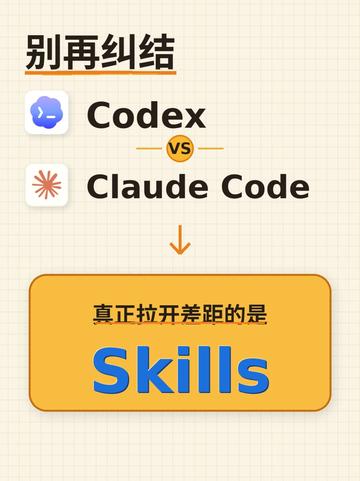
- Stop worrying
- Codex
- vs
- Claude Code
- The real gap is
- Skills
Interface elements and layout (facts)
- Background: light beige grid-paper pattern.
- Top-left: large bold Chinese text “别再纠结” (translated in the video as “Stop worrying/Stop hesitating”).
- Upper-center: two rows aligned—left row preceded by a rounded-square blue-toned icon (with a smile/graphic, before “Codex”), right row preceded by a rounded-square orange radiating icon (before “Claude Code”). The two rows are centered with a small circular “vs” between them.
- The two English names read “Codex” and “Claude Code”, both in dark bold font.
- There is a downward arrow under “Codex / Claude Code”.
- Lower half of the page contains an orange-yellow shadowed rectangle; in its top-left small text reads “真正拉开差距的是” ("The real gap is"), and the center shows large blue English “Skills”.
- Colors: beige background, black text, orange-yellow rectangle, blue “Skills”; icons in blue tone (Codex) and orange tone (Claude Code).
- Small decorative lines exist (for example a short orange underline beneath the Chinese title).
Chart/data
- No tables or numeric data visible.
Observed phenomena (factual description)
- The image is a visual/comparative poster emphasizing the word “Skills”.
- Visual focus is on the orange-yellow block and the word “Skills” (large font and high contrast).
- The image has a clear hierarchy (title → two brands side-by-side → down arrow → emphasized item).
Unidentifiable or unclear elements
- The two small icons' internal details (fine symbols or text) are not fully legible at the provided resolution; identifiable only as a blue-toned icon and an orange radiating icon.
- If there are edge notes or smaller text, the resolution is insufficient to read them; no other legible small text was found.
Speculation (marked as such)
- This appears to be a promotional or opinion poster comparing “Codex” and “Claude Code”, intending to emphasize that “Skills” are the key differentiator.
- It is likely that “Codex” and “Claude Code” refer to two different products or services, but the image itself does not provide further explanation or context.
SkillPI Creation Analysis
Intended use
- Purpose: The short video/poster is intended to convey that "Skills" are the decisive factor for AI Agent productivity, targeted at users who want to optimize Agent workflows. It functions as an opinion/awareness piece rather than a technical how-to on specific Skill implementations.
Image evidence (verifiable facts)
- Key evidence: The composition explicitly sets “Codex vs Claude Code” and directs attention via an arrow to a highlighted block labeled “Skills”, supporting the claim that Skills are the primary differentiator.
- Verifiable items: source page https://www.douyin.com/video/7637565067772366130 (the provided image metadata notes "Image 1 (URL not provided, source incomplete)").
Steps to use related Skills (general, achievable from the summary and image; does not invent unverified skill names)
1. Requirement analysis: Define the Agent’s target tasks and expected outputs (e.g., retrieval, code generation, formatting).
2. Capability mapping: Map tasks to needed capabilities (retrieval, code execution, table handling, external API access), which informs which Skill categories to enable.
3. Install and configure: Enable or connect the relevant Skills in the Agent environment (plugins, integration modules, or scripts); set access keys, I/O formats, timeouts, and limits.
4. Create test cases: Prepare representative prompts and inputs, including edge cases, to validate each Skill’s behavior.
5. Iterate: Adjust Skill parameters, prompts, and permissions based on test outcomes; keep regression tests to ensure stability.
6. Acceptance criteria: Define measurable pass conditions (accuracy, response time, format correctness, error-rate thresholds) and produce a delivery checklist.
Reproduction prerequisites
- Access to an Agent environment where Skills can be installed or enabled.
- Representative test dataset and task suite for functional and performance validation.
- Administrative access to Agent configuration and any required API keys or plugin management.
Items requiring verification (cannot be concluded from the image or summary alone)
- The exact names and categories of the “four Skill groups” referenced in the title/summary (the image and summary do not list the four groups).
- The creator’s daily-used Skill list and the specific use cases they reference.
- The precise meaning of “Codex” and “Claude Code” in this context (product names, versions, or bespoke solutions) and compatibility details with the claimed Skills.
- The image metadata indicates an incomplete source note ("Image 1 (URL not provided, source incomplete)"); check the Douyin page at https://www.douyin.com/video/7637565067772366130 for the original video and any accompanying description or links for full context.
Closing verification note
- From the available summary and image, the verifiable conclusion is that the author asserts "Skills" are key to Agent productivity. The concrete list of four Skill groups and the specific Skills used daily are not present in the provided materials and require inspection of the original Douyin video or direct clarification from the author.