
Make a flippable holographic card with RuiC Card Skill
 @企鹅加德
Turn an illustration into an interactive card with a flip view and adjustable reflections, and keep an editable Blender project.
Listed by source
Image Analysis
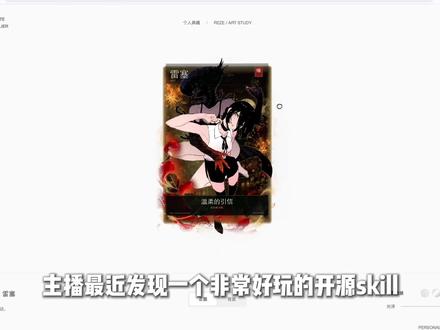
The cover is a video still. A vertical character card sits in the center of a white interface. An illustrated figure overlays a dark background, with gold highlights, red accents, and a dark caption strip near the bottom of the card. The video subtitle introduces an open-source skill. The still shows the front face. Use the interactive preview to check flipping, dragging, and how reflections change.
SkillPI Creation Analysis
The collected source summary says the skill can make holographic cards. The project documentation describes an editable Blender scene, a Three.js viewer, and transparent layers. This walkthrough uses a fictional museum souvenir card to show how to assemble and check those deliverables.
Start with a small brief. Put a specimen silhouette, the museum name, and a catalog number on the front, with a short exhibit note on the back. Use art you have permission to reuse and align every layer on the same canvas. Export the subject, background, line art, and lettering separately so a new catalog number only requires replacing the lettering layer.
Use RuiC Card Skill to assemble the scene and build the web preview. Check the type at rest, then drag the card and see whether the reflection obscures the catalog number. If the subject appears to drift at oblique angles, tighten the layer spacing before adjusting the material. Flip the card to check the orientation of the back, and check that the drag area still allows the page to scroll on a phone.
Deliver the preview, Blender file, transparent layers, and configuration together. Ask the recipient to change a catalog number and regenerate the preview to check that the project is editable. The workflow is based on the public project documentation and a fictional example. Verify installation and rendering in your own environment.