
vera-eb-suite Open-sourced on GitHub 🎉
vera-eb-suite provides open-source NIW (8 skills) and EB-1 (11 skills) modules including evaluate, recommendation, pl-review and rfe-response, with cross-reference to stat-research-pipeline and ai-research-pipeline to strengthen publication evidence. Follow README to prepare inputs, run evaluate→recommendation→pl-review→rfe-response, and verify Claude integration and runtime dependencies before use.
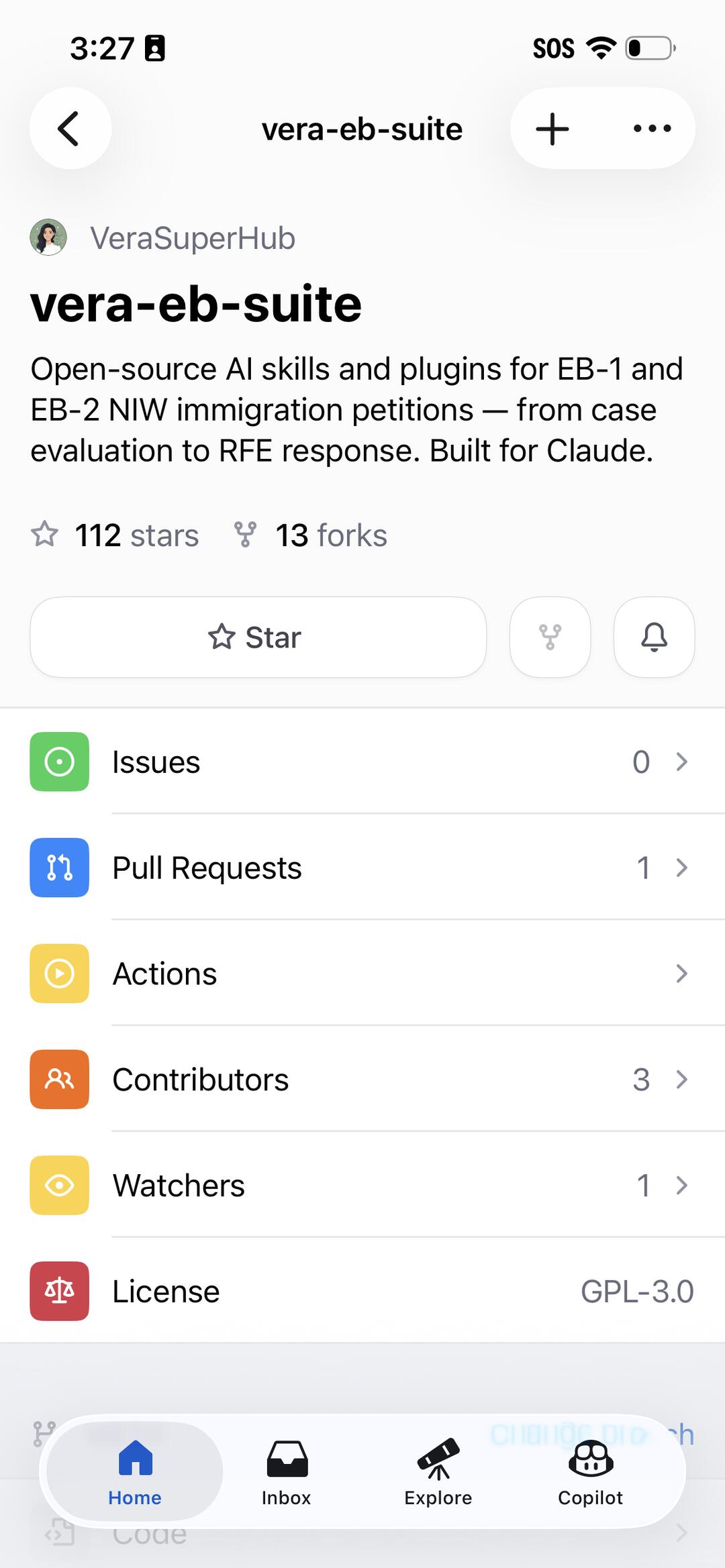
Image Analysis
The following lists visible content from the image, divided into “Facts” (only readable text, UI elements, numbers and directly visible phenomena), “Inferences” (possible meanings or states based on the image but not direct readable facts), and “Unclear/Uncertain” items. UI prompts or interactive hints are ignored; only evidence visible on-screen is recorded.
Facts
- Top status bar
- Time text: 3:27
- Upper-right visible text/icons: SOS, Wi‑Fi icon, a battery-shaped icon (battery icon contains a black circle/filled part)
- Page title (centered): vera-eb-suite
- Top-left has a back-arrow icon (circular background)
- Top-right has a “+” button and an ellipsis (…) button
- Avatar and username
- Left small avatar image (color illustration style cartoon avatar)
- Username text: VeraSuperHub
- Repository name (bold): vera-eb-suite
- Repository description (in English, readable):
- "Open-source AI skills and plugins for EB-1 and EB-2 NIW immigration petitions — from case evaluation to RFE response. Built for Claude."
- Stars and forks metrics
- Stars count: 112 stars
- Forks: 13 forks
- Middle action area
- A button with a star icon; button text: Star
- To its right two small circular icons (one looks like branch/merge icon, one like a bell/notification)
- List items (each row shows a colored square/circle icon on left, numbers or arrow on right)
- Issues (green icon) right side shows: 0
- Pull Requests (blue icon) right side shows: 1
- Actions (yellow icon) right side shows no visible number, row end has a right arrow/ellipsis (indicating enterable)
- Contributors (orange icon) right side shows: 3
- Watchers (yellow/gold icon) right side shows: 1
- License (red icon) right side text: GPL‑3.0
- Bottom navigation bar (four icons with labels)
- Home (house icon, text Home, visually selected/highlighted)
- Inbox (mail/inbox icon, text Inbox)
- Explore (telescope icon, text Explore)
- Copilot (a person with glasses/helmet icon, text Copilot)
- Page is a vertical scrolling list style, each row has a separator on the right
- At bottom of screen there is a partly obscured pale area and semi-transparent remnants of icons/text (indicating more content below or bottom being obscured)
Inferences (not directly readable, based on common UI meanings)
- The interface is likely a mobile client for a code hosting platform (e.g., GitHub or similar), since it shows repo name, stars, forks, Issues, Pull Requests, License and other typical repo items.
- Home in the bottom nav being highlighted likely indicates the current tab is “Home.”
- Actions row having no number may mean the Actions section exists but the count is not shown, or requires entering to view details.
- The “+” and “…” buttons at top-right are commonly for creating new items or opening more actions.
- The black circle inside the battery icon might indicate charging or low battery (uncertain).
Unclear / Uncertain
- A small icon to the left of the time in the top-left is not clearly identifiable due to shape blur.
- The symbol at the end of the Actions row (whether “>” or something else) is slightly blurred and can’t be confirmed.
- Under the Copilot icon in the bottom nav there is some partially obscured or ghosted pale blue text/content that cannot be read.
- The very bottom of the screen has truncated/obscured UI elements (icons and text) that cannot be fully seen or identified.
If needed, I can list the English repository text verbatim from the image or reorder the UI items into an actionable top-to-bottom checklist.
SkillPI Creation Analysis
Purpose of the project:
- vera-eb-suite is presented as an open-source collection of AI skills/plugins for EB-1 and EB-2 NIW immigration petitions, intended to support workflows from case evaluation through RFE response. The repo description explicitly states "Built for Claude," indicating intended integration with Claude-based workflows.
Image evidence summary (what the screenshot supports):
- The screenshot shows repository metadata: name vera-eb-suite, English repo description (including the phrase "Built for Claude."), license listed as GPL‑3.0, and repo indicators such as Stars, Forks, Issues, Pull Requests and Contributors — supporting that this is an open-source code repository with README and pipeline documentation.
Practical steps to use the referenced skills (based on README-described modules):
1. Access the repository and clone or download it; read the README for setup and dependency instructions.
2. Inspect NIW skillset (8 skills) and EB-1 skillset (11 skills) modules to learn required inputs and outputs.
3. Prepare case materials in the repository’s expected formats (CV, publication list, evidence of contributions, awards, review/edit history, etc.).
4. Run the evaluate module to assess qualification likelihood given provided materials.
5. Use recommendation module to produce draft letters or reference points for recommenders.
6. Run pl-review to simulate a USCIS officer’s review and identify weaknesses or missing evidence.
7. If RFE is issued, use rfe-response module and included RFE examples to draft replies, adapting to the specific RFE items.
8. If publications are insufficient, follow the cross-reference to stat-research-pipeline or ai-research-pipeline to produce supporting research metrics or outputs, and re-run evaluate with improved evidence.
Reproduction prerequisites and items to verify:
- Repo access and environment: confirm how to run the code (language runtimes, package dependencies, whether API keys or Claude credentials are required).
- Integration details: determine how the skills integrate with Claude (sample scripts, API calls, plugin format, or local emulator) and whether model access is needed.
- Input/output formats and templates: verify the expected file/JSON/text formats for evaluate, recommendation, pl-review and rfe-response modules.
- License implications: repo is marked GPL‑3.0 — confirm constraints for reuse, adaptation, or commercial/closed-source integration.
- Quality and legal risk: outputs are automated drafts or analyses; they should be reviewed by qualified immigration counsel before being used in actual filings.
Items needing confirmation before operational use:
- Exact implementation details of each skill (are they heuristic templates, ML prompts, or programmatic checklists?).
- Whether stat-research-pipeline and ai-research-pipeline produce publication-ready research or only metrics/augmented evidence for petitions.
- Required credentials and runtime to connect with Claude, and any access limits or cost considerations.
Note: All actionable steps above are inferred from the repository description and screenshot metadata. To fully reproduce or rely on this tool you must review the repository README and code, configure the runtime and API access as instructed, and obtain professional legal review for any immigration filing materials.