
Convert PDFs to RAG-Ready Structured Data with OpenDataLoader PDF (CPU-capable)
Learn how to parse PDFs locally into Markdown/HTML/structured JSON with page numbers and bounding boxes using OpenDataLoader PDF (Apache-2.0). Steps cover recovering multi-column reading order, extracting tables/images, enabling Hybrid OCR for scans, and integrating outputs into a RAG pipeline via LangChain or language bindings (Python, Node.js, Java).
Image Analysis
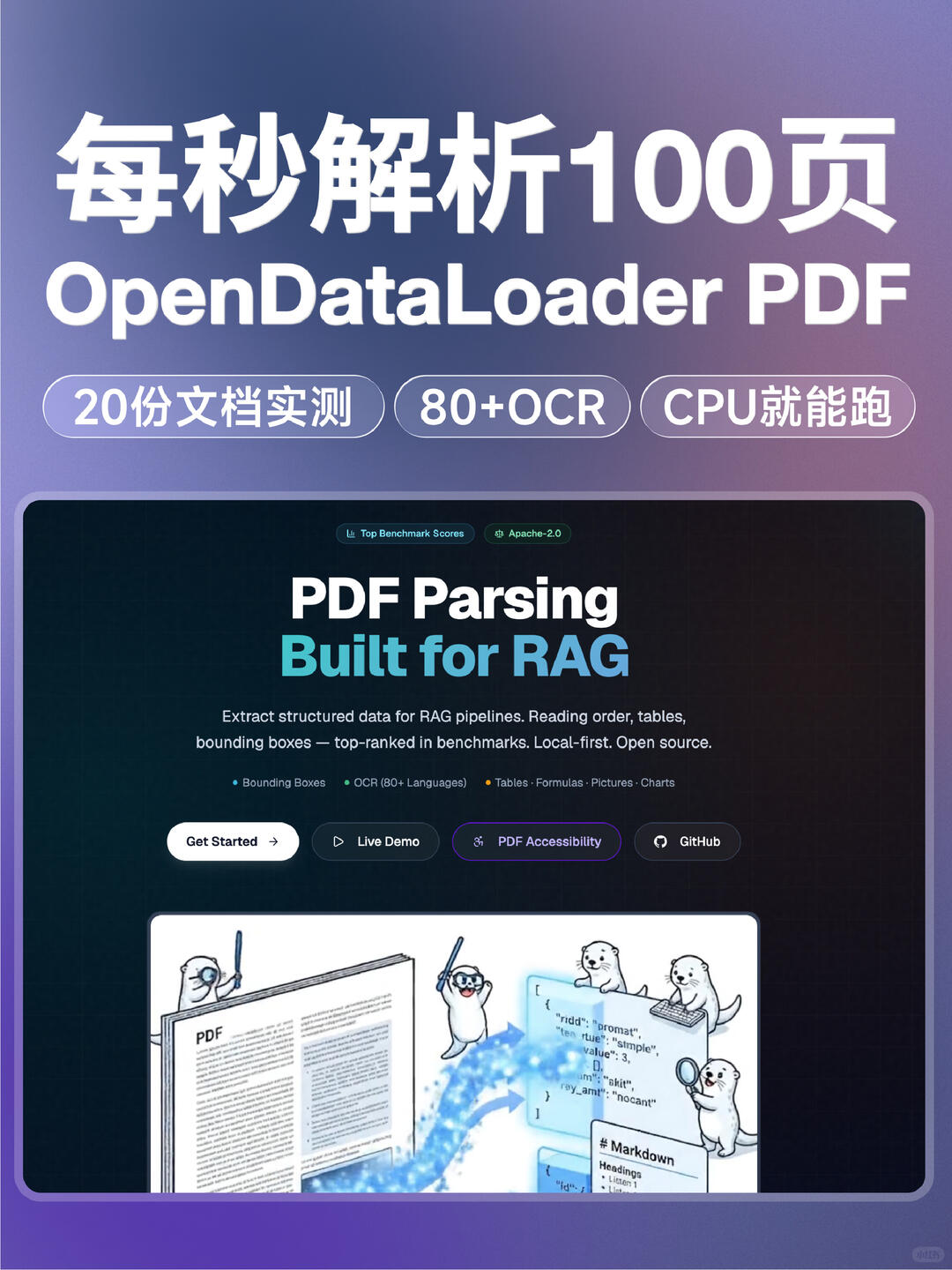
Image 1 — Visible facts and evidence (organized top-to-bottom, left-to-right)
Facts (readable text, UI elements, chart labels and visible phenomena):
- Large Chinese text at top: "每秒解析100页" (claims 100 pages per second)
- English title: OpenDataLoader PDF
- Three rounded tags (horizontal):
- Left: "20 documents tested"
- Middle: "80+ OCR"
- Right: "CPU can run"
- Two small badges/labels near top of main area (English):
- "Top Benchmark Scores"
- "Apache-2.0"
- Large main heading (English): "PDF Parsing"
- Large subheading (English, blue): "Built for RAG"
- Main description paragraph (readable English fragment):
- "Extract structured data for RAG pipelines. Reading order, tables, bounding boxes — top-ranked in benchmarks. Local-first. Open source."
- Lower screen contains bullet points (English, partially readable):
- "Bounding Boxes"
- "OCR (80+ Languages)"
- "Tables · Formulas · Pictures · Charts"
- Three main buttons (English):
- "Get Started" (with arrow →)
- "Live Demo" (with play ▶ icon)
- "PDF Accessibility"
- Also a GitHub button with icon
- Mid-lower area illustration: a file/book labeled "PDF" with a code/data block (looks like JSON/structured text) to the right and otter/sea-otter characters observing/working
- Readable text in illustration:
- A visible "# Markdown" near the code/data block
- Some key/value-like tokens in the code/data area (partially legible)
- Overall palette: purple/blue gradient background, dark content panel (near black or dark blue) with white and bright-blue text
- Rounded container panels around content
- Small circular mark at bottom-right of image (too small to read)
Unreadable or uncertain text:
- Specific fields/values in the code/data block are partially legible and may include fragments like "ridd", "promat", "value", "sample", "pay_amt" but spelling and completeness are uncertain
- Small text/icons near the bottom-right of the illustration are too small to read
- Circular mark at bottom-right is illegible
Inferred (reasonable assumptions from visible elements):
- The image appears to be a product/project landing page or promo screenshot describing "OpenDataLoader PDF", a tool/library focused on PDF parsing for RAG workflows
- Claims like "100+ pages/sec", "20 documents tested", "80+ OCR", "CPU can run" are selling points visible on the page
- Buttons likely link to docs, live demo, accessibility info and the code repository
- The illustration suggests conversion of PDF content to structured formats (e.g., JSON or Markdown) with support for tables, formulas, images and charts
- "Top Benchmark Scores" and "Apache-2.0" indicate a claim of strong benchmark performance and an Apache-2.0 license
Note: I recorded visible text and reasonable inferences only. I did not perform any operations referenced by the image.
SkillPI Creation Analysis
Purpose:
- The source highlights OpenDataLoader PDF as a local-first PDF parsing engine that outputs RAG/knowledge-base-friendly structured formats (Markdown, HTML, structured JSON) while preserving page numbers and coordinates for precise chunking, retrieval and source highlighting.
Image evidence (verifiable visual claims):
- The landing page shows the project name OpenDataLoader PDF, labels such as PDF Parsing and Built for RAG, features like Bounding Boxes, OCR (80+ Languages), Tables/Formulas/Pictures/Charts, and badges for Apache-2.0 and Top Benchmark Scores. The page also contains marketing claims such as "100+ pages/sec" and "CPU can run" which are visible on the page but should be validated.
Related skills and actionable steps (based on interfaces and capabilities listed in the source; provided as reproducible guidance to try, not as guaranteed results):
1) Obtain the project and documentation
- Clone or download OpenDataLoader PDF (Apache-2.0) and read the official README for installation and usage examples.
2) Choose an interface
- Use Python, Node.js, or Java bindings as provided; if integrating with retrieval pipelines, inspect LangChain adapters mentioned in the source.
3) Parse electronic PDFs locally
- Run the parser to generate Markdown/HTML/JSON with options to retain page numbers and bounding boxes so downstream systems can map back to source positions.
- Validate multi-column reading order recovery against representative documents.
4) Handle scanned or complex PDFs
- Enable Hybrid mode to use OCR plus any supported AI backend to improve recognition for scans, complex tables, formulas or charts. Configure a local OCR engine per project docs.
5) Integrate with a RAG pipeline
- Use bounding boxes and page metadata to chunk content deterministically for vector indexing; use LangChain or custom code to glue parsing outputs to retriever/reader components and to implement source highlighting based on stored coordinates.
Prerequisites for reproduction:
- Access to OpenDataLoader PDF source or distribution and its documentation.
- Local OCR engine and any required AI backends if processing scanned documents or improving table/figure recognition.
- A target environment with enough CPU resources; performance claims will vary by machine, PDF complexity and project version.
Items to verify and cautions:
- Performance claims visible on the page (e.g., "100+ pages/sec", "Top Benchmark Scores") are promotional statements shown on the site; they must be validated with controlled local benchmarks.
- Some on-screen example fields in the illustration are blurred or partial and should not be taken as exact API or field names without consulting official docs.
- For enterprise use or sensitive data, verify deployment model, data handling, and compliance considerations for local processing.
- Project interfaces, capabilities or license details may change over time; always consult the repository's current documentation.
Summary recommendation:
- Use this source as an entry point to evaluate OpenDataLoader PDF for local PDF → structured output workflows with coordinate preservation for RAG. To proceed, obtain the official repo and docs, run sample parses (electronic PDFs and scanned PDFs with Hybrid mode), validate multi-column/table extraction and coordinate mapping, and then integrate parsed outputs into your vector indexing + retrieval pipeline.