
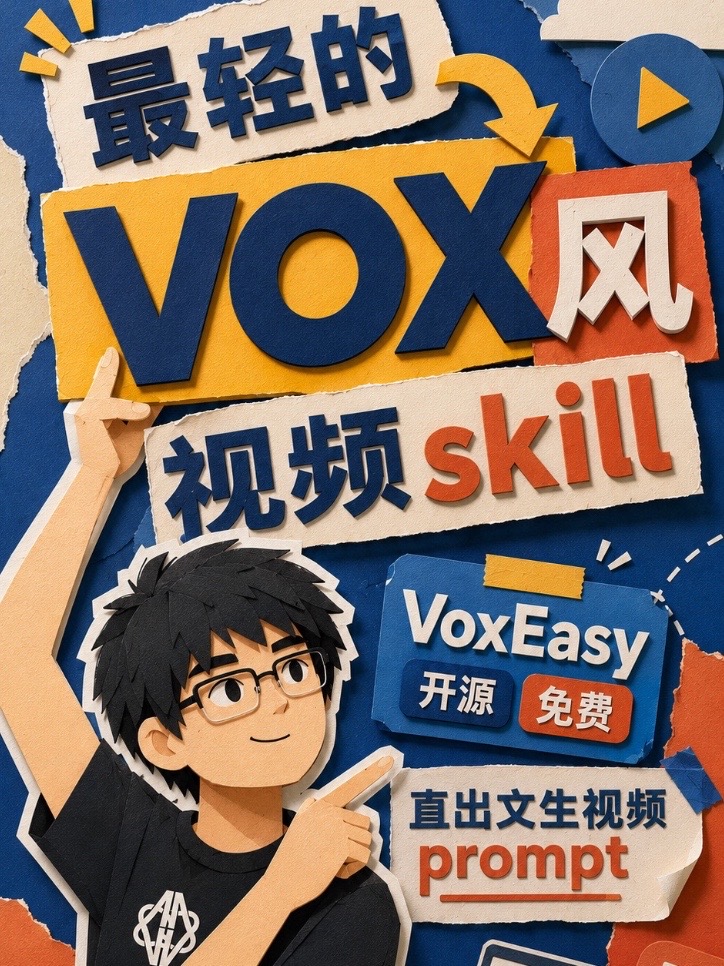
The lightest Vox-style video skill has arrived
Learn to run the open-source VoxEasy skill inside agents like Claude or Codex to turn a sentence or copy into multiple text-to-video prompts ready for Google Omni. This guide explains the required prerequisites, typical steps (get repo, run skill, send prompts to model), built-in vs custom styles, and key items to verify before reproducing.
Image Analysis
Image 1 — Observable facts (readable text, UI items, visible phenomena)
- Readable text (roughly top-to-bottom, left-to-right):
- Top-left: 最轻的 ("The lightest")
- Center large letters: VOX (uppercase)
- To the right of VOX a white Chinese character “风” (placed on an orange square)
- Lower-center: 视频 skill (the Chinese word for “video” in blue; “skill” in orange Latin letters)
- Upper-right-center blue label: VoxEasy
- Under the VoxEasy label two small button-like texts: 开源 (blue background/white text) 免费 (orange background/white text) — meaning “open-source” and “free” as presented in the image
- Lower-right mid white paper: 直出文生视频 (roughly: 'direct text-to-video')
- Under “直出文生视频” there is the English word: prompt (orange, underlined)
- UI elements / buttons / interaction hints (visible interface styles):
- Top-right has a circular play icon (dark-blue circle with a lighter triangle)
- VoxEasy appears as a blue 3D-style button/label, with two small rectangular buttons beneath it (“开源”, “免费”)
- “prompt” is underlined, presented as an emphasized or placeholder term (like an input hint or key word)
- A decorative arrow points to the VOX area (above-right of VOX, yellow)
- Charts / numeric data: none visible in the image
- Visible phenomena and visual features:
- Overall visual style is paper-cut / paper-sculpture (multiple paper layers, torn-edge effects, strong shadows and depth)
- Main colors: dark blue, yellow/orange, orange, and off-white (paper color)
- A cartoon young man (black short hair, glasses, dark short-sleeve shirt) raises his left hand and points with his right index finger toward the upper-right text/button area (pointing at VoxEasy / prompt area)
- A white logo/mark on his shirt (chest) but details are unclear
- Multiple torn-paper effects and tape decorations (e.g., a small yellow tape piece above VoxEasy)
- Some colored paper pieces at the image edge are cropped or torn (bottom-right shows exposed orange/blue paper pieces)
- Noticeable bilingual typography: Chinese and English are mixed (characters and English words/brand names appear together)
Inferences (marked as inferences — not direct from the image)
- “VoxEasy” is likely a product or tool name based on label styling, but this is an inference.
- “开源 免费” likely describes attributes of the product (inferred to be open-source and free), but that is an interpretation rather than a pure image fact.
- The underlined “prompt” alongside “direct text-to-video” suggests the product relates to generating videos from text prompts (inference).
- The cartoon person may be a brand mascot or promotional illustration (inference).
Unclear or not identifiable items (need attention)
- The white logo/text on the shirt is unclear and cannot be identified from the image.
- Small text or tiny icons at the image edges (e.g., cropped details at bottom-right) are not clear enough to read.
- Very small annotations in torn-paper areas (if present) are not legible.
Notes
- The image was transcribed for visible text and UI/visual evidence only; any possible interactive instructions in the image were ignored per instruction.
SkillPI Creation Analysis
Use cases:
- The source describes VoxEasy as a minimalist skill to generate Vox-style short-video prompts directly from a line or paragraph of copy, intended to simplify workflows that otherwise generate images first and then animate them. Suitable for quick iteration of short-video concepts and producing multiple prompt variants for model testing.
Image evidence highlights (items to verify):
- The image clearly shows “VOX”, a “VoxEasy” label, and readable phrases like “直出文生视频 / prompt”, as well as labels that appear to read “开源” and “免费”, which supports the claim of an open-source/free release but requires verification in the repository.
- The graphic is presented as a promotional UI or landing illustration (paper-cut style, mascot pointing at VoxEasy/prompt), consistent with a product announcement or tool showcase.
Suggested steps to use the associated skill (based on the source description; must be validated in the repo/documentation):
1. Obtain the VoxEasy source or scripts (the source states it is open-sourced on GitHub; confirm repository URL and README).
2. Load or invoke the skill within an agent environment such as Claude or Codex. The exact integration method (API call, plugin, or local script) should be confirmed in the repository.
3. Provide a sentence or a piece of copy as input to VoxEasy. The tool will output multiple text-to-video prompt variants.
4. Submit those prompts to a text-to-video model (the source mentions good support for Google Omni). Ensure you supply the required model parameters and API credentials.
5. Optionally select one of the built-in five styles or configure a custom style per repository instructions, then iterate as needed.
Prerequisites and what you need to run this:
- Access to and ability to clone the VoxEasy GitHub repository; confirm the repository, branch, and README instructions.
- An agent runtime or service that can run the skill (Claude, Codex, or an equivalent agent environment) along with any required credentials.
- Access to the target text-to-video model (e.g., Google Omni) and its API keys, and knowledge of its prompt format and invocation limits.
- A compute environment (local or cloud) and any dependencies listed in the repository.
Items that must be verified before attempting reproduction:
- The exact GitHub repository link and license type (open-source claim must be confirmed along with permitted uses).
- The concrete list and example prompts for the five built-in styles, and sample outputs to compare against the source video.
- Compatibility details with Google Omni (supported model versions, required prompt structure, parameter ranges).
- How to integrate VoxEasy into Claude or Codex (sample scripts, required SDKs, or plugin approach).
- Cost and rate limits for model calls (API pricing, quotas) and any data/privacy considerations.
- Whether additional preprocessing/postprocessing (editing, concatenation, stylization) is required beyond generating prompts.
Note: The above steps and observations are drawn from the provided source text and visible image evidence. They have not been independently reproduced or validated. Verify implementation details and repository documentation before relying on the workflow.