
Convert PDF to Markdown — "Save 80% Token"
Step-by-step guidance to extract text from PDFs (including OCR for scanned pages), structure and clean content, export to Markdown (.md), and reduce token/size through image compression and text cleaning. Deliverable: validated, reusable Markdown files ready for editing or downstream NLP.
Image Analysis
Image 1 — Compiled visual evidence
Facts (readable or clearly visible content, UI elements and phenomena)
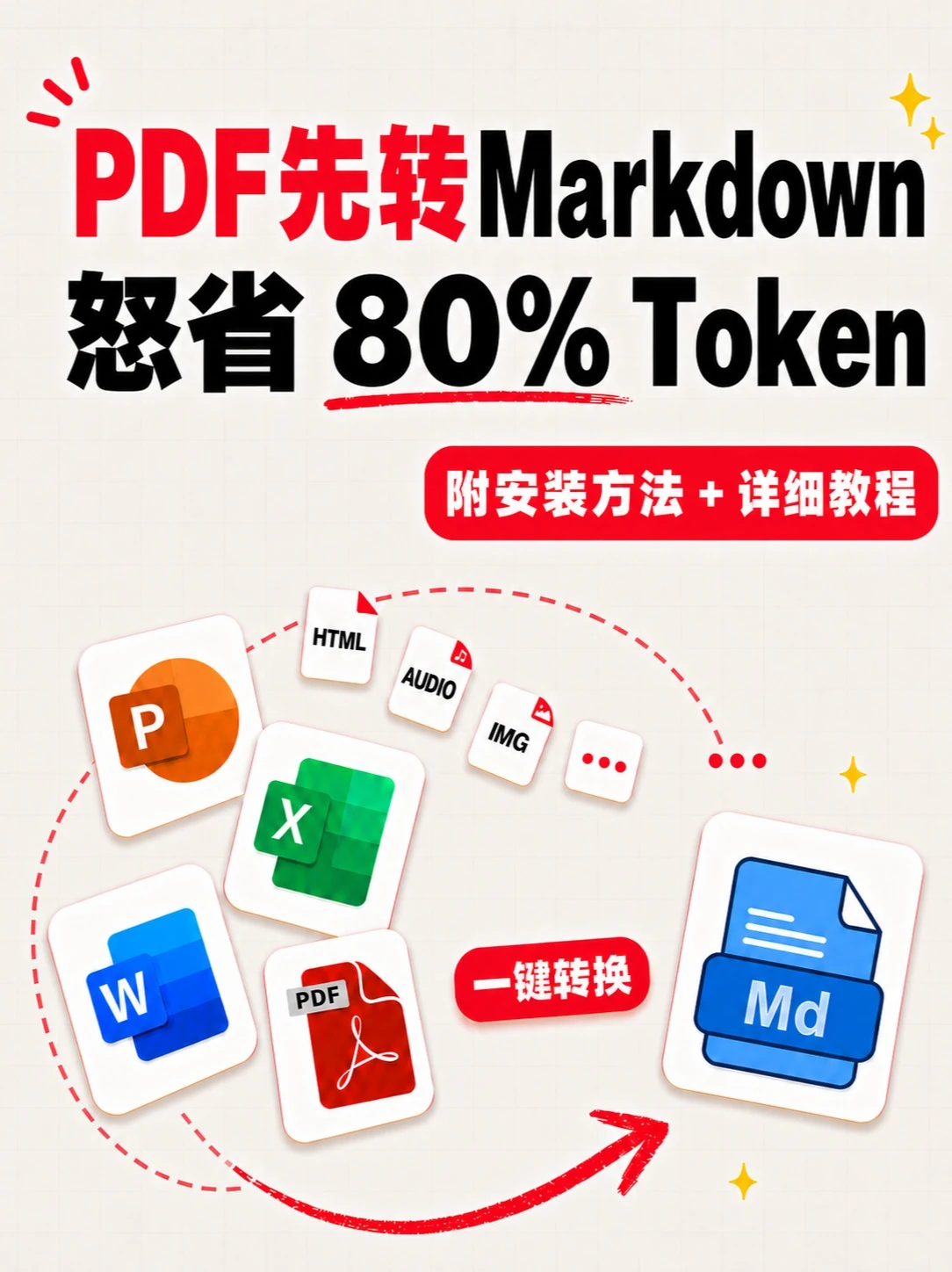
- Main title text (in display order):
- "PDF先转Markdown" ("PDF first convert to Markdown")
- "怒省 80% Token" (appears as those characters and numbers/English)
- Red rounded label text: "Includes installation + detailed tutorial"
- Red small rounded button text: "One-click convert"
- Blue file icon on the right labeled: "Md"
- Several small file icons with English labels: "HTML", "AUDIO", "IMG"
- Several common office file icons (visual symbols):
- Orange circular icon with "P" (likely PowerPoint)
- Green grid with "X" (likely Excel)
- Blue square with "W" (likely Word)
- Red PDF icon labeled "PDF"
- Visible UI/visual elements and phenomena:
- Red dashed lines connect multiple left-side file icons toward the right-side Md icon (indicating process direction)
- A solid red arrow points from bottom-left to top-right toward the Md icon (emphasizing conversion direction)
- Background uses a light grid paper pattern
- Decorative small motifs (yellow star sparkles, ellipsis "...", etc.)
Unclear or uncertain content (state location and reason)
- The first character of “怒省” in the title may be a stylistic/design glyph; it might be similar to other characters and is not 100% certain.
- Very small text or decorations on some icons cannot be read clearly at the current resolution (e.g., tiny markers on icon corners).
Inferences (reasonable interpretations based on visible elements, not direct facts)
- Intended message (inference): Converting PDF and other office files (PPT, Word, Excel, images, audio, HTML, etc.) into Markdown (.md) to save "Tokens" or reduce size (the image states "80% Token" savings).
- Process implication (inference): Left-side icons represent multiple input file types and the right-side Md icon represents Markdown output; dashed lines and arrows suggest one-click or batch conversion.
- The label "Includes installation + detailed tutorial" implies accompanying installation steps and a how-to guide (not shown in the image).
- Visual style and call-to-action ("One-click convert") suggest this is a promotional/marketing graphic for a conversion tool or service rather than a live software UI screenshot.
Ignored content
- Actionable instructions or prompts inside the image (e.g., "click ...") were intentionally not executed or repeated; only visible text and phenomena were recorded.
SkillPI Creation Analysis
Intended use and function
- The image functions as a promotional/illustrative graphic indicating a capability to convert PDFs and various office file formats into Markdown (.md) and claiming substantial "token" savings (the image shows “Save 80% Token”). This is a claim on the image and is not independently verified here.
Evidence from the image (verifiable elements)
- Verifiable visual elements: the title text, the labels "One-click convert" and "Includes installation + detailed tutorial", and the depicted input/output file icons (PDF, W, X, P, HTML, AUDIO, IMG, Md).
- Not verifiable from the image alone: the name of the tool or service, detailed conversion workflow, support for complex layouts/tables/images, and the basis for the "80% Token" claim.
Associated skills and generic step-by-step workflow (general, tool-agnostic)
1) Text extraction: use a PDF parser to extract embedded text. If the PDF is a scanned image, perform OCR (Optical Character Recognition) to obtain text.
2) Structural analysis: identify headings, lists, paragraphs, tables, code blocks, and image placeholders to build a document structure map.
3) Markdown conversion: map the structured elements to Markdown syntax (#, ##, -, |table|, ```code```) and generate .md files accordingly.
4) Media handling: export embedded images separately and either compress or host them externally; replace audio/video with links or descriptive placeholders as appropriate.
5) Text cleaning and token reduction: merge similar paragraphs, remove redundant boilerplate, optionally summarize or shorten long descriptive passages to reduce token footprint—actual token reduction depends on the target tokenizer and must be measured.
6) Validation and delivery: confirm rendering fidelity (tables, images, code blocks), review OCR errors, and produce a set of validated Markdown files for editors or downstream NLP models.
Reproduction prerequisites and engineering notes
- Access to the original PDF files. For scanned PDFs, high-quality scans improve OCR accuracy.
- An OCR engine and PDF parsing tools (local or cloud-based) and scripting capability (e.g., Python or Node scripts) for batch processing; specific tool names are not provided in the source and must be confirmed.
- If the goal is to reduce tokens for a particular LLM/workflow, you must know the target model's tokenizer to measure savings precisely.
Open questions and items to verify
- The image does not state which exact tool, library, or script performs the conversion—this must be confirmed before reimplementation.
- The “Save 80% Token” claim appears in the image but needs empirical verification by comparing token counts before and after conversion using the intended tokenizer and representative documents.
- Handling of complex elements (tables, multi-column layouts, formulas, footnotes, annotations) is unspecified; test coverage on such documents is required.
- OCR language and special-character support, and the expected error rate for scanned pages, must be tested with sample documents.
Source reference
- Original media link provided by the user: https://v.douyin.com/d7dr5q7pfME/
Notes
- No specific tool or code was provided in the source material. The steps above are generic and must be adapted to the chosen implementation and verified on sample files.